> ## Documentation Index
> Fetch the complete documentation index at: https://docs.kelviq.com/llms.txt
> Use this file to discover all available pages before exploring further.
# App
> Changelog for the Kelviq Dashboard
## Safer discount creation
Fixed-amount discounts now include an explicit currency selector. Kelviq places the currency from your organization profile first in the selector, while still letting you review and choose the currency for the discount.
Discount validation is also more reliable:
* Kelviq shows an error when a fixed-amount discount's currency does not match the selected price.
* Product-restricted discounts now use stricter product-selection validation during creation.
* Recurring discounts are now enabled by default, matching the behavior many users expected. You can still limit a discount to a fixed number of billing cycles or let it apply forever.
* Fixed a bug that moved the cursor to the end of a discount field while typing.
## Trials now follow the selected billing model
Trials are available only when a plan has at least one recurring price. One-time-only plans no longer expose trial settings or show a trial at checkout.
If a plan starts with both recurring and one-time pricing and the final recurring price is later disabled, Kelviq now removes the trial behavior from the remaining one-time offer.
## Resend webhook deliveries from the dashboard
Webhook delivery logs now include a **Resend** action. If a delivery fails because an endpoint is unavailable or returns an error, you can fix the endpoint and retry the delivery from the Kelviq dashboard.
The new attempt appears in the delivery logs, where you can inspect its status and response without waiting for another event.
A resend can deliver the same event more than once. Webhook handlers should use the event `id` or `webhook-id` header as an idempotency key.
## Faster feature selection
After a feature is added from the **Manage features & limits** dialog, Kelviq now clears the search field. You can immediately search for and add another feature without deleting the previous query.
## Customer portal fixes
We fixed two customer portal edge cases:
* Login code input is normalized to uppercase as the customer types.
* The cancel action remains available for an active subscription when an associated order has been refunded.
## Customer deliverables in one place
Customer detail pages now include the files, links, and license keys delivered through a customer's plans. Support teams can review a customer's access and manage license keys without opening the related order first.
This makes common support requests faster, including:
* Finding a purchased download
* Opening a private resource link
* Reviewing an issued license key
* Managing a customer's license access
## Better feature and usage configuration
We improved the feature-management experience for metered and configurable entitlements:
* Numeric values now use number inputs where appropriate.
* Credit rollover appears before usage alerts, matching the order in which these settings are configured.
* Feature names can be edited from the feature row's action menu.
* Regional prices now carry over the base price's usage reset, usage alert, and credit rollover settings.
These changes reduce repetitive setup and keep entitlement behavior consistent across base and regional prices.
## Business details are easier to find
Business verification is now available from **Settings → Business details** as well as the onboarding flow. Kelviq also uses the country from the organization profile to make the relevant country option easier to find during verification.
## Cleaner catalog, settings, and sandbox navigation
We simplified several dashboard workflows:
* Product identifiers are no longer shown or requested in the product interface. Kelviq uses the product's internal UUID.
* The sandbox no longer shows a **Start selling** action, because live selling is completed from the production environment.
* Settings navigation has clearer visual separation between groups.
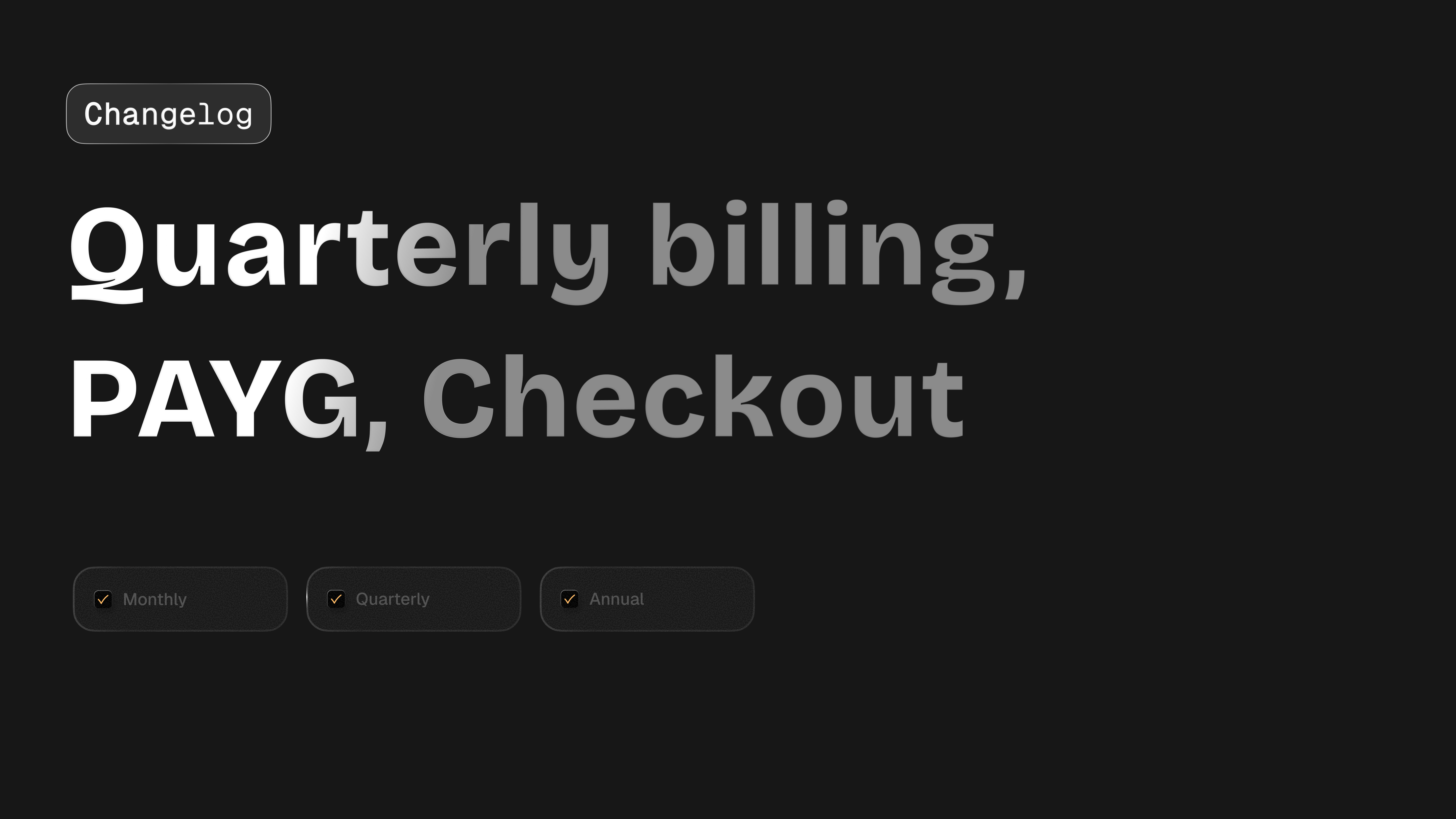 ## Quarterly billing periods
Kelviq now supports quarterly billing periods. Sellers can now offer plans that renew every 3 months.
Example pricing:
```text theme={null}
Monthly: $29 per month
Quarterly: $79 per quarter
Annual: $299 per year
```
Quarterly billing is useful when monthly feels too short and annual feels too expensive. It works well for:
* AI tools
* Developer tools
* Creator products
* Small business SaaS
* B2B products with longer buying cycles
## Pay as you go improvements
We improved pay as you go support across the product. This makes it easier to set up and review usage based billing.
## Usage based pricing improvements
We improved the usage based pricing experience in the UI. This helps sellers create usage based plans with less confusion. Supported pricing patterns include:
* Per unit pricing
* Package pricing
* Included usage with overage
* Pay as you go
* Subscription plus usage
* Credit based usage
Example:
```text theme={null}
Starter plan: $19 per month
Includes: 100 AI credits
Extra credits: $10 per 100 credits
```
## Checkout pricing improvements
Checkout now handles more pricing cases across custom amounts, usage based plans, and tax behavior. This helps keep pricing consistent across:
* Pricing page
* Checkout page
* Customer portal
* Transaction details
* Invoices
## Node SDK webhook improvements
The Node SDK includes more webhook improvements for safer event handling. This helps developers build reliable flows for:
* License generation
* Subscription access
* Plan changes
* Customer portal links
* Usage updates
* Billing state sync
## Final fixes and cleanup
We also shipped smaller fixes and cleanup across checkout, pricing, product setup, and plan setup. This includes improvements for:
* Checkout plan switching
* Package pricing labels
* Product setup flows
* Plan setup flows
* Checkout management
* Dashboard clarity
## Quarterly billing periods
Kelviq now supports quarterly billing periods. Sellers can now offer plans that renew every 3 months.
Example pricing:
```text theme={null}
Monthly: $29 per month
Quarterly: $79 per quarter
Annual: $299 per year
```
Quarterly billing is useful when monthly feels too short and annual feels too expensive. It works well for:
* AI tools
* Developer tools
* Creator products
* Small business SaaS
* B2B products with longer buying cycles
## Pay as you go improvements
We improved pay as you go support across the product. This makes it easier to set up and review usage based billing.
## Usage based pricing improvements
We improved the usage based pricing experience in the UI. This helps sellers create usage based plans with less confusion. Supported pricing patterns include:
* Per unit pricing
* Package pricing
* Included usage with overage
* Pay as you go
* Subscription plus usage
* Credit based usage
Example:
```text theme={null}
Starter plan: $19 per month
Includes: 100 AI credits
Extra credits: $10 per 100 credits
```
## Checkout pricing improvements
Checkout now handles more pricing cases across custom amounts, usage based plans, and tax behavior. This helps keep pricing consistent across:
* Pricing page
* Checkout page
* Customer portal
* Transaction details
* Invoices
## Node SDK webhook improvements
The Node SDK includes more webhook improvements for safer event handling. This helps developers build reliable flows for:
* License generation
* Subscription access
* Plan changes
* Customer portal links
* Usage updates
* Billing state sync
## Final fixes and cleanup
We also shipped smaller fixes and cleanup across checkout, pricing, product setup, and plan setup. This includes improvements for:
* Checkout plan switching
* Package pricing labels
* Product setup flows
* Plan setup flows
* Checkout management
* Dashboard clarity
 ## Organization settings page
Kelviq now has an Organization settings page. This gives teams a central place to manage organization level settings. The goal is to keep account level setup separate from product level setup.
This can include:
* Organization name
* Business details
* Team settings
* Billing settings
* Product defaults
## Payout tab is visible before business verification
The payout tab is now visible before business verification is complete. This avoids confusion for new sellers. Before this, some users were not sure where payout setup would appear. Now sellers can see the payout area earlier, even if live payouts are not enabled yet.
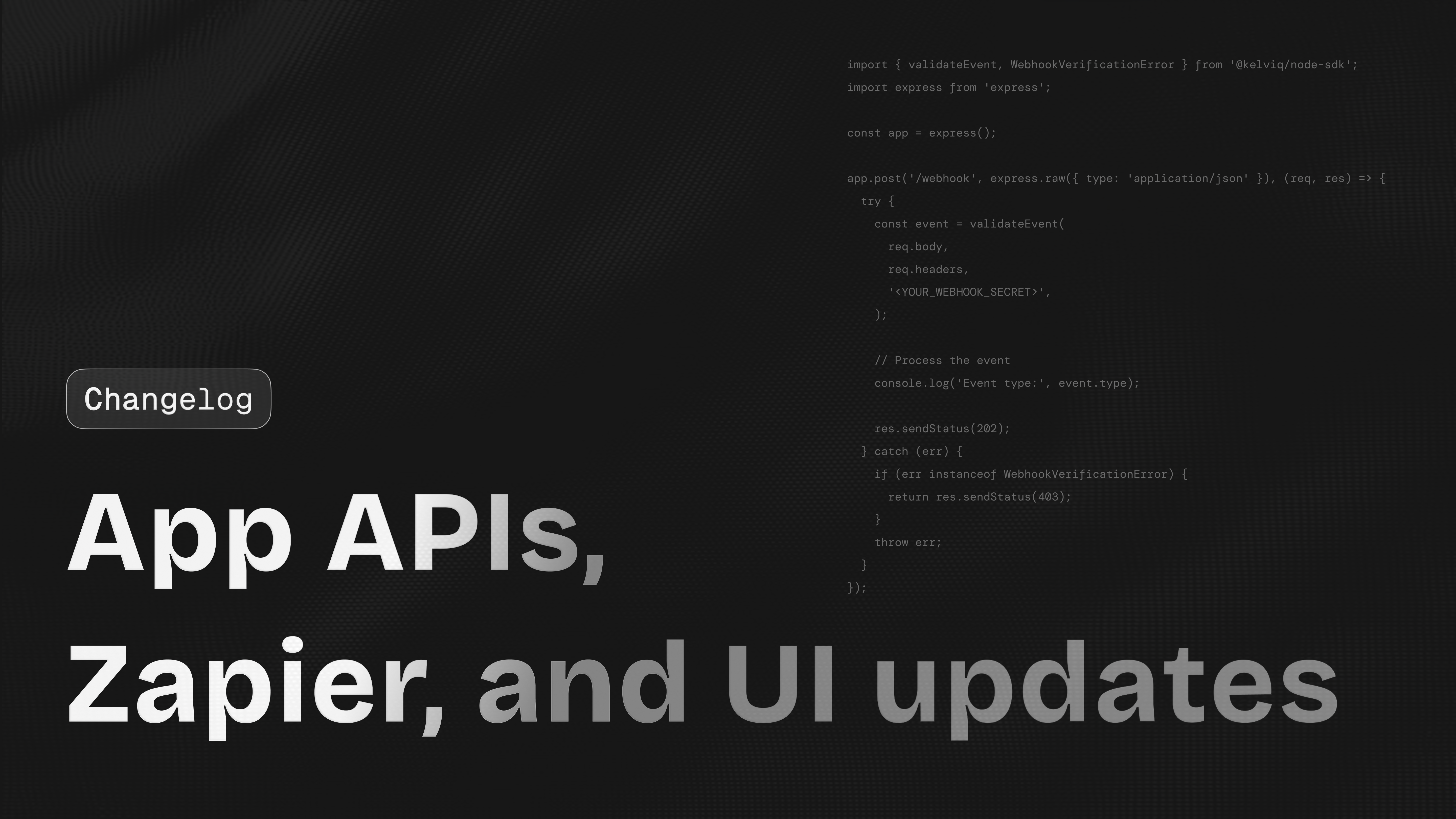
## Zapier integration
Kelviq now supports Zapier integration. This helps sellers connect Kelviq with other tools without custom code.
Examples:
* Send a Slack message when a new order is created
* Add a new customer to HubSpot
* Create a Google Sheets row after checkout
* Send an onboarding email after payment
* Notify support when a refund happens
* Add a buyer to a course platform
## Plans removed from the sidebar
We removed Plans from the sidebar because it was confusing. Plans are now managed inside products. This makes the dashboard easier to understand. This matches how sellers usually think about setup:
1. Create a product
2. Add plans to the product
3. Create checkout links for those plans
## Email removed from checkout list
We removed the separate email field from the checkout list because the customer column already shows the email. This makes the table cleaner and reduces repeated information.
## Frontend improvements
We shipped several dashboard improvements focused on clarity and setup speed. This includes:
* Cleaner product navigation
* Better table layout
* Better empty states
* Easier checkout link access
* Clearer plan setup
* Better plan publishing flow
## Custom checkout pricing improvements
We improved the custom checkout pricing flow. This is useful for sales led deals and private pricing. You can create a custom checkout for that customer without adding a public plan.
## Organization settings page
Kelviq now has an Organization settings page. This gives teams a central place to manage organization level settings. The goal is to keep account level setup separate from product level setup.
This can include:
* Organization name
* Business details
* Team settings
* Billing settings
* Product defaults
## Payout tab is visible before business verification
The payout tab is now visible before business verification is complete. This avoids confusion for new sellers. Before this, some users were not sure where payout setup would appear. Now sellers can see the payout area earlier, even if live payouts are not enabled yet.
## Zapier integration
Kelviq now supports Zapier integration. This helps sellers connect Kelviq with other tools without custom code.
Examples:
* Send a Slack message when a new order is created
* Add a new customer to HubSpot
* Create a Google Sheets row after checkout
* Send an onboarding email after payment
* Notify support when a refund happens
* Add a buyer to a course platform
## Plans removed from the sidebar
We removed Plans from the sidebar because it was confusing. Plans are now managed inside products. This makes the dashboard easier to understand. This matches how sellers usually think about setup:
1. Create a product
2. Add plans to the product
3. Create checkout links for those plans
## Email removed from checkout list
We removed the separate email field from the checkout list because the customer column already shows the email. This makes the table cleaner and reduces repeated information.
## Frontend improvements
We shipped several dashboard improvements focused on clarity and setup speed. This includes:
* Cleaner product navigation
* Better table layout
* Better empty states
* Easier checkout link access
* Clearer plan setup
* Better plan publishing flow
## Custom checkout pricing improvements
We improved the custom checkout pricing flow. This is useful for sales led deals and private pricing. You can create a custom checkout for that customer without adding a public plan.
 ## Subscription data in license validation
License checks can return subscription context along with the license result. This is important for desktop software, private model tooling, and downloadable products where access is tied to both a license key and a live subscription.
Example response:
```json theme={null}
{
"license": {
"key": "LIC-123",
"status": "active"
},
"subscription": {
"status": "active",
"plan": "Pro",
"trialDaysRemaining": 0
...
}
}
```
## License API support in the Node SDK
The Node SDK now supports the License API. You can validate license keys and connect license status directly to your app. Backend services using `@kelviq/node-sdk` can validate licenses without making manual API requests. For example, a CLI product can validate a license key on launch, confirm the associated subscription is active, and decide whether to unlock premium features.
**Example:**
```js theme={null}
const result = await client.license.validate({
licenseKey: "LIC-123"
});
if (result.valid) {
// Unlock product access
}
```
This is useful for products such as:
* macOS apps
* WordPress plugins
* VS Code extensions
* Figma plugins
* Desktop developer tools
* Paid templates
## Trial end support for subscription updates
The Node SDK now supports `trialEnd` when updating subscriptions. This gives developers more control over trials. This helps teams extend a trial after sales approval or shorten a trial when a customer upgrades early.
You can now handle flows like:
* Extend a trial by 7 days
* End a trial immediately
* Set a custom trial end date
* Move a customer from trial to paid
* Give a sales led customer a longer trial
```js theme={null}
await client.subscriptions.update({
subscriptionId: "sub_123",
trialEnd: "2026-06-30T23:59:59Z"
});
```
## Portal session support in the Node SDK
The Node SDK now supports customer portal sessions. You can create a signed portal link from your backend and send customers to the portal.
Example:
```js theme={null}
const session = await client.portal.createSession({
customerId: "cust_789",
});
// Redirect your customer to the portal
res.redirect(session.customerPortalUrl);
```
Customers can use the portal to:
* View invoices
* Update payment method
* Cancel subscription
* Manage billing details
* Access downloads
* View license keys
## Signed customer portal link from order details
You can now generate and send a signed customer portal link directly from the order details page. This is especially useful for support workflows.
**Example:** A customer asks:
```text theme={null}
Can you send me my invoice?
I need to update my payment method.
I need access to my license details.
```
You can open the order, generate a secure customer portal link, and send it to the customer. Customers can then access invoices, update their payment method, manage subscriptions, and view license details on their own. No custom engineering is required for this support workflow.
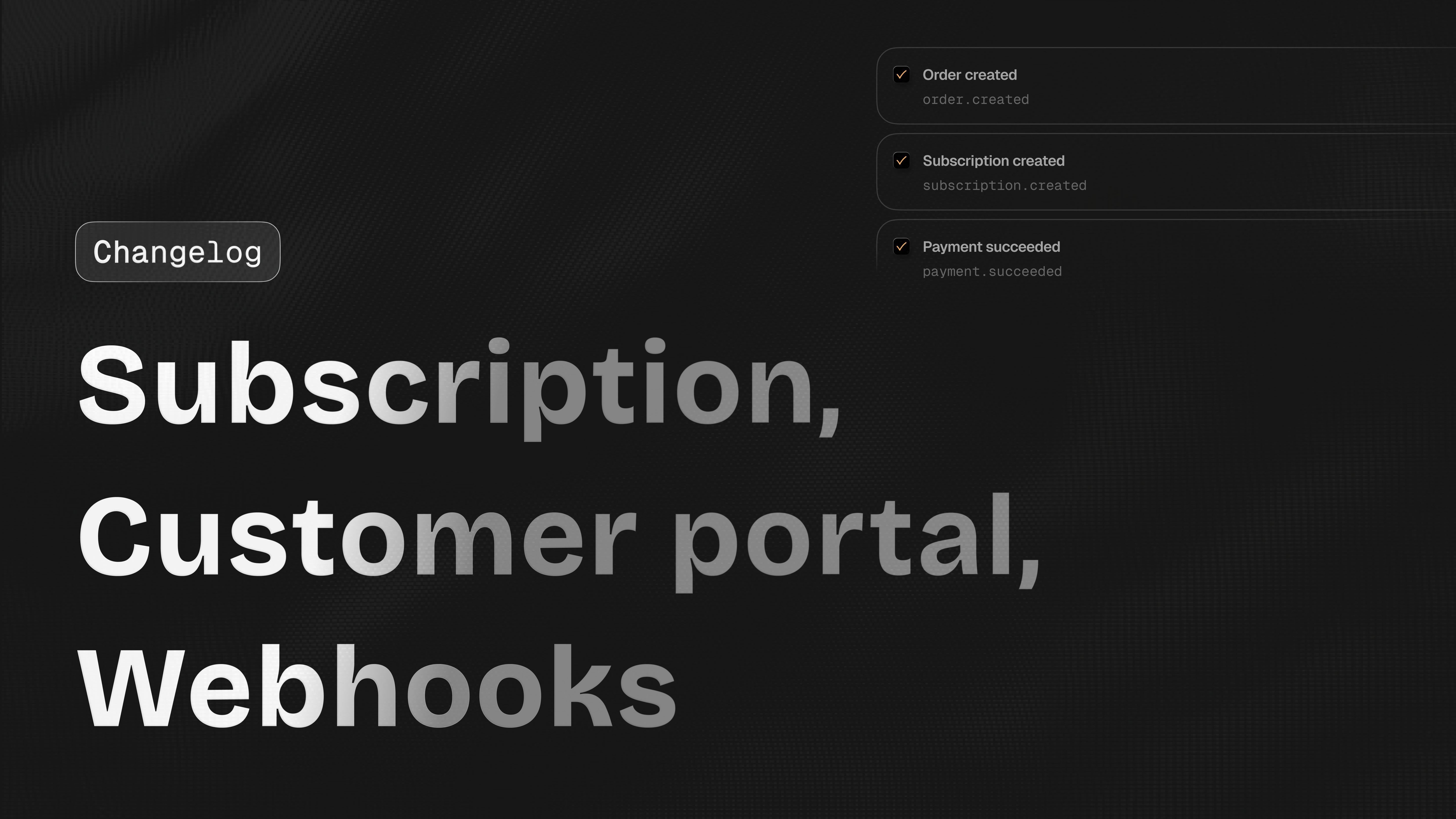
## Webhooks in the dashboard
We added webhook support in the dashboard. This gives developers a clear place to manage webhook related setup. Webhooks are useful when your app needs to react to Kelviq events.
Examples:
* Create a license after checkout
* Unlock a paid feature
* Update a subscription
* Sync customer state
* Send an onboarding email
* Disable access after cancellation
## Webhook improvements in the Node SDK
The Node SDK now includes webhook improvements. This helps developers verify and handle webhook events more safely.
Example events:
```text theme={null}
checkout.completed
order.created
subscription.created
subscription.updated
subscription.cancelled
plan.changed
```
## Webhook logs
Kelviq now includes webhook logs. This helps developers debug webhook delivery issues. This is useful when your endpoint is down, slow, or returning an error. You can inspect:
* Event type
* Delivery status
* Response code
* Timestamp
* Error response
## Plan changed webhook
We added a plan changed webhook. This helps your app react when a customer changes plans.
Example: A customer moves from `Starter` to `Pro`.
Your app can listen for the event and update:
* Feature access
* Usage limits
* Seat limits
* Credit balance
* Internal customer state
## Publish plan UI and UX update
We updated the publish plan UI and UX. The new flow makes it clearer when a plan is still a draft and when it is ready for customers. This helps reduce mistakes before sharing checkout links.
## Plan description in plan detail header
Plan detail pages now show the plan description in the header. This makes it easier to identify similar plans.
Example:
```text theme={null}
Pro
For growing AI teams with higher usage limits
```
## Free plan switch disabled for published plans
Kelviq now disables free plan switching for published plans when switching is not possible. This prevents users from selecting an action that cannot be completed.
## Subscription data in license validation
License checks can return subscription context along with the license result. This is important for desktop software, private model tooling, and downloadable products where access is tied to both a license key and a live subscription.
Example response:
```json theme={null}
{
"license": {
"key": "LIC-123",
"status": "active"
},
"subscription": {
"status": "active",
"plan": "Pro",
"trialDaysRemaining": 0
...
}
}
```
## License API support in the Node SDK
The Node SDK now supports the License API. You can validate license keys and connect license status directly to your app. Backend services using `@kelviq/node-sdk` can validate licenses without making manual API requests. For example, a CLI product can validate a license key on launch, confirm the associated subscription is active, and decide whether to unlock premium features.
**Example:**
```js theme={null}
const result = await client.license.validate({
licenseKey: "LIC-123"
});
if (result.valid) {
// Unlock product access
}
```
This is useful for products such as:
* macOS apps
* WordPress plugins
* VS Code extensions
* Figma plugins
* Desktop developer tools
* Paid templates
## Trial end support for subscription updates
The Node SDK now supports `trialEnd` when updating subscriptions. This gives developers more control over trials. This helps teams extend a trial after sales approval or shorten a trial when a customer upgrades early.
You can now handle flows like:
* Extend a trial by 7 days
* End a trial immediately
* Set a custom trial end date
* Move a customer from trial to paid
* Give a sales led customer a longer trial
```js theme={null}
await client.subscriptions.update({
subscriptionId: "sub_123",
trialEnd: "2026-06-30T23:59:59Z"
});
```
## Portal session support in the Node SDK
The Node SDK now supports customer portal sessions. You can create a signed portal link from your backend and send customers to the portal.
Example:
```js theme={null}
const session = await client.portal.createSession({
customerId: "cust_789",
});
// Redirect your customer to the portal
res.redirect(session.customerPortalUrl);
```
Customers can use the portal to:
* View invoices
* Update payment method
* Cancel subscription
* Manage billing details
* Access downloads
* View license keys
## Signed customer portal link from order details
You can now generate and send a signed customer portal link directly from the order details page. This is especially useful for support workflows.
**Example:** A customer asks:
```text theme={null}
Can you send me my invoice?
I need to update my payment method.
I need access to my license details.
```
You can open the order, generate a secure customer portal link, and send it to the customer. Customers can then access invoices, update their payment method, manage subscriptions, and view license details on their own. No custom engineering is required for this support workflow.
## Webhooks in the dashboard
We added webhook support in the dashboard. This gives developers a clear place to manage webhook related setup. Webhooks are useful when your app needs to react to Kelviq events.
Examples:
* Create a license after checkout
* Unlock a paid feature
* Update a subscription
* Sync customer state
* Send an onboarding email
* Disable access after cancellation
## Webhook improvements in the Node SDK
The Node SDK now includes webhook improvements. This helps developers verify and handle webhook events more safely.
Example events:
```text theme={null}
checkout.completed
order.created
subscription.created
subscription.updated
subscription.cancelled
plan.changed
```
## Webhook logs
Kelviq now includes webhook logs. This helps developers debug webhook delivery issues. This is useful when your endpoint is down, slow, or returning an error. You can inspect:
* Event type
* Delivery status
* Response code
* Timestamp
* Error response
## Plan changed webhook
We added a plan changed webhook. This helps your app react when a customer changes plans.
Example: A customer moves from `Starter` to `Pro`.
Your app can listen for the event and update:
* Feature access
* Usage limits
* Seat limits
* Credit balance
* Internal customer state
## Publish plan UI and UX update
We updated the publish plan UI and UX. The new flow makes it clearer when a plan is still a draft and when it is ready for customers. This helps reduce mistakes before sharing checkout links.
## Plan description in plan detail header
Plan detail pages now show the plan description in the header. This makes it easier to identify similar plans.
Example:
```text theme={null}
Pro
For growing AI teams with higher usage limits
```
## Free plan switch disabled for published plans
Kelviq now disables free plan switching for published plans when switching is not possible. This prevents users from selecting an action that cannot be completed.
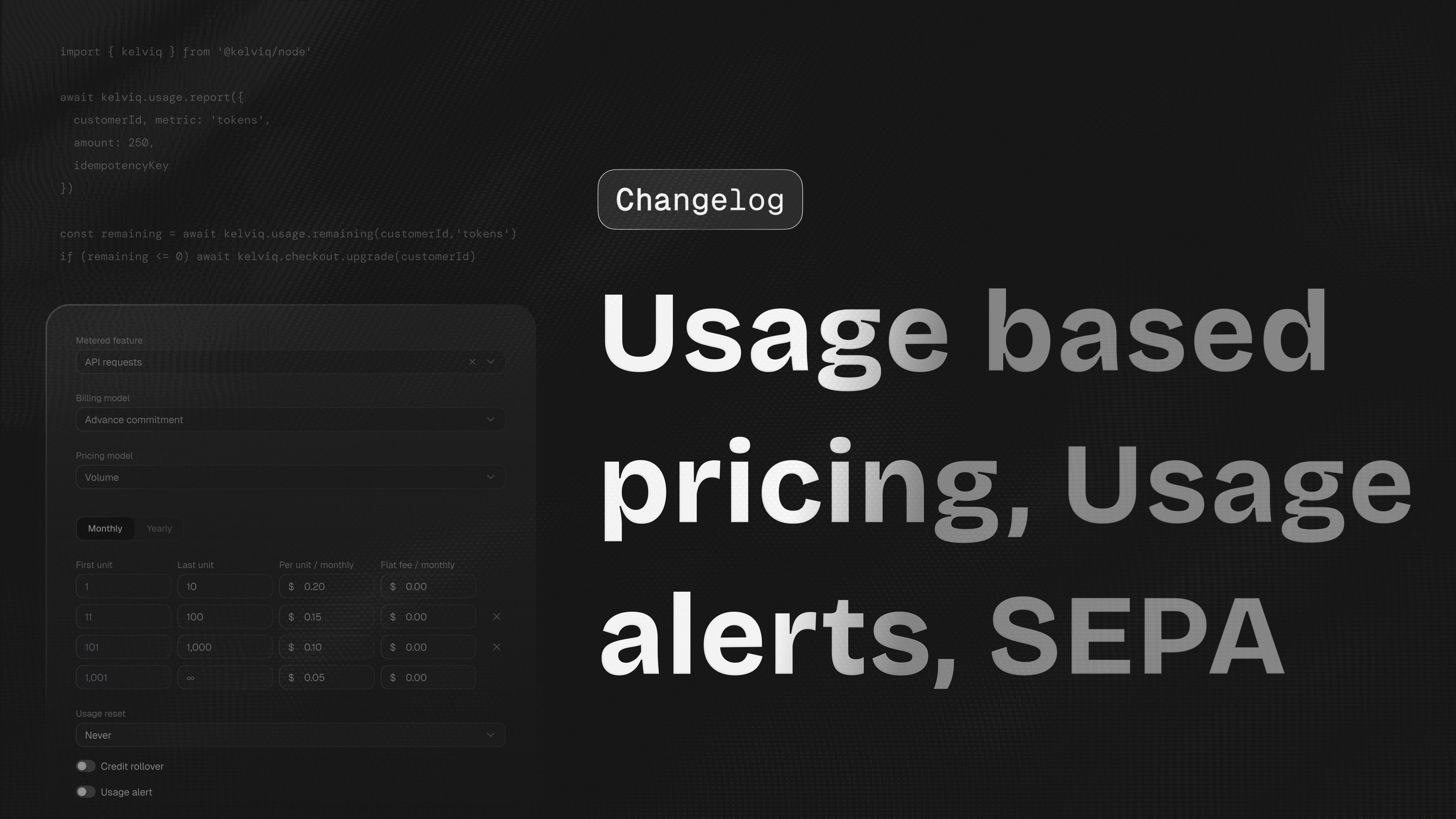 ## Usage based pricing in the dashboard
Merchants can configure metered pricing without leaving the dashboard. A plan can include a base subscription, included usage, and overage pricing for usage beyond the included amount.
## Pay as you go
Kelviq now supports pay as you go pricing. Your customers can continue using a metered product after included usage runs out, then pay for additional consumption. This fits LLM tools, API platforms, transcription products, and image generation products where hard cutoffs create poor customer experiences.
Example: A customer uses the following in one month:
```text theme={null}
120,000 tokens
40 image generations
500 API calls
```
Kelviq will calculate the bill based on the pricing rules you set.
## Enable pay as you go from the dashboard
You can now enable pay as you go from the dashboard. This helps sellers launch usage based pricing without building their own billing system. A simple AI product can now charge like this:
```text theme={null}
Base plan: $20 per month
Included usage: 100,000 tokens
Overage: $2 per 10,000 tokens
```
## Usage alerts
Kelviq now supports usage alerts. Usage alerts help you know when a customer reaches an important usage threshold. Merchants can notify customers when metered usage crosses a configured limit. This is especially useful for AI products where usage can grow quickly across tokens, image generations, API calls, embeddings, storage, or compute minutes.
Examples:
* Customer used 80% of included credits
* Customer crossed 10,000 API calls
* Customer used more than `$100` in AI model cost
* Customer is close to the monthly usage limit
* Customer is likely to need an upgrade soon
This helps sellers avoid surprise bills and give customers a better experience.
## Usage alerts for status entitlements
Usage alerts now work with status entitlements. This helps connect product access with usage state.
Example: A customer has `100` credits. Different features can consume credits differently:
```text theme={null}
GPT 5.1 request: 2 credits
Claude Sonnet request: 3 credits
Page crawl: 5 credits
Long report generation: 20 credits
```
Kelviq can help track when the customer is close to the limit and trigger an alert.
## Negative usage values
Usage reporting now supports negative values. This is useful when you need to correct usage after it was reported. If an app accidentally reports `125,000` tokens instead of `120,000`, it can send `-5,000` to bring the meter back in line.
Examples:
* Remove duplicate API usage
* Reverse usage after a failed job
* Credit back usage after a refund
* Fix a metering mistake
* Adjust token usage after an LLM call failed
* Reserve tokens up front and return the unused amount once the action completes
This also enables a reserve-and-settle pattern. You can block a number of tokens in advance, then report a negative value to return whatever wasn't used once the action finishes. For example, reserve `1,000` tokens before an LLM call, then send `-400` if only `600` were consumed.
```js theme={null}
import { BEHAVIOUR_CHOICES } from '@kelviq/node-sdk';
// Reserve tokens before the action
await client.reporting.reportUsage({
value: 1000,
customerId: "cus_123",
featureId: "tokens",
behaviour: BEHAVIOUR_CHOICES.DELTA
});
// Return the unused tokens after it completes
await client.reporting.reportUsage({
value: -400,
customerId: "cus_123",
featureId: "tokens",
behaviour: BEHAVIOUR_CHOICES.DELTA
});
```
## Checkout API supports locked email and default billing country
The checkout API now supports locked email and default billing country. This helps create a cleaner checkout flow when your app already knows the customer.
Example:
```js theme={null}
await client.checkout.createSession({
planIdentifier: "plan-pro",
customerId: "cust_789",
lockEmail: true,
defaultBillingCountry: "US"
});
```
This prevents customers from using the wrong email during checkout.
## Prefill customer email in checkout links
Checkout links can now prefill the customer email when available. This is useful when checkout starts from your app.
Example: A logged in customer clicks upgrade. Checkout opens with their email already filled in.
```text theme={null}
alex@company.com
```
This reduces checkout mistakes and support issues.
## Lock email using checkout config
Checkout links now support locking the email field using config. This means customers can see the email but cannot edit it.
This is useful for:
* License keys
* Account based access
* Customer portal access
* Subscription upgrades
* Team plans
## SEPA payment method
Checkout now supports SEPA. This helps sellers serve more European customers, especially B2B customers who prefer bank debit. SEPA is useful for:
* SaaS subscriptions
* B2B tools
* Annual contracts
* European customers
* Larger invoice amounts
## Usage based pricing in the dashboard
Merchants can configure metered pricing without leaving the dashboard. A plan can include a base subscription, included usage, and overage pricing for usage beyond the included amount.
## Pay as you go
Kelviq now supports pay as you go pricing. Your customers can continue using a metered product after included usage runs out, then pay for additional consumption. This fits LLM tools, API platforms, transcription products, and image generation products where hard cutoffs create poor customer experiences.
Example: A customer uses the following in one month:
```text theme={null}
120,000 tokens
40 image generations
500 API calls
```
Kelviq will calculate the bill based on the pricing rules you set.
## Enable pay as you go from the dashboard
You can now enable pay as you go from the dashboard. This helps sellers launch usage based pricing without building their own billing system. A simple AI product can now charge like this:
```text theme={null}
Base plan: $20 per month
Included usage: 100,000 tokens
Overage: $2 per 10,000 tokens
```
## Usage alerts
Kelviq now supports usage alerts. Usage alerts help you know when a customer reaches an important usage threshold. Merchants can notify customers when metered usage crosses a configured limit. This is especially useful for AI products where usage can grow quickly across tokens, image generations, API calls, embeddings, storage, or compute minutes.
Examples:
* Customer used 80% of included credits
* Customer crossed 10,000 API calls
* Customer used more than `$100` in AI model cost
* Customer is close to the monthly usage limit
* Customer is likely to need an upgrade soon
This helps sellers avoid surprise bills and give customers a better experience.
## Usage alerts for status entitlements
Usage alerts now work with status entitlements. This helps connect product access with usage state.
Example: A customer has `100` credits. Different features can consume credits differently:
```text theme={null}
GPT 5.1 request: 2 credits
Claude Sonnet request: 3 credits
Page crawl: 5 credits
Long report generation: 20 credits
```
Kelviq can help track when the customer is close to the limit and trigger an alert.
## Negative usage values
Usage reporting now supports negative values. This is useful when you need to correct usage after it was reported. If an app accidentally reports `125,000` tokens instead of `120,000`, it can send `-5,000` to bring the meter back in line.
Examples:
* Remove duplicate API usage
* Reverse usage after a failed job
* Credit back usage after a refund
* Fix a metering mistake
* Adjust token usage after an LLM call failed
* Reserve tokens up front and return the unused amount once the action completes
This also enables a reserve-and-settle pattern. You can block a number of tokens in advance, then report a negative value to return whatever wasn't used once the action finishes. For example, reserve `1,000` tokens before an LLM call, then send `-400` if only `600` were consumed.
```js theme={null}
import { BEHAVIOUR_CHOICES } from '@kelviq/node-sdk';
// Reserve tokens before the action
await client.reporting.reportUsage({
value: 1000,
customerId: "cus_123",
featureId: "tokens",
behaviour: BEHAVIOUR_CHOICES.DELTA
});
// Return the unused tokens after it completes
await client.reporting.reportUsage({
value: -400,
customerId: "cus_123",
featureId: "tokens",
behaviour: BEHAVIOUR_CHOICES.DELTA
});
```
## Checkout API supports locked email and default billing country
The checkout API now supports locked email and default billing country. This helps create a cleaner checkout flow when your app already knows the customer.
Example:
```js theme={null}
await client.checkout.createSession({
planIdentifier: "plan-pro",
customerId: "cust_789",
lockEmail: true,
defaultBillingCountry: "US"
});
```
This prevents customers from using the wrong email during checkout.
## Prefill customer email in checkout links
Checkout links can now prefill the customer email when available. This is useful when checkout starts from your app.
Example: A logged in customer clicks upgrade. Checkout opens with their email already filled in.
```text theme={null}
alex@company.com
```
This reduces checkout mistakes and support issues.
## Lock email using checkout config
Checkout links now support locking the email field using config. This means customers can see the email but cannot edit it.
This is useful for:
* License keys
* Account based access
* Customer portal access
* Subscription upgrades
* Team plans
## SEPA payment method
Checkout now supports SEPA. This helps sellers serve more European customers, especially B2B customers who prefer bank debit. SEPA is useful for:
* SaaS subscriptions
* B2B tools
* Annual contracts
* European customers
* Larger invoice amounts
 ## Tax inclusive pricing settings
Kelviq now supports tax inclusive pricing settings. This lets you decide whether the price shown to the customer already includes tax.
Example: A customer sees:
```text theme={null}
$20 per month
```
If tax inclusive pricing is enabled, the customer still pays \$20 per month.
Kelviq calculates the tax portion from that amount. This is useful in markets where customers expect the displayed price to be the final price.
## Tax inclusive behavior is shown in checkout
Checkout now respects tax inclusive settings so the buyer sees the same pricing behavior that was configured for the plan. This avoids the common confusion where a pricing page says `$49` but checkout unexpectedly adds tax on top.
## Tax type and tax percentage in checkout
Checkout links now support tax type (such as VAT, GST, Sales Tax, or any other configured tax type) and the tax percentage. This gives customers a clearer view of what they are paying.
Example with tax added on top:
```text theme={null}
Product price: $100
Tax: 10%
Total: $110
```
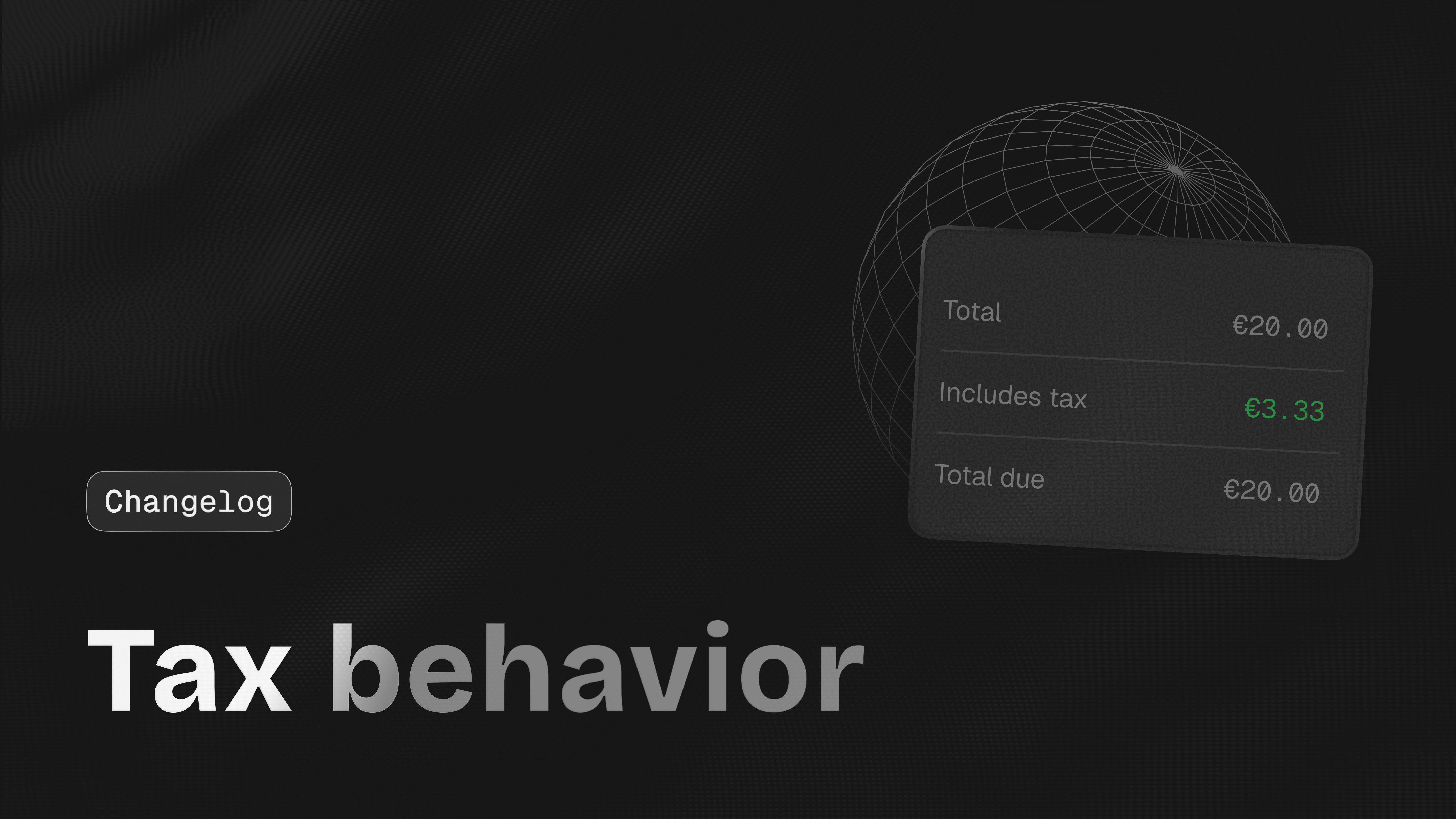
Example with tax included:
```text theme={null}
Total: €20
Includes tax: €3.33
```
## Tax behavior in plan details
Plan detail pages now show tax behavior. Teams can confirm that a `Pro EU` plan includes VAT, while a `Pro US` plan remains tax exclusive. You can see whether a plan is tax inclusive or tax exclusive before sharing it with customers, helping you avoid setup mistakes.
## Tax code category on products
You can now set a tax code category when creating or editing a product. This helps Kelviq apply the right tax treatment based on what you sell.
Examples:
* SaaS subscription
* API access
* AI credits
* Digital download
* License key
* Course
* Template
* Plugin
This matters because different product types can have different tax rules.
## Tax information in transactions
Transaction views now show tax details so support and finance teams can answer customer questions without leaving the dashboard.
You can use this to answer questions like:
* What was the product price?
* How much tax was charged?
* Was tax included in the price?
* What did the customer pay in total?
## Custom checkout pricing
Kelviq now supports custom checkout pricing. This lets you create a checkout with a custom amount instead of always using the fixed public plan price.
This is useful for:
* Custom quotes
* One off payments
* Sales led plans
* Manual upgrades
* Private deals
* Customer specific pricing
Example: A customer agrees to a custom price of `$349 per month`.
You can create a checkout session for that amount without creating a public plan for every custom price.
## Custom amount on checkout page
Checkout can now show and charge a custom amount. This gives sellers more flexibility when dealing with larger customers or special pricing cases.
Example:
```text theme={null}
Custom plan
$349 per month
```
## Regional pricing minimum value validation
We added validation for regional pricing minimum values. This helps prevent a regional price from becoming too low to process.
Example: A plan is priced at `$5`.
A very large regional discount could reduce the price below the minimum amount allowed by the payment method. Kelviq now catches this earlier so sellers can fix it before customers reach checkout.
## Fixes
**Canada postal code** —
Fixed an issue with Canadian postal codes during checkout. Canadian postal codes such as `M5V 2T6` are now handled correctly.
**Checkout plan switching** —
Fixed an issue where checkout could fail when customers switched between plans. This improves checkout reliability when customers compare plans before paying.
**Package pricing label** —
Fixed the label for package based pricing. This makes package pricing easier for customers to understand at checkout.
Example:
```text theme={null}
$10 per 1,000 API calls
```
**One time payment cancellation** —
Fixed an issue where cancel subscription was visible for one time payments. One time payments do not have a subscription to cancel, so that action is now hidden.
## Tax inclusive pricing settings
Kelviq now supports tax inclusive pricing settings. This lets you decide whether the price shown to the customer already includes tax.
Example: A customer sees:
```text theme={null}
$20 per month
```
If tax inclusive pricing is enabled, the customer still pays \$20 per month.
Kelviq calculates the tax portion from that amount. This is useful in markets where customers expect the displayed price to be the final price.
## Tax inclusive behavior is shown in checkout
Checkout now respects tax inclusive settings so the buyer sees the same pricing behavior that was configured for the plan. This avoids the common confusion where a pricing page says `$49` but checkout unexpectedly adds tax on top.
## Tax type and tax percentage in checkout
Checkout links now support tax type (such as VAT, GST, Sales Tax, or any other configured tax type) and the tax percentage. This gives customers a clearer view of what they are paying.
Example with tax added on top:
```text theme={null}
Product price: $100
Tax: 10%
Total: $110
```
Example with tax included:
```text theme={null}
Total: €20
Includes tax: €3.33
```
## Tax behavior in plan details
Plan detail pages now show tax behavior. Teams can confirm that a `Pro EU` plan includes VAT, while a `Pro US` plan remains tax exclusive. You can see whether a plan is tax inclusive or tax exclusive before sharing it with customers, helping you avoid setup mistakes.
## Tax code category on products
You can now set a tax code category when creating or editing a product. This helps Kelviq apply the right tax treatment based on what you sell.
Examples:
* SaaS subscription
* API access
* AI credits
* Digital download
* License key
* Course
* Template
* Plugin
This matters because different product types can have different tax rules.
## Tax information in transactions
Transaction views now show tax details so support and finance teams can answer customer questions without leaving the dashboard.
You can use this to answer questions like:
* What was the product price?
* How much tax was charged?
* Was tax included in the price?
* What did the customer pay in total?
## Custom checkout pricing
Kelviq now supports custom checkout pricing. This lets you create a checkout with a custom amount instead of always using the fixed public plan price.
This is useful for:
* Custom quotes
* One off payments
* Sales led plans
* Manual upgrades
* Private deals
* Customer specific pricing
Example: A customer agrees to a custom price of `$349 per month`.
You can create a checkout session for that amount without creating a public plan for every custom price.
## Custom amount on checkout page
Checkout can now show and charge a custom amount. This gives sellers more flexibility when dealing with larger customers or special pricing cases.
Example:
```text theme={null}
Custom plan
$349 per month
```
## Regional pricing minimum value validation
We added validation for regional pricing minimum values. This helps prevent a regional price from becoming too low to process.
Example: A plan is priced at `$5`.
A very large regional discount could reduce the price below the minimum amount allowed by the payment method. Kelviq now catches this earlier so sellers can fix it before customers reach checkout.
## Fixes
**Canada postal code** —
Fixed an issue with Canadian postal codes during checkout. Canadian postal codes such as `M5V 2T6` are now handled correctly.
**Checkout plan switching** —
Fixed an issue where checkout could fail when customers switched between plans. This improves checkout reliability when customers compare plans before paying.
**Package pricing label** —
Fixed the label for package based pricing. This makes package pricing easier for customers to understand at checkout.
Example:
```text theme={null}
$10 per 1,000 API calls
```
**One time payment cancellation** —
Fixed an issue where cancel subscription was visible for one time payments. One time payments do not have a subscription to cancel, so that action is now hidden.
 ## Promotions are now faster and more reliable
We moved Promotions storage to DynamoDB. This gives promotion rules
a durable home across the dashboard, APIs, and hosted checkout.
Example: A merchant selling an AI support agent can create `STARTUP20`,
limit it to the Pro plan, and keep the rule available when checkout
links are regenerated.
## Promotions are now available in the dashboard
We added Promotions to the Kelviq dashboard. Teams can now create,
review, and manage offers without asking engineering to touch config.
The flow is built around what a billing owner actually needs to know:
which plan is discounted, whether the promotion is active, and where
the SDK docs are when you need to wire it up from code.
A common flow looks like this:
1. Create a product
2. Create a plan
3. Add a promotion
4. Copy the checkout link
5. Share the link or add it to your pricing page
## API and SDK docs are linked from Promotions
The dashboard now connects promotion setup to the integration docs a developer needs when creating checkout sessions from the backend. This helps developers move from setup to integration faster.
## Checkout link empty screen is clearer
The empty screen now points users toward creating or copying the right checkout link instead of leaving the page feeling broken.
## Checkout links are easier to access
You can now get checkout links from product and plan listing pages. This saves time when you are setting up a product and want to quickly copy a checkout link.
## Product cards are now fully clickable
Instead of clicking only on a small button or title, you can click anywhere on the product card to open it. This makes navigation easier when you have multiple products.
## Developers tab is now API Key
We renamed the Developers tab to API Key. Most people go there to find their API key, so the label now matches the destination.
Before: **Developers**
Now: **API Key**
## Chart theming support
We added theming options for charts, including branded and dark mode. Charts now stay consistent with the rest of your dashboard without manual workarounds.
## Analytics style update
We updated the analytics UI style to make revenue, customers,
transactions, and product data easier to scan.
This is helpful when you want to quickly answer questions like:
* How much did we sell today?
* Which plan is performing better?
* Which product has the most transactions?
* Are refunds increasing?
* Are more customers choosing annual plans?
## Docs copy cleanup
We updated docs copy from `archive` to `delete` in more places.
This makes the docs match the real product action.
## Fixes
**Duplicate file upload issue** —
Fixed an issue where duplicate files could be created during
multiple file uploads.
**Plan dialog issue** —
Fixed an issue where the add plan dialog closed even when the
user selected the option to create more plans. Now users can
create multiple plans without reopening the dialog each time.
**Feature delete issue** —
Fixed an issue where a feature was not removed correctly from
the list after deletion.
### Payments & Billing
* **UPI Payments Support** — You can now accept payments via UPI. Customers can pay seamlessly using their preferred UPI apps (like Google Pay, PhonePe, or Paytm).
* **Usage-Based Billing** — You can now bill customers based on their actual consumption. This provides maximum flexibility for products using credits, seats, or data metrics.
### Customer Experience
* **Signed Customer Portal Links** — Added the option to generate and send a signed customer portal link directly from the order details page for secure, instant access.
### Tax & Compliance
* **Tax Information** — Tax detail is added in transaction.
* **Tax Categories** — You can now define **Tax Categories** (B2B, B2C, Ebook, Online Course, etc.) during product creation.
* **Business Tax ID Support** — Control how valid business tax IDs are handled for tax-inclusive pricing. When enabled, Kelviq automatically removes the included tax amount from the checkout total if a customer provides a valid business tax ID during checkout. When disabled, customers continue paying the listed tax-inclusive price with no tax deduction applied.
### Platform Improvements
* **Webhook Enhancements** — New webhook options in settings, including **Webhook Logs** for easier debugging and a new **Plan Changed** webhook event.
* **Analytics Refresh** — The analytics dashboard has a fresh new look for better data visualization and clarity.
* **Early Payout Access** — The Payouts tab is now enabled even before business verification is complete, allowing you to prepare your financial setup easily.
### Fixes
* **File Uploads** — Resolved an issue that caused duplicate files to be created during multiple file uploads.
### New Features
* **Promotions** — A new framework for managing promotional offers and campaigns directly within the dashboard.
* **Tax Information in Transactions** — Detailed tax breakdowns are now included in transaction records, providing full transparency for accounting.
* **Zapier Integration** — Connect Kelviq with thousands of other apps. Automate your workflow by triggering actions in external tools whenever a subscription or payment event occurs.
### Improvements
* **Webhooks Foundation** — Added initial webhook configuration options within the settings menu to prepare for advanced automation.
* **Product UI Refinement** — The entire product card is now clickable for faster navigation, and we've added field validation for regional pricing minimum values.
### New Features
* **Multiple subscriptions per customer** — Kelviq now supports customers having multiple active subscriptions. Use this to set up add-ons, credit packs, or top-ups alongside a base plan. Our SDKs automatically aggregate entitlements across all subscriptions, so your app always sees the correct combined usage and limits.
* **New Subscriptions page** — A dedicated page to view and manage all subscriptions in one place.
* **New Payout Details page** — View detailed breakdowns for individual payouts.
* **Transactions & Details page under Payouts** — Browse all payout transactions with a detail view for each entry.
* **Discount coupons on checkout URLs** — You can now attach discount coupons directly to checkout URLs, allowing you to share pre-discounted links with customers.
* **Block size 1 for package pricing** — Package pricing now supports a block size of 1, giving you more granular control over package-based plans.
* **Updated Publish modal UI** — The publish modal has been redesigned for a cleaner, more intuitive experience.
### Improvements
* **Flat & package pricing for one-time charges** — Flat-rate and package pricing models are now available for one-time products, not just recurring plans.
* **Copy charge period on hover** — Hover over a charge period in the pricing section to quickly copy it to your clipboard.
* **Plan details page UI improvements** — The plan details page has been refreshed with a cleaner layout and better readability.
* **Improved refund error messages** — Refund errors now include clearer descriptions to help you understand what went wrong.
* **Improved Analytics UI** — The analytics dashboard has been updated with a more polished interface.
* **Download invoice in subscription detail page** — You can now download invoices directly from any subscription's detail page.
* **Cancel subscription from customer detail page** — Added the ability to cancel a customer's subscription directly from their detail page without navigating away.
### Fixes
* **Entitlements override indicator** — Fixed an issue where entitlements were incorrectly shown as "overridden" in the UI when the values hadn't actually changed during feature copying.
* **Refund button disabled when not applicable** — The refund payment button is now correctly disabled when a payment has already been refunded or the subscription is in a trial period.
* **Billing info badge for one-time orders** — Fixed the billing info badge not appearing for one-time orders in the order list and detail pages.
## Promotions are now faster and more reliable
We moved Promotions storage to DynamoDB. This gives promotion rules
a durable home across the dashboard, APIs, and hosted checkout.
Example: A merchant selling an AI support agent can create `STARTUP20`,
limit it to the Pro plan, and keep the rule available when checkout
links are regenerated.
## Promotions are now available in the dashboard
We added Promotions to the Kelviq dashboard. Teams can now create,
review, and manage offers without asking engineering to touch config.
The flow is built around what a billing owner actually needs to know:
which plan is discounted, whether the promotion is active, and where
the SDK docs are when you need to wire it up from code.
A common flow looks like this:
1. Create a product
2. Create a plan
3. Add a promotion
4. Copy the checkout link
5. Share the link or add it to your pricing page
## API and SDK docs are linked from Promotions
The dashboard now connects promotion setup to the integration docs a developer needs when creating checkout sessions from the backend. This helps developers move from setup to integration faster.
## Checkout link empty screen is clearer
The empty screen now points users toward creating or copying the right checkout link instead of leaving the page feeling broken.
## Checkout links are easier to access
You can now get checkout links from product and plan listing pages. This saves time when you are setting up a product and want to quickly copy a checkout link.
## Product cards are now fully clickable
Instead of clicking only on a small button or title, you can click anywhere on the product card to open it. This makes navigation easier when you have multiple products.
## Developers tab is now API Key
We renamed the Developers tab to API Key. Most people go there to find their API key, so the label now matches the destination.
Before: **Developers**
Now: **API Key**
## Chart theming support
We added theming options for charts, including branded and dark mode. Charts now stay consistent with the rest of your dashboard without manual workarounds.
## Analytics style update
We updated the analytics UI style to make revenue, customers,
transactions, and product data easier to scan.
This is helpful when you want to quickly answer questions like:
* How much did we sell today?
* Which plan is performing better?
* Which product has the most transactions?
* Are refunds increasing?
* Are more customers choosing annual plans?
## Docs copy cleanup
We updated docs copy from `archive` to `delete` in more places.
This makes the docs match the real product action.
## Fixes
**Duplicate file upload issue** —
Fixed an issue where duplicate files could be created during
multiple file uploads.
**Plan dialog issue** —
Fixed an issue where the add plan dialog closed even when the
user selected the option to create more plans. Now users can
create multiple plans without reopening the dialog each time.
**Feature delete issue** —
Fixed an issue where a feature was not removed correctly from
the list after deletion.
### Payments & Billing
* **UPI Payments Support** — You can now accept payments via UPI. Customers can pay seamlessly using their preferred UPI apps (like Google Pay, PhonePe, or Paytm).
* **Usage-Based Billing** — You can now bill customers based on their actual consumption. This provides maximum flexibility for products using credits, seats, or data metrics.
### Customer Experience
* **Signed Customer Portal Links** — Added the option to generate and send a signed customer portal link directly from the order details page for secure, instant access.
### Tax & Compliance
* **Tax Information** — Tax detail is added in transaction.
* **Tax Categories** — You can now define **Tax Categories** (B2B, B2C, Ebook, Online Course, etc.) during product creation.
* **Business Tax ID Support** — Control how valid business tax IDs are handled for tax-inclusive pricing. When enabled, Kelviq automatically removes the included tax amount from the checkout total if a customer provides a valid business tax ID during checkout. When disabled, customers continue paying the listed tax-inclusive price with no tax deduction applied.
### Platform Improvements
* **Webhook Enhancements** — New webhook options in settings, including **Webhook Logs** for easier debugging and a new **Plan Changed** webhook event.
* **Analytics Refresh** — The analytics dashboard has a fresh new look for better data visualization and clarity.
* **Early Payout Access** — The Payouts tab is now enabled even before business verification is complete, allowing you to prepare your financial setup easily.
### Fixes
* **File Uploads** — Resolved an issue that caused duplicate files to be created during multiple file uploads.
### New Features
* **Promotions** — A new framework for managing promotional offers and campaigns directly within the dashboard.
* **Tax Information in Transactions** — Detailed tax breakdowns are now included in transaction records, providing full transparency for accounting.
* **Zapier Integration** — Connect Kelviq with thousands of other apps. Automate your workflow by triggering actions in external tools whenever a subscription or payment event occurs.
### Improvements
* **Webhooks Foundation** — Added initial webhook configuration options within the settings menu to prepare for advanced automation.
* **Product UI Refinement** — The entire product card is now clickable for faster navigation, and we've added field validation for regional pricing minimum values.
### New Features
* **Multiple subscriptions per customer** — Kelviq now supports customers having multiple active subscriptions. Use this to set up add-ons, credit packs, or top-ups alongside a base plan. Our SDKs automatically aggregate entitlements across all subscriptions, so your app always sees the correct combined usage and limits.
* **New Subscriptions page** — A dedicated page to view and manage all subscriptions in one place.
* **New Payout Details page** — View detailed breakdowns for individual payouts.
* **Transactions & Details page under Payouts** — Browse all payout transactions with a detail view for each entry.
* **Discount coupons on checkout URLs** — You can now attach discount coupons directly to checkout URLs, allowing you to share pre-discounted links with customers.
* **Block size 1 for package pricing** — Package pricing now supports a block size of 1, giving you more granular control over package-based plans.
* **Updated Publish modal UI** — The publish modal has been redesigned for a cleaner, more intuitive experience.
### Improvements
* **Flat & package pricing for one-time charges** — Flat-rate and package pricing models are now available for one-time products, not just recurring plans.
* **Copy charge period on hover** — Hover over a charge period in the pricing section to quickly copy it to your clipboard.
* **Plan details page UI improvements** — The plan details page has been refreshed with a cleaner layout and better readability.
* **Improved refund error messages** — Refund errors now include clearer descriptions to help you understand what went wrong.
* **Improved Analytics UI** — The analytics dashboard has been updated with a more polished interface.
* **Download invoice in subscription detail page** — You can now download invoices directly from any subscription's detail page.
* **Cancel subscription from customer detail page** — Added the ability to cancel a customer's subscription directly from their detail page without navigating away.
### Fixes
* **Entitlements override indicator** — Fixed an issue where entitlements were incorrectly shown as "overridden" in the UI when the values hadn't actually changed during feature copying.
* **Refund button disabled when not applicable** — The refund payment button is now correctly disabled when a payment has already been refunded or the subscription is in a trial period.
* **Billing info badge for one-time orders** — Fixed the billing info badge not appearing for one-time orders in the order list and detail pages.