> ## Documentation Index
> Fetch the complete documentation index at: https://docs.kelviq.com/llms.txt
> Use this file to discover all available pages before exploring further.
# Usage based pricing
> Charge customers for the actual work your product performs
AI products perform actual work. Flat rate subscriptions force you to guess at average compute costs which destroys your margins. Usage based pricing lets you charge for exact consumption.
## Set up a usage plan
To add consumption tracking to a plan open your pricing configuration and expand the usage pricing card.
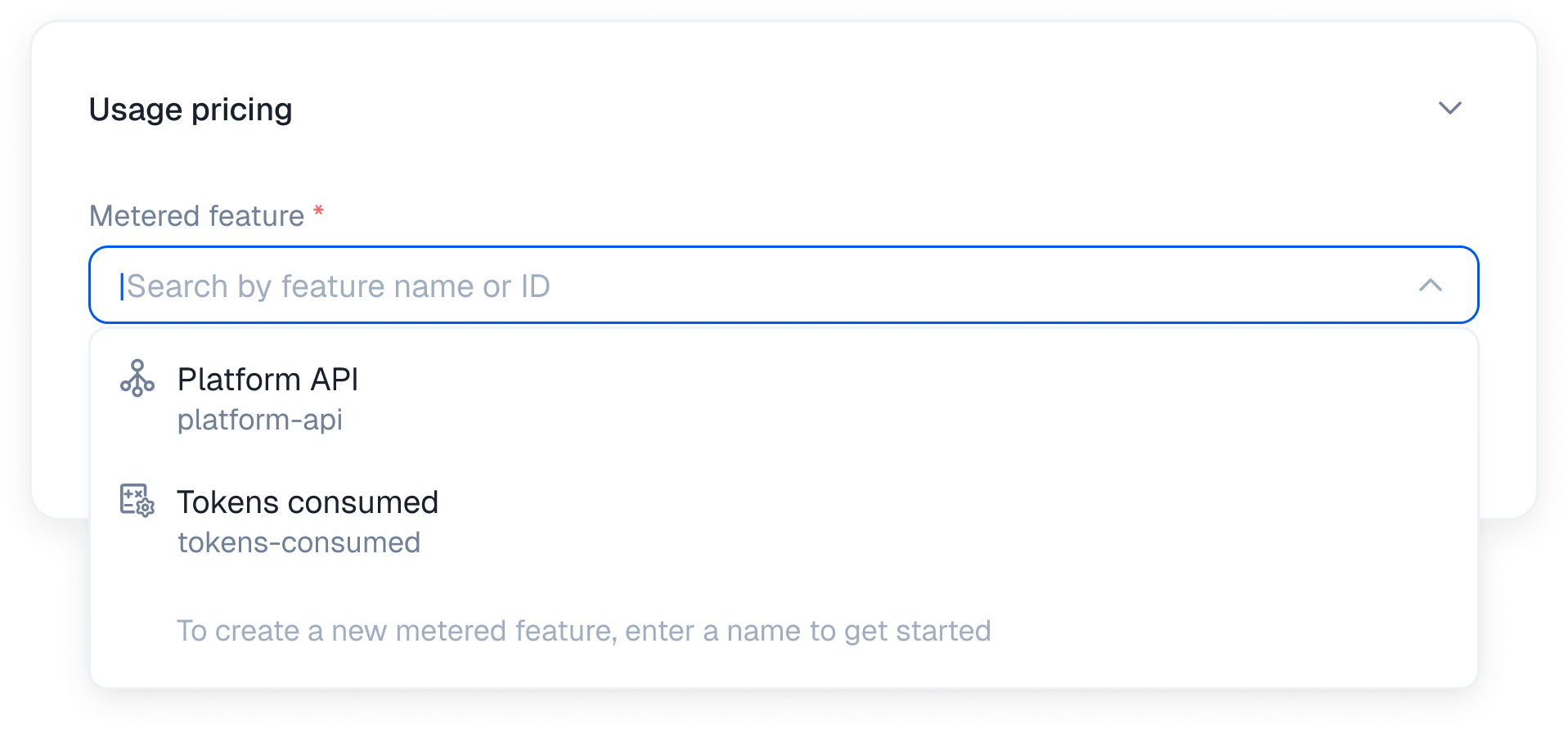
 ### 1. Select or create a metered feature
Choose the specific metric you want to track from the dropdown list. You can select an existing feature like Platform API or Tokens consumed. To create a new metered feature just type a name like API request and hit enter.
### 1. Select or create a metered feature
Choose the specific metric you want to track from the dropdown list. You can select an existing feature like Platform API or Tokens consumed. To create a new metered feature just type a name like API request and hit enter.
 ### 2. Choose your billing model
Select how payments are structured.
### 2. Choose your billing model
Select how payments are structured.
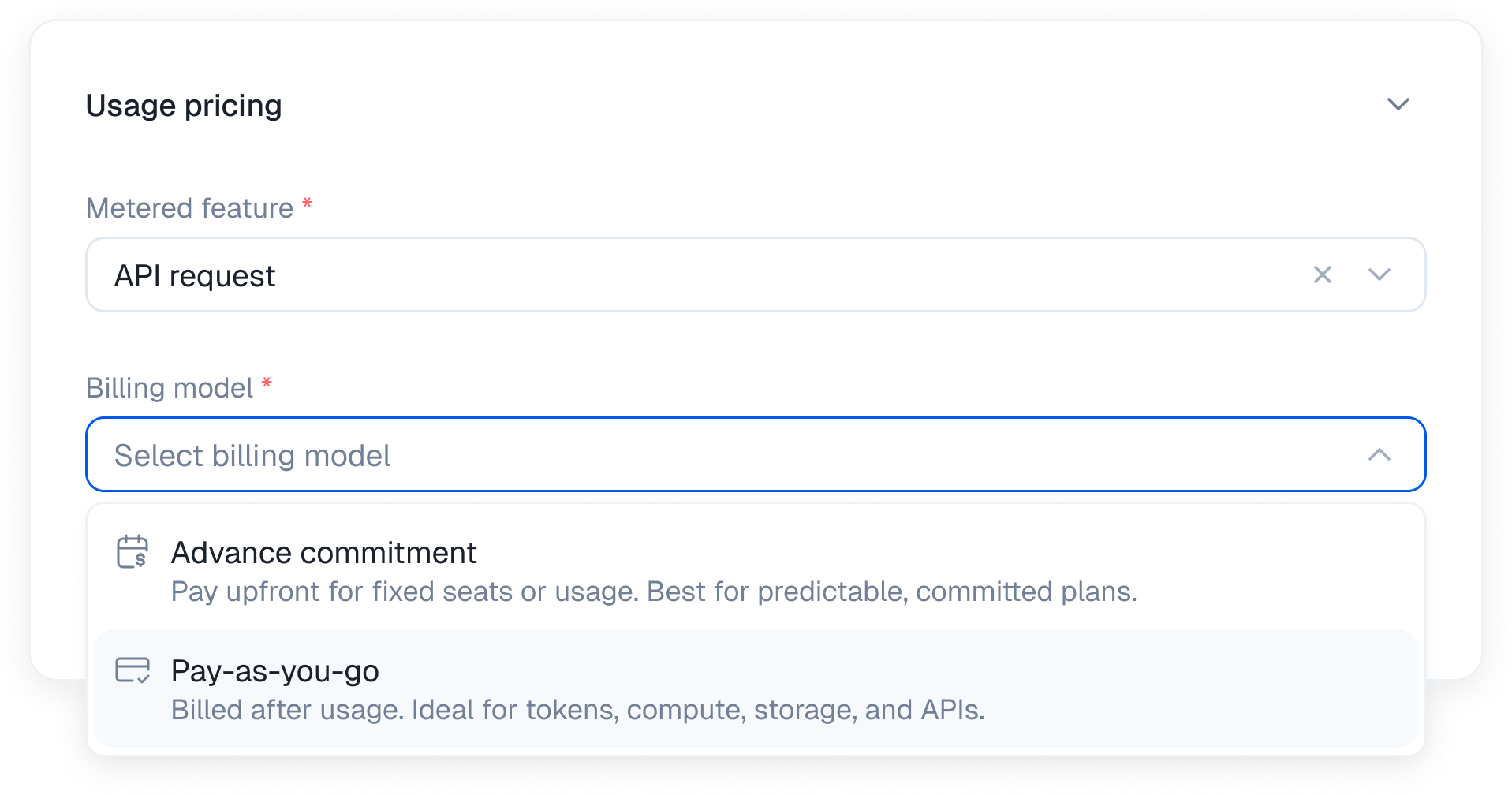 **Advance commitment**
Customers pay upfront for a baseline allotment of usage. This gives your users a predictable budget. They buy a set bucket of AI tokens or API requests at the start of the month. They consume what they paid for and avoid surprise overages.
**Pay as you go**
Customers pay in arrears based on exactly what they consumed. AI agents run autonomously and their usage fluctuates wildly. A user might trigger a research workflow that consumes massive amounts of compute overnight. Pay as you go ensures the agent keeps working without interruption while you capture the exact margin for the underlying infrastructure costs. We tally the final unit count at the end of the billing period and charge the card.
The pay as you go model only works on monthly plans.
### 3. Configure the pricing model
Kelviq supports five distinct ways to calculate the cost. Here is how the math works for each model.
**Advance commitment**
Customers pay upfront for a baseline allotment of usage. This gives your users a predictable budget. They buy a set bucket of AI tokens or API requests at the start of the month. They consume what they paid for and avoid surprise overages.
**Pay as you go**
Customers pay in arrears based on exactly what they consumed. AI agents run autonomously and their usage fluctuates wildly. A user might trigger a research workflow that consumes massive amounts of compute overnight. Pay as you go ensures the agent keeps working without interruption while you capture the exact margin for the underlying infrastructure costs. We tally the final unit count at the end of the billing period and charge the card.
The pay as you go model only works on monthly plans.
### 3. Configure the pricing model
Kelviq supports five distinct ways to calculate the cost. Here is how the math works for each model.
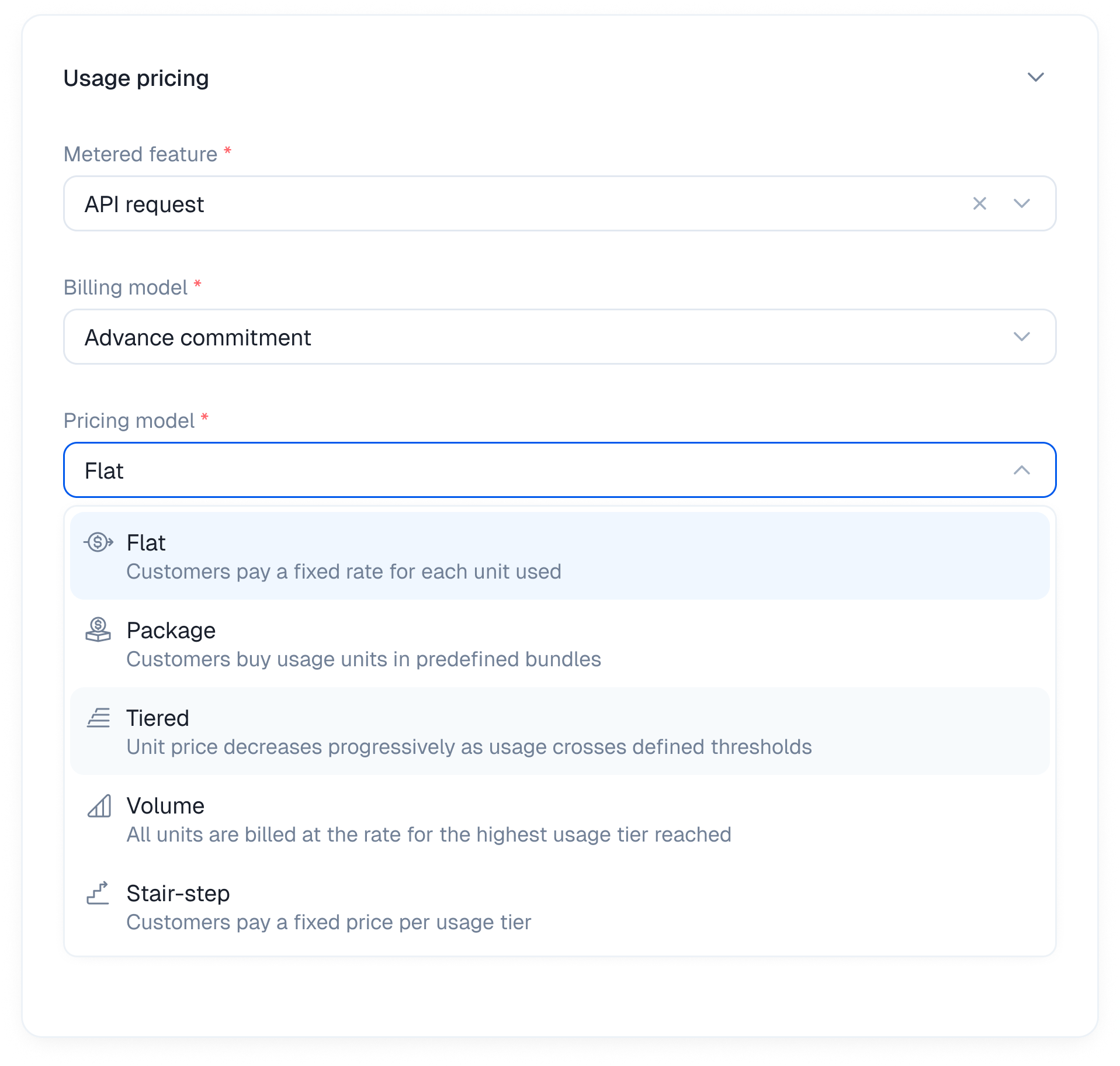 ***
#### Flat
The simplest way to charge for usage. Set one fixed rate for every unit consumed. No tiers, packages, or volume discounts. The total scales directly with usage.
**Best for** API products and services where the cost of serving each unit stays relatively consistent.
**Example** A translation API charging for each character processed.
**Sample calculation**
| | |
| --------- | --------------------------- |
| Rate | \$0.01 per API call |
| Usage | 15,000 API calls |
| **Total** | 15,000 × \$0.01 = **\$150** |
***
#### Flat
The simplest way to charge for usage. Set one fixed rate for every unit consumed. No tiers, packages, or volume discounts. The total scales directly with usage.
**Best for** API products and services where the cost of serving each unit stays relatively consistent.
**Example** A translation API charging for each character processed.
**Sample calculation**
| | |
| --------- | --------------------------- |
| Rate | \$0.01 per API call |
| Usage | 15,000 API calls |
| **Total** | 15,000 × \$0.01 = **\$150** |
 ***
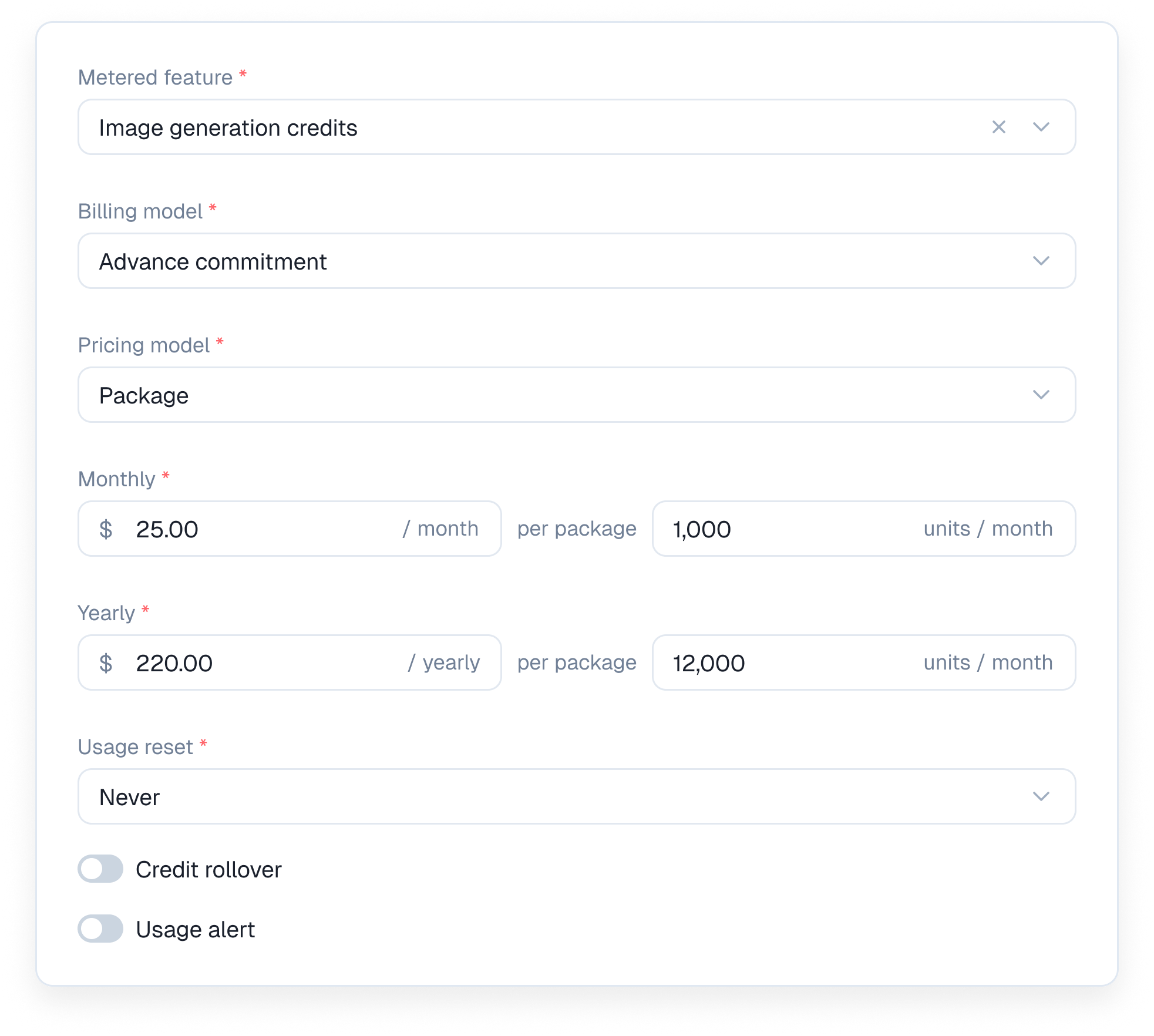
#### Package
Instead of charging for every unit individually you sell usage in predefined packages. When a customer exceeds one package they are charged for the next full package, even if they only use part of it.
**Best for** Products that want simple pricing, predictable billing increments, and a minimum charge for reserved usage.
**Example** An AI image generator selling images in packages of 100.
**Sample calculation**
| | |
| ----------------- | ------------------- |
| Package | 100 images for \$10 |
| Usage | 205 images |
| Packages required | 3 |
| **Total** | 3 × \$10 = **\$30** |
***
#### Package
Instead of charging for every unit individually you sell usage in predefined packages. When a customer exceeds one package they are charged for the next full package, even if they only use part of it.
**Best for** Products that want simple pricing, predictable billing increments, and a minimum charge for reserved usage.
**Example** An AI image generator selling images in packages of 100.
**Sample calculation**
| | |
| ----------------- | ------------------- |
| Package | 100 images for \$10 |
| Usage | 205 images |
| Packages required | 3 |
| **Total** | 3 × \$10 = **\$30** |
 ***
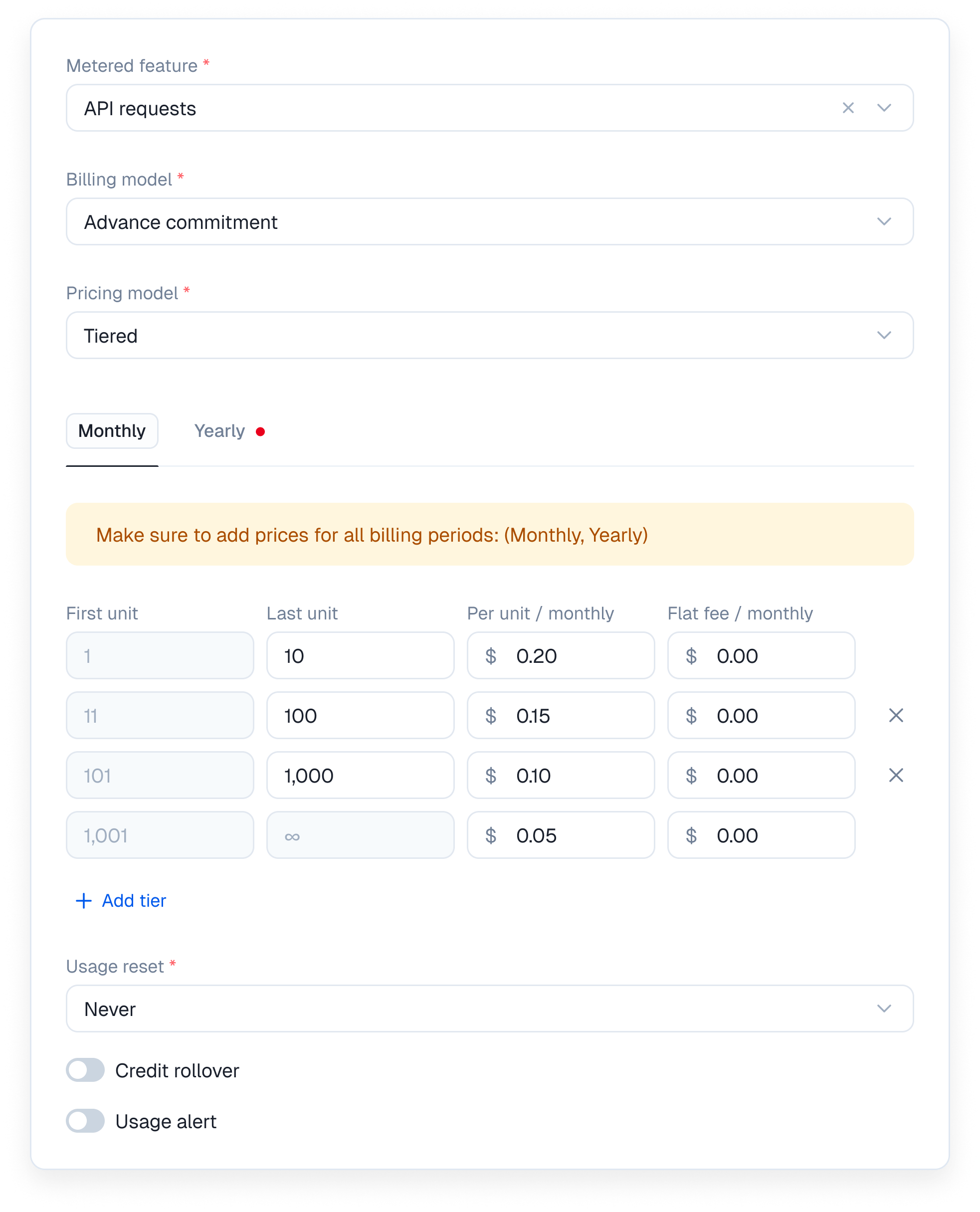
#### Tiered
Units are filled into pricing buckets. As usage increases it moves into cheaper brackets, while units in earlier brackets remain charged at their original rate.
**Why it's useful** Encourages higher adoption while helping you cover fixed costs for lower-volume users. Especially useful for developer platforms.
**Example** An LLM wrapper platform charging based on token usage.
**Sample calculation**
| Tier | Rate |
| ------------------ | -------------- |
| First 1,000 tokens | \$0.10 / token |
| Next 4,000 tokens | \$0.05 / token |
A customer uses 3,500 tokens.
| | |
| --------- | ------------------------- |
| Tier 1 | 1,000 × \$0.10 = \$100 |
| Tier 2 | 2,500 × \$0.05 = \$125 |
| **Total** | \$100 + \$125 = **\$225** |
Kelviq tracks each pricing bracket automatically, with sub-100ms real-time access checks.
***
#### Tiered
Units are filled into pricing buckets. As usage increases it moves into cheaper brackets, while units in earlier brackets remain charged at their original rate.
**Why it's useful** Encourages higher adoption while helping you cover fixed costs for lower-volume users. Especially useful for developer platforms.
**Example** An LLM wrapper platform charging based on token usage.
**Sample calculation**
| Tier | Rate |
| ------------------ | -------------- |
| First 1,000 tokens | \$0.10 / token |
| Next 4,000 tokens | \$0.05 / token |
A customer uses 3,500 tokens.
| | |
| --------- | ------------------------- |
| Tier 1 | 1,000 × \$0.10 = \$100 |
| Tier 2 | 2,500 × \$0.05 = \$125 |
| **Total** | \$100 + \$125 = **\$225** |
Kelviq tracks each pricing bracket automatically, with sub-100ms real-time access checks.
 ***
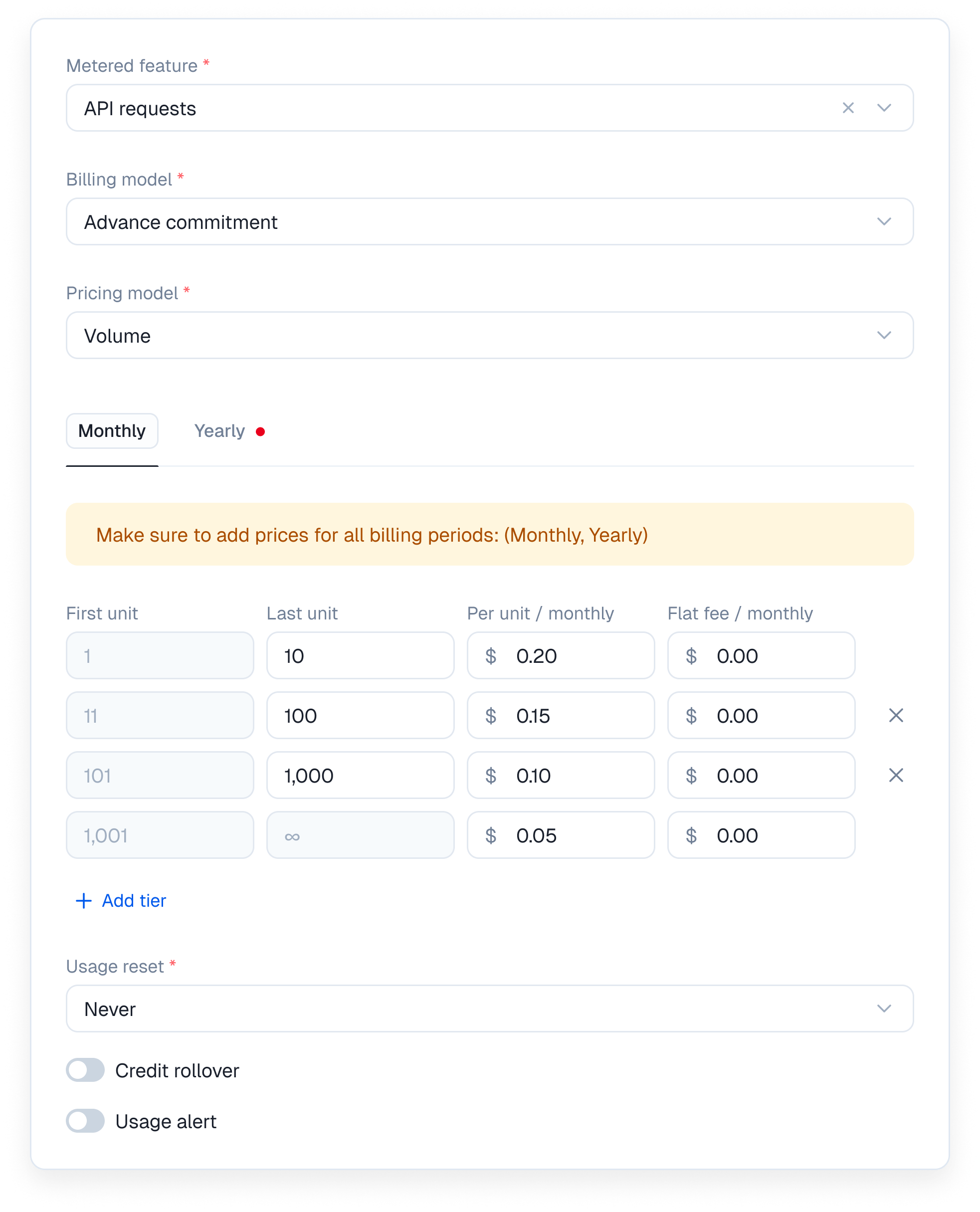
#### Volume
Similar to tiered pricing, but with one major difference. Once usage reaches a specific threshold, every unit consumed during that billing cycle is charged at the new rate.
**Why it's useful** Creates a strong incentive for high-volume customers to expand their usage by rewarding them with a lower rate across their entire bill.
**Example** An API platform charging based on the number of requests processed.
**Sample calculation**
| Volume | Rate |
| ---------------------- | ------------------------------------- |
| 1 to 100,000 API calls | \$0.01 / call |
| 100,001+ API calls | \$0.007 / call (applies to all calls) |
A customer makes 120,000 API calls.
| | |
| --------------------------- | ----------------------------- |
| **Total** | 120,000 × \$0.007 = **\$840** |
| Without the volume discount | 120,000 × \$0.01 = \$1,200 |
Kelviq automatically applies the correct rate when customers cross a volume threshold, with no custom billing logic required.
***
#### Volume
Similar to tiered pricing, but with one major difference. Once usage reaches a specific threshold, every unit consumed during that billing cycle is charged at the new rate.
**Why it's useful** Creates a strong incentive for high-volume customers to expand their usage by rewarding them with a lower rate across their entire bill.
**Example** An API platform charging based on the number of requests processed.
**Sample calculation**
| Volume | Rate |
| ---------------------- | ------------------------------------- |
| 1 to 100,000 API calls | \$0.01 / call |
| 100,001+ API calls | \$0.007 / call (applies to all calls) |
A customer makes 120,000 API calls.
| | |
| --------------------------- | ----------------------------- |
| **Total** | 120,000 × \$0.007 = **\$840** |
| Without the volume discount | 120,000 × \$0.01 = \$1,200 |
Kelviq automatically applies the correct rate when customers cross a volume threshold, with no custom billing logic required.
 ***
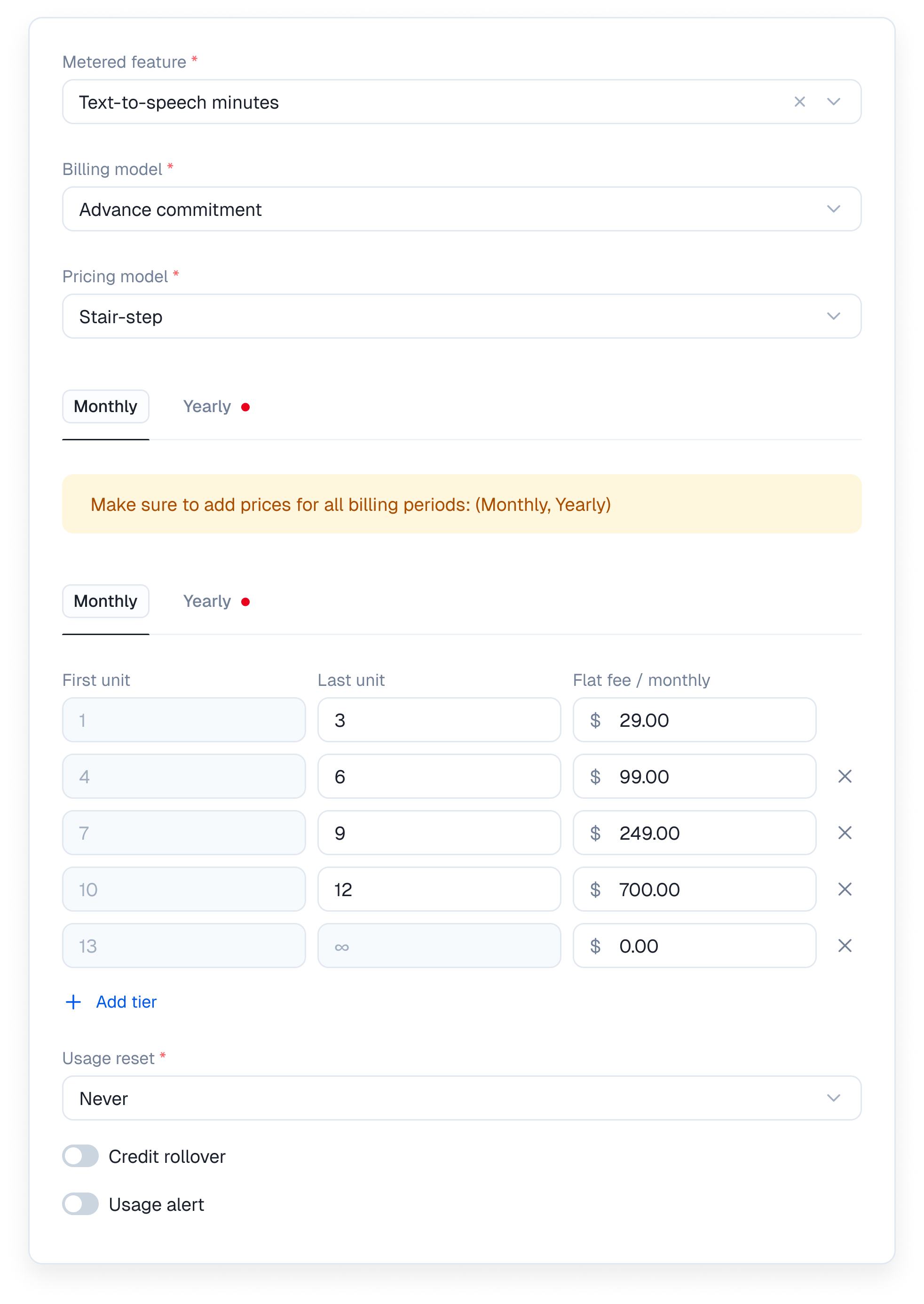
#### Stair-step
Customers pay a fixed fee based on the usage bracket they fall into, regardless of the exact number of units used within that bracket. There is no per-unit rate.
**Why it's useful** Combines the simplicity of subscription plans with the flexibility of usage-based scaling. Perfect for API plans, infrastructure products, and other services with clear usage bands.
**Example** An email delivery platform charging based on monthly email volume.
**Sample calculation**
| Step | Price |
| ----------------------- | ---------- |
| Up to 10,000 emails | Flat \$50 |
| 10,001 to 50,000 emails | Flat \$150 |
A customer sends 12,000 emails. They fall into the second step and pay a flat **\$150**.
Kelviq automatically moves customers into the correct pricing step as their usage grows, with no custom billing logic required.
***
#### Stair-step
Customers pay a fixed fee based on the usage bracket they fall into, regardless of the exact number of units used within that bracket. There is no per-unit rate.
**Why it's useful** Combines the simplicity of subscription plans with the flexibility of usage-based scaling. Perfect for API plans, infrastructure products, and other services with clear usage bands.
**Example** An email delivery platform charging based on monthly email volume.
**Sample calculation**
| Step | Price |
| ----------------------- | ---------- |
| Up to 10,000 emails | Flat \$50 |
| 10,001 to 50,000 emails | Flat \$150 |
A customer sends 12,000 emails. They fall into the second step and pay a flat **\$150**.
Kelviq automatically moves customers into the correct pricing step as their usage grows, with no custom billing logic required.
 ***
### 4. Set the pricing rules
Once you pick a pricing model you define the exact boundaries.
If you select Tiered you specify the first unit and last unit for each bucket. You can charge a per unit price and a flat fee within that same tier.
You can also set localized pricing for usage based billing. This lets you define different per unit rates for specific countries and currencies.
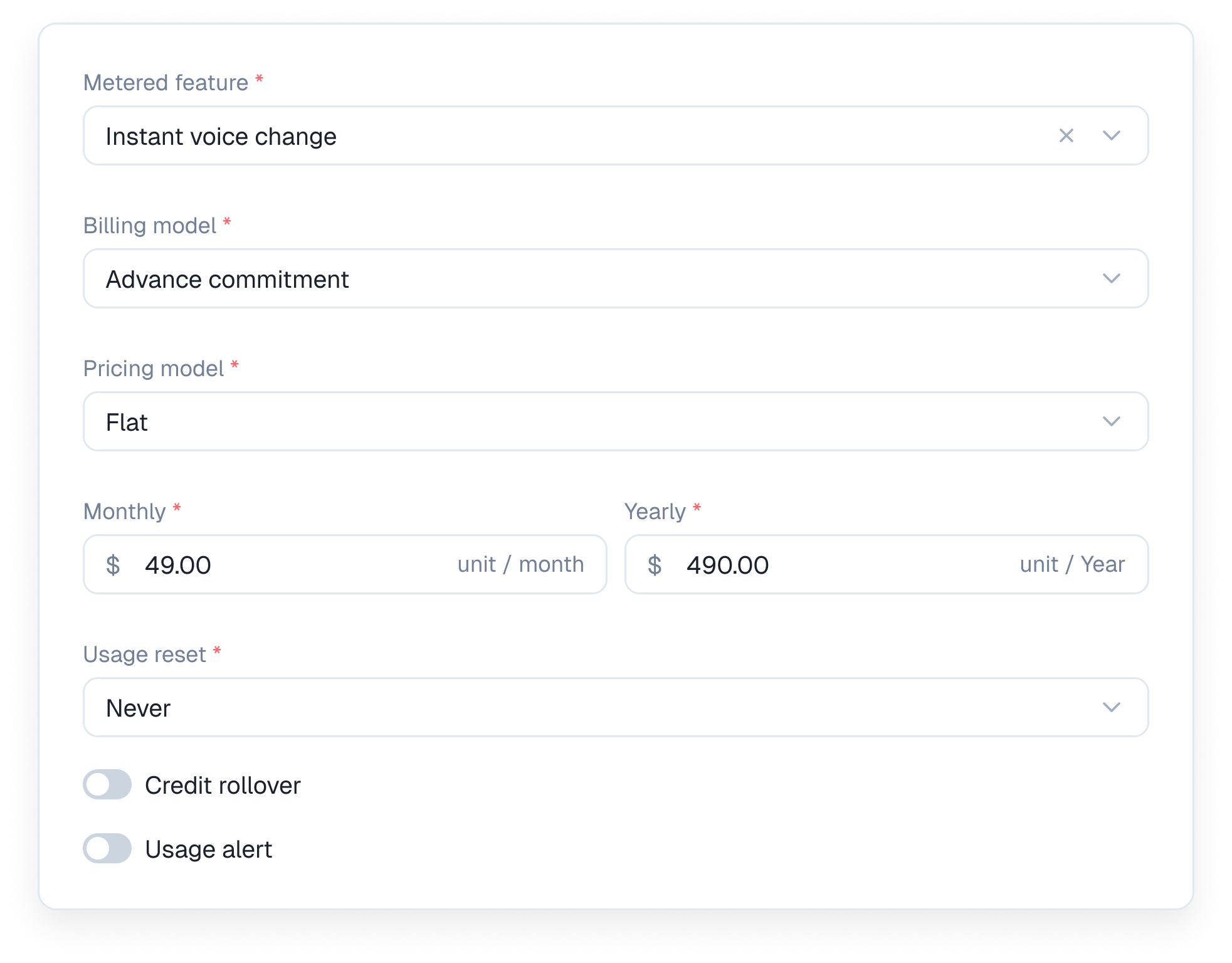
### 5. Set the usage reset cadence
Configure how often the usage meter clears out.
You can set the reset to Never for lifetime limits. You can also choose to reset it Every week or Every month.
For monthly resets you can align the timing perfectly by setting it to the first day of each month or tying it directly to the subscription start date.
### 6. Configure rollover and alerts
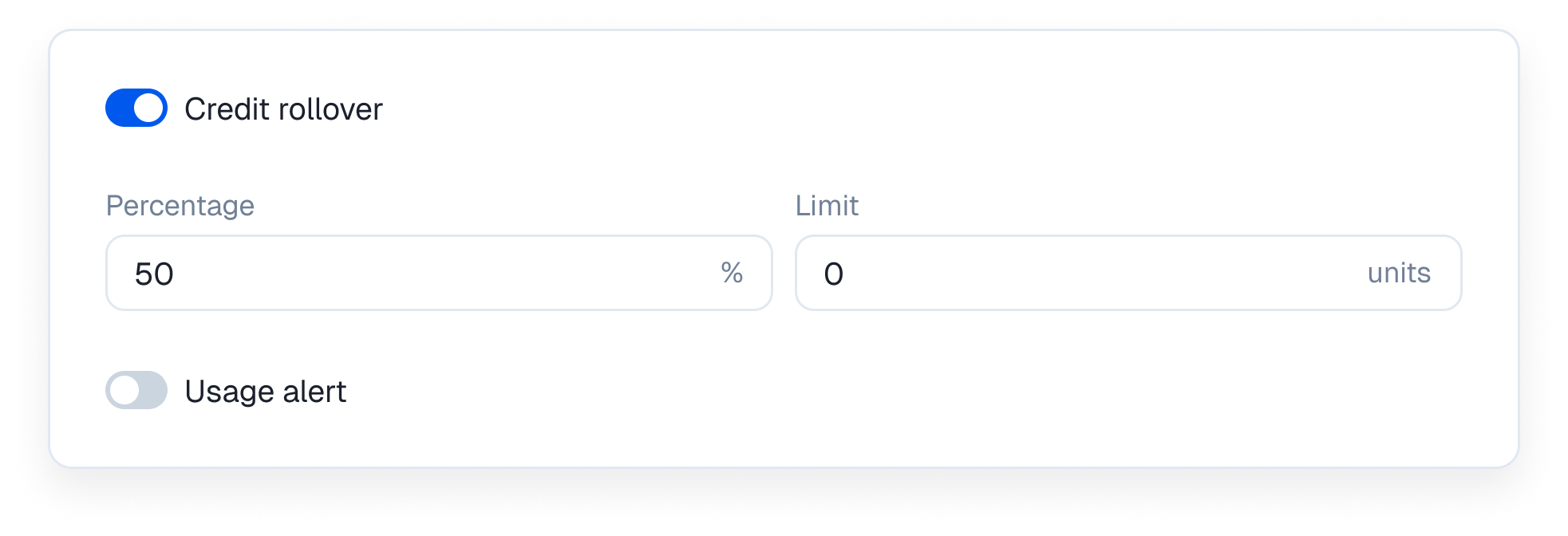
If your customers buy usage upfront you can let them keep what they do not use. Toggle Credit rollover to define how much carries over to the next billing cycle. You can set a specific percentage of unused units to roll over and apply a hard limit on the total units.
***
### 4. Set the pricing rules
Once you pick a pricing model you define the exact boundaries.
If you select Tiered you specify the first unit and last unit for each bucket. You can charge a per unit price and a flat fee within that same tier.
You can also set localized pricing for usage based billing. This lets you define different per unit rates for specific countries and currencies.
### 5. Set the usage reset cadence
Configure how often the usage meter clears out.
You can set the reset to Never for lifetime limits. You can also choose to reset it Every week or Every month.
For monthly resets you can align the timing perfectly by setting it to the first day of each month or tying it directly to the subscription start date.
### 6. Configure rollover and alerts
If your customers buy usage upfront you can let them keep what they do not use. Toggle Credit rollover to define how much carries over to the next billing cycle. You can set a specific percentage of unused units to roll over and apply a hard limit on the total units.
 Keep your users informed as they consume their quota. Toggle Usage alerts and set your threshold type.
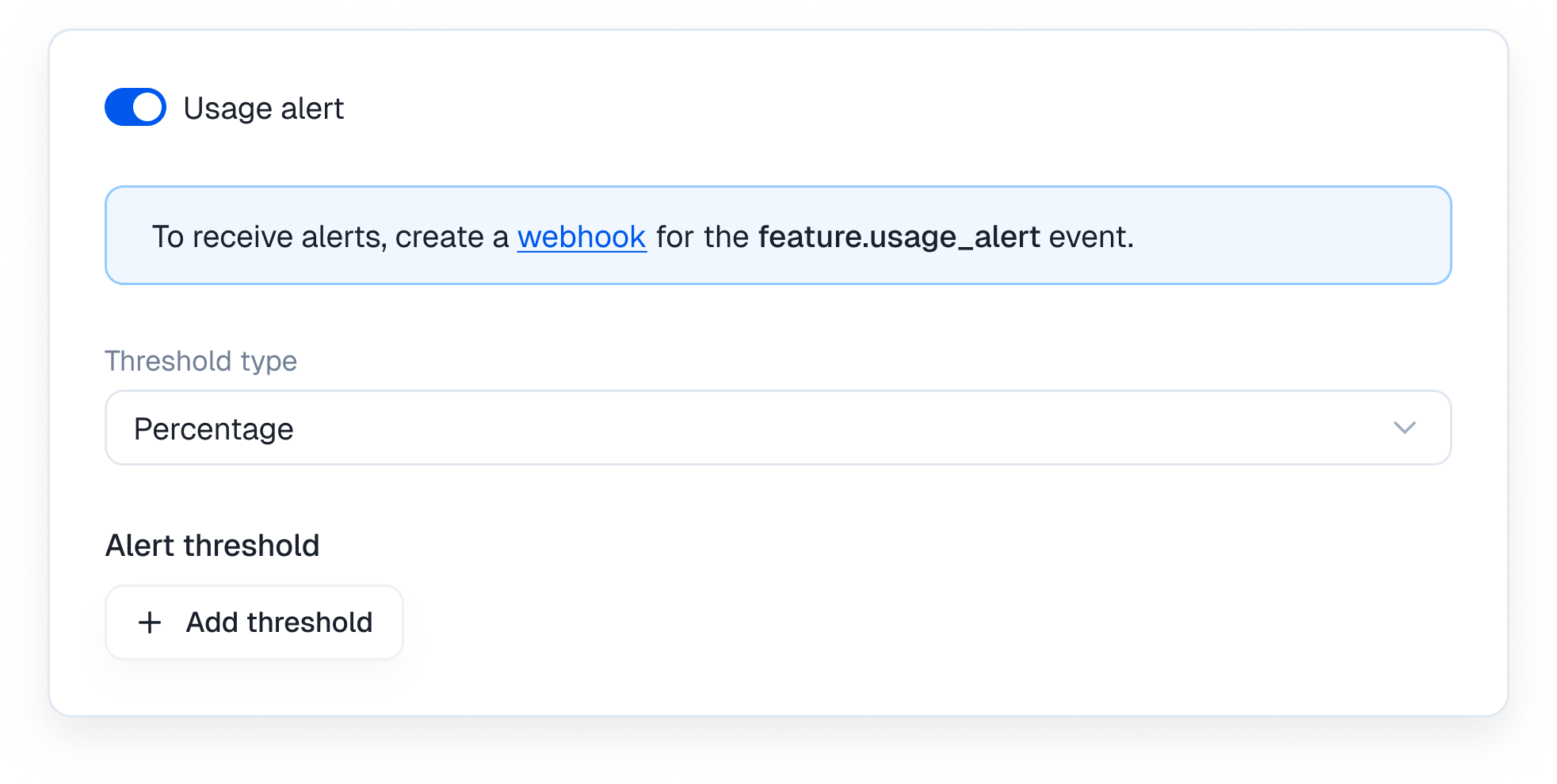 You can click Add threshold to stack multiple percentage alerts. For example you can notify them at 75 percent and again at 90 percent so they are never surprised by a cutoff or an unexpected bill.
To receive these alerts you must create a webhook for the feature.usage\_alert event.
### 7. Stack multiple usage metrics
You can click Add threshold to stack multiple percentage alerts. For example you can notify them at 75 percent and again at 90 percent so they are never surprised by a cutoff or an unexpected bill.
To receive these alerts you must create a webhook for the feature.usage\_alert event.
### 7. Stack multiple usage metrics
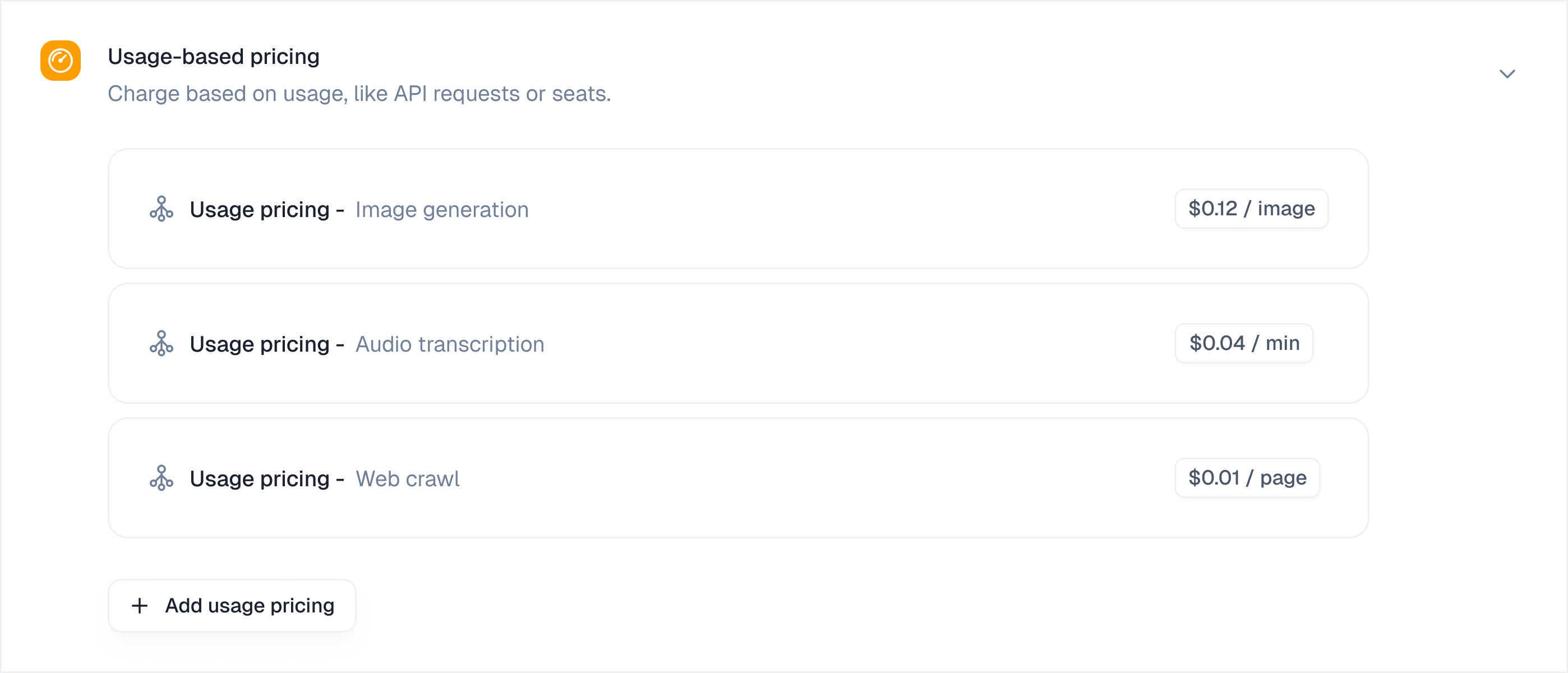 AI products rarely track just one variable. You can add as many metered usage features as you want to a single plan. Just click the Add usage pricing button at the bottom of the section to set up another metric.