The Promotions UI JS SDK automatically applies location-based discounts to prices on your page and renders a customisable banner that tells visitors about their local deal. It works with plain HTML — no framework required.
This SDK is separate from the entitlements JS SDK. Use this SDK when you need PPP / country-based discount banners and price display.
Installation
1. Add the Script
Paste this snippet just before the closing <head> tag on your pricing page:
<script type="text/javascript">
function resolvePdSDKFunction(n,...o){return new Promise((e,t)=>{!function i(){window.KQPromotionUISDK&&"function"==typeof window.KQPromotionUISDK[n]?window.KQPromotionUISDK[n](...o).then(e).catch(t):setTimeout(i,100)}()})}!function(n,o,e,t,i,r,c){n[t]=n[t]||function(){(n[t].q=n[t].q||[]).push(Array.prototype.slice.call(arguments))},r=o.createElement(e),c=o.getElementsByTagName(e)[0],r.id="kelviq-sdk",r.async=1,r.src="https://cdn.kelviq.com/js-promotions-ui/0.1/js-promotions-ui.umd.js",c.parentNode.insertBefore(r,c)}(window,document,"script","KQPromotionUISDK"),window.KQPromotionUI={init:function(n){KQPromotionUISDK("init",n)},getUpdatedPrice:function(n,o){return resolvePdSDKFunction("getUpdatedPrice",n,o)},updatePriceElement:function(n,o){return resolvePdSDKFunction("updatePriceElement",n,o)},updatePrice:function(n){return resolvePdSDKFunction("updatePrice",n)}};
</script>
2. Initialize the SDK
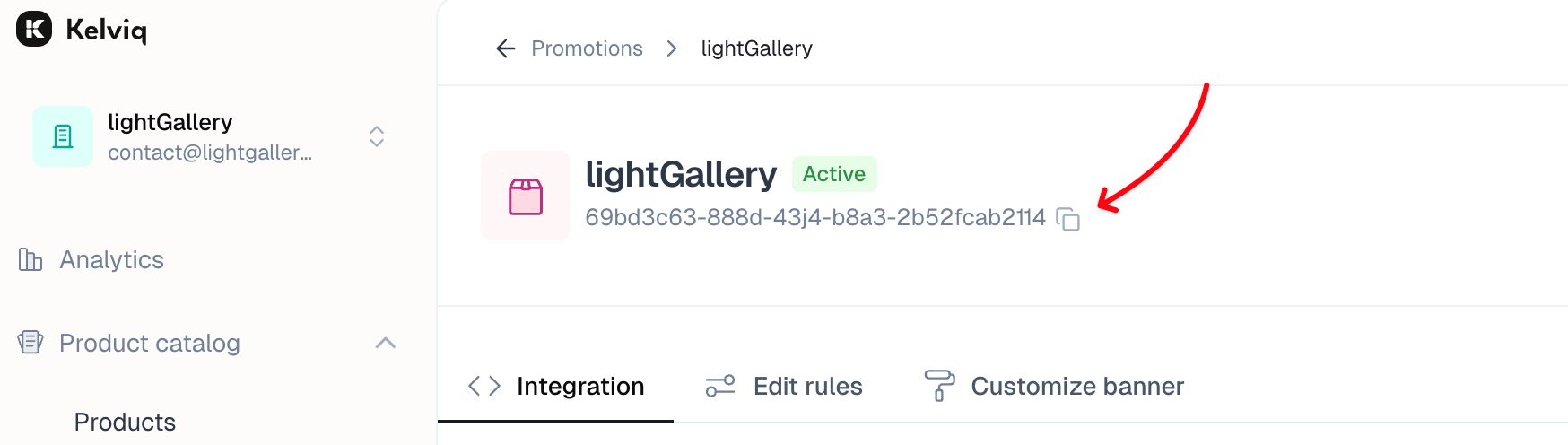
Copy your promotion ID from the promotion detail page and call init():
KQPromotionUI.init({
// Replace with your promotion ID
promotionId: "YOUR_PROMOTION_ID",
// Access token can be found in the Settings -> Developers section
accessToken: "YOUR_CLIENT_ACCESS_TOKEN",
showBanner: true,
});
This will automatically display a discount banner if the visitor is eligible for a discount.
Never expose your Server API Key in the browser. Use the Client API Key, which is safe for client-side code. You can find both keys under Settings → Developers in the Kelviq dashboard.
init() options
| Option | Type | Default | Description |
|---|
promotionId | string | — | Promotion ID from the Kelviq dashboard |
accessToken | string | — | Client API Key (Settings → Developers) |
showBanner | boolean | true | Render the localised discount banner automatically |
environment | "production" | "sandbox" | "production" | Target environment |
baseCurrencyCode | string | "USD" | ISO 4217 code for prices displayed on the page |
baseCurrencySymbol | string | "$" | Symbol written to data-kq-currency-symbol elements |
currencyDisplay | "symbol" | "code" | "name" | "symbol" | How the currency is formatted via Intl.NumberFormat |
showDecimal | boolean | false | Include the decimal portion in formatted prices |
minimumDecimalDigits | number | 2 | Minimum fraction digits (0–2) |
maximumDecimalDigits | number | 2 | Maximum fraction digits (0–2) |
banner.* | object | — | Customization for the discount banner |
banner.unStyled | boolean | false | if true, no styling will be applied to the banner |
banner.addCloseIcon | boolean | true | Control close button visibility. This setting will work only if close button is enabled from the ParityDeals banner settings |
banner.placement | top|bottom | ’top’ | The placement of the discount banner |
banner.container | string | null | The container for the discount banner |
banner.backgroundColor | string | ’#f0f0f0’ | The background color of the discount banner |
banner.fontColor | string | ’#333333’ | The font color of the discount banner |
banner.borderRadius | string | ’0px’ | The border radius of the discount banner |
banner.fontSize | string | ’14px’ | The font size of the discount banner |
Auto price update
After init() resolves, every element with data-kq-price on the page is automatically updated with the discounted price for the visitor’s country.
Basic usage
<!-- Integer-only price -->
<div data-kq-price="49">
<sup data-kq-currency-symbol></sup>
<span data-kq-price-integer></span>
</div>
<!-- Price with decimal -->
<div data-kq-price="49" data-kq-show-decimal="true">
<sup data-kq-currency-symbol></sup>
<span data-kq-price-integer></span>
<span data-kq-price-decimal-separator></span>
<span data-kq-price-decimal></span>
</div>
<!-- Discounted price + original price (linked by data-kq-rel) -->
<div data-kq-price="79" data-kq-rel="pro-plan" data-kq-show-decimal="true">
<span data-kq-price-formatted></span>
</div>
<div data-kq-original-price-display="99" data-kq-rel="pro-plan" class="original-price">
<span data-kq-price-formatted></span>
</div>
<!-- Currency code instead of symbol -->
<div data-kq-price="99" data-kq-currency-display="code">
<span data-kq-price-formatted></span> <!-- renders e.g. "USD 99" -->
</div>
The original-price element is hidden by default. The SDK shows it automatically when a discount is active and hides it when the visitor’s country has no discount.
Price container attributes
| Attribute | Value | Description |
|---|
data-kq-price | number | Base price — the discounted value is computed and written to child elements |
data-kq-original-price-display | number | Original (pre-discount) price; hidden when there is no active discount |
data-kq-rel | string | Links a price element and its original-price element so they update together |
data-kq-show-decimal | "true" | "false" | Per-element decimal override (falls back to showDecimal from init()) |
data-kq-currency-display | "symbol" | "code" | "name" | Per-element currency format |
data-kq-minimum-decimal-digits | number | Per-element minimum fraction digits (0–2) |
data-kq-maximum-decimal-digits | number | Per-element maximum fraction digits (0–2) |
Sub-element attributes
Place these inside a price container to receive individual parts of the formatted price:
| Attribute | Example output |
|---|
data-kq-currency-symbol | $ |
data-kq-price-integer | 49 |
data-kq-price-decimal | 99 |
data-kq-price-decimal-separator | . |
data-kq-currency-code | USD |
data-kq-price-formatted | $49.99 |
JS API
All methods return Promises and require init() to have been called first.
getUpdatedPrice(price, options?)
Computes the discounted price and returns a PriceObject without touching the DOM.
const result = await KQPromotionUI.getUpdatedPrice(100, { showDecimal: true });
console.log(result.formattedPrice); // "$80.00"
console.log(result.price); // 80
Parameters
| Parameter | Type | Description |
|---|
price | number | Base price to apply the discount to |
options | Partial<Config> | Optional overrides (same fields as init()) |
Returns — PriceObject
| Field | Type | Description |
|---|
price | number | Final price after discount |
formattedPrice | string | Fully formatted string, e.g. $80.00 |
integerPart | string | Integer portion only, e.g. 80 |
decimalPart | string | Decimal digits only, e.g. 00 |
decimalSeparator | string | Locale-specific separator, e.g. . |
currencySymbol | string | Currency symbol, e.g. $ |
currencyCode | string | ISO 4217 code, e.g. USD |
apiResponse | PricingData | Full API response including country, percentage, and widgets |
updatePriceElement(element, options?)
Updates a specific DOM element with the computed discounted price. The element must have a data-kq-price attribute. All elements linked to it via data-kq-rel are updated as well.
const el = document.getElementById("pro-price");
const result = await KQPromotionUI.updatePriceElement(el, { showDecimal: true });
console.log(result.formattedPrice);
Parameters
| Parameter | Type | Description |
|---|
element | HTMLElement | Must have data-kq-price attribute |
options | Partial<Config> | Optional overrides |
Returns a PriceObject (same shape as getUpdatedPrice).
updatePrice(configs[])
Batch-update multiple elements, optionally rendering each with an HTML template.
await KQPromotionUI.updatePrice([
{
element: document.getElementById("monthly"),
price: 29,
options: { showDecimal: false },
template: "<div class='price'>{{formattedPrice}} <small>/mo</small></div>",
},
{
element: document.getElementById("annual"),
price: 199,
options: { showDecimal: true },
template: "<div class='price'>{{formattedPrice}} <small>/yr</small></div>",
},
]);
Config object fields
| Field | Type | Description |
|---|
element | HTMLElement | Target element — its innerHTML is replaced with the rendered template |
price | number | Base price |
options | Partial<Config> | Optional overrides |
template | string | HTML string with {{key}} placeholders |
Available template variables (any field from PriceObject):
{{price}} · {{formattedPrice}} · {{integerPart}} · {{decimalPart}} · {{decimalSeparator}} · {{currencySymbol}} · {{currencyCode}}
Returns Promise<PriceObject[]> — one entry per config.
CSS hooks
The SDK adds classes to document.body that you can target in your stylesheets:
| Class | Added when |
|---|
kq-discount-applied | An active discount > 0% exists for the visitor’s country |
kq-has-parity-banner | The discount banner has been injected into the page |
/* Show a sale badge only when a discount is active */
.sale-badge { display: none; }
body.kq-discount-applied .sale-badge { display: inline-block; }
/* Add top padding so content isn't hidden under the banner */
body.kq-has-parity-banner main { padding-top: 60px; }
Sandbox
Set environment: "sandbox" to test against the Kelviq sandbox environment.
KQPromotionUI.init({
promotionId: "YOUR_PROMOTION_ID",
accessToken: "YOUR_CLIENT_ACCESS_TOKEN",
environment: "sandbox",
});
Use sandbox API keys (available under Settings → Developers with the Sandbox toggle enabled) so real visitor data is never affected during testing.