

Fixes
kelviq discount create --product <identifier>now finds the product. It looks the identifier up through the product list, since the product endpoint itself takes only a UUID.
Fixes
- Product and feature identifiers now resolve correctly in every tool that accepts them. 1.2.0 looked them up through the retrieve endpoints, which take only a UUID, so any identifier failed with a 404.
product_retrieve,product_update,product_archive, the product settings and image tools,feature_retrieveandfeature_archiveaccept an identifier as well as a UUID.
New Features
Env files, a live key check, and the live catalog
- Every command reads
KELVIQ_*variables from.env.localand then.envin the working directory, so an app’s env file is enough. A variable set in the shell always wins;--env-file <path>reads a specific file and--no-env-filereads none. kelviq env --checkmakes one authenticated read per configured key and reportsok,rejectedorerror, exiting non-zero when a key fails. Nothing from the key is printed.kelviq statusshows the live catalog: products, features, and each plan’s latest version with its price and entitlement counts, visibility and license-key state.--jsonfor scripts.
Webhooks and discounts from the terminal
kelviq webhook add <url> --events … --write-secret .env.localregisters the app’s endpoint, reusing one that already has the same URL, and writes the signing secret into the env file asKELVIQ_WEBHOOK_SECRETwithout printing it.kelviq webhook listshows endpoints with secrets hidden.kelviq discount createcreates a code after restating it for confirmation, with--producttaking the product’s identifier.kelviq discount listlists codes.
Starter templates
kelviq init --template saas|usage|license writes a complete catalog that pushes as written: a SaaS product with free and Pro plans, a metered product with an included quantity and tiered overage, or a plan that issues license keys.Improvements
kelviq pushcompares prices only on the fields your config sets. Leaving outfreeTrial,taxBehavior, or a charge’spaymentTypeandresetno longer shows a difference on every run.kelviq pushandkelviq promotestop before writing when aMETERfeature would be created withoutfeatureDetails, naming the feature and the fields to add.
New Features
connection_check
A read-only tool that makes one authenticated read with the server key and reports the environment, both API hosts and whether the key is ok, missing or rejected, without ever including the key. Ask for it first when a tool returns 401 or 403.Improvements
plan_create,plan_entitlements_add,discount_create’sappliesToandoffering_get_productaccept a product or feature identifier as well as a UUID. The server resolves the identifier before calling the API, so the assistant no longer has to look up UUIDs first.- The bundled documentation is refreshed with every release, so
docs_searchanddocs_readmatch the current docs.
New Features
environment_from_env()
Resolves the client’s environment argument from KELVIQ_ENV, the variable the CLI and MCP server share: "sandbox" when unset, "production" or "sandbox" when set to one of those, and a ValueError naming any other value.Improvements
environment="production"is accepted alongside"prod", so a value read straight fromKELVIQ_ENVworks.- An environment name the SDK doesn’t know now logs a warning. It still falls back to the production hosts.
Improvements
Cleaner kelviq pull output
A pulled kelviq.config.ts now writes charge prices the way you’d author them. A charge’s feature is the feature’s identifier:kelviq push accepts the identifier, the UUID and the embedded object alike.New Features
Discount and webhook tools
11 new tools bring the server to 56:- Discounts:
discount_list,discount_create,discount_retrieve,discount_updateto enable or disable a code, anddiscount_archive - Webhooks:
webhook_endpoint_list,webhook_endpoint_create,webhook_endpoint_retrieve,webhook_endpoint_update,webhook_endpoint_delete, andwebhook_log_listfor delivery attempts from the last 30 days
revealSecret: true when you need the value.Improvements
checkout_create_sessionacceptstrialPeriod,billingPeriodsEnabledandemail.subscription_updateacceptsprorationBehavior, andsubscription_cancelacceptscancellationFeedbackandcancellationComment.
Breaking Changes
KELVIQ_SERVER_API_KEY follows KELVIQ_ENV
KELVIQ_SERVER_API_KEY now belongs to the environment named by KELVIQ_ENV, and KELVIQ_ENV defaults to sandbox — the same rules as the MCP server. It previously always meant your production key.If you keep a production key in KELVIQ_SERVER_API_KEY, add KELVIQ_ENV=production or rename the variable to KELVIQ_PRODUCTION_SERVER_API_KEY. Keys saved with kelviq login are unaffected, and commands still target production only when you pass --prod.New Features
Environment-named keys
KELVIQ_SANDBOX_SERVER_API_KEY and KELVIQ_PRODUCTION_SERVER_API_KEY always apply to their own environment and take priority over KELVIQ_SERVER_API_KEY, so one shell or CI job can hold both keys for kelviq promote.Improvements
kelviq envshows which environmentKELVIQ_ENVpoints your unprefixed variables at.- When a key is missing, the error names every way to provide it, and tells you if
KELVIQ_SERVER_API_KEYis set for the other environment. - An invalid
KELVIQ_ENVvalue stops the command instead of guessing.
Fixes
kelviq pushnow works with a globally installed CLI in projects that don’t install@kelviq/clilocally. Previously it failed withCannot find package '@kelviq/cli'.
New Features
Discounts API
Discount codes can now be managed directly through the API, authenticated with your server API key:GET /discount/— list discountsPOST /discount/— create a discount (Merchant of Record organizations only)GET /discount/{id}/— retrieve a discountPATCH /discount/{id}/— enable or disable a discountDELETE /discount/{id}/— archive a discount
appliesTo.Manage webhook endpoints via API
WebhookEndpoint resources — previously dashboard-only — are now fully manageable through the API:GET /webhook/endpoints/— list webhook endpointsPOST /webhook/endpoints/— create a webhook endpointGET /webhook/endpoints/{id}/— retrieve a webhook endpointPATCH /webhook/endpoints/{id}/— update the URL, subscribed events, or enabled stateDELETE /webhook/endpoints/{id}/— delete a webhook endpoint
webhook-signature header is generated automatically and returned in the create response.Breaking Changes
Sandbox is now the default environment
WhenKELVIQ_ENV isn’t set, the server now uses your sandbox environment instead of production, so an AI client can’t change live data unless you choose production explicitly.If you use the MCP server with a production key, add KELVIQ_ENV=production to its environment. Without it, requests go to the sandbox host and return 403 errors — nothing is written.Improvements
- The startup log shows which environment the server is using, and warns when
KELVIQ_ENVisn’t set. - The server tells the connected AI client which environment its tools act on.
- 401 and 403 errors now include a hint: when
KELVIQ_ENVisn’t set, they explain the sandbox default and how to use a production key; otherwise they name the active environment and link its API keys page. - Setup examples now run
npx -y @kelviq/mcp-server@latest, so clients pick up new releases instead of a cached copy.
Fixes
- If your MCP client passes an unexpanded placeholder such as
${KELVIQ_ENV}instead of a value, the server now treats that variable as unset and warns at startup. Previously the server failed to start, or sent the placeholder text as your API key.
New Features
Limit checkout to selected billing periods
POST /checkout/ now accepts billingPeriodsEnabled, a comma-separated list of billing periods to display and allow during checkout. Values are case-insensitive and normalized to uppercase. A checkout attempt using a billing period outside this list is rejected.GET /monetization/product-offering/{product_id}/ also accepts billing_periods_enabled to return only the requested billing periods. Static checkout links support the same snake-case parameter.Prefill the checkout email address
POST /checkout/ now accepts email to prefill the checkout page. Combine it with lockEmail: true when the customer must not edit the address.email query parameter.New Features
Refunds
A newclient.refunds module lets you list, create, and retrieve refunds.client.refunds.create() accepts either amountUnits (minor currency unit) or amount (major currency unit) for a partial refund; omit both to refund the order’s entire remaining refundable balance. client.refunds.list() supports search, status, startDate, endDate, page, and pageSize filters.Payment Methods
A newclient.paymentMethods module lists saved payment methods, optionally filtered by customerId or customerEmail.succeeded are returned.Transactions
A newclient.transactions module lists financial transactions, including the itemized Merchant of Record fee breakdown when applicable.client.transactions.list() supports search, status, startDate, endDate, page, and pageSize filters.New Features
Refunds
The synchronous and asynchronous clients now provide arefunds module for listing, creating, and retrieving refunds.client.refunds.create() accepts either amountUnits (minor currency unit) or amount (major currency unit) for a partial refund; omit both to refund the order’s entire remaining refundable balance. client.refunds.list() supports search, status, start_date, end_date, page, and page_size filters. Pydantic models validate parameters and provide typed refund records.Payment Methods
The synchronous and asynchronous clients now provide apayment_methods module that lists saved payment methods, optionally filtered by customer_id or customer_email.succeeded are returned.Transactions
The synchronous and asynchronous clients now provide atransactions module that lists financial transactions, including the itemized Merchant of Record fee breakdown when applicable.client.transactions.list() supports search, status, start_date, end_date, page, and page_size filters.New Features
Control How Subscription Updates Are Billed
client.subscriptions.update() now supports prorationBehavior, using the exported PRORATION_BEHAVIORS constant. It controls when the customer is billed for a mid-period change: IMMEDIATE_CHARGE invoices the difference right now, PRORATE_NEXT_INVOICE bills it on the next invoice, and NO_PRORATION changes the plan without crediting or charging for the partial period.proration_behavior. Omit it to use your organization’s default.Preview Subscription Updates
client.subscriptions.previewUpdate() calculates the financial effect of a proposed subscription update without changing the subscription, creating an invoice, or charging the customer. It accepts the same plan, charge period, proration behavior, features, IP address, and trial-end options used by an update.Set a Custom Trial Period at Checkout
client.checkout.createSession() now accepts trialPeriod. Pass an integer greater than or equal to 1 to override the selected plan’s configured trial period. Invalid values are rejected by the SDK before a request is sent.Use a Custom Amount for One-Time Charges
client.charges.create() now accepts customAmount and taxBehavior. customAmount must be greater than zero and requires currencyCode; taxBehavior accepts INCLUSIVE or EXCLUSIVE.Deprecations
probationBehaviour and PROBATION_BEHAVIOURS are deprecated in favour of prorationBehavior and PRORATION_BEHAVIORS (probation was a typo for proration). The old field still works.PROBATION_BEHAVIOURS.NEXT_BILLING_CYCLE and PROBATION_BEHAVIOURS.PRO_RATA were never supported by the API and are rejected by it. Use PRORATION_BEHAVIORS.NO_PRORATION and PRORATION_BEHAVIORS.PRORATE_NEXT_INVOICE instead. IMMEDIATE_CHARGE is unchanged and now works.New Features
Control How Subscription Updates Are Billed
The synchronous and asynchronousclient.subscriptions.update() methods now support prorationBehavior, with a ProrationBehavior enum exported from the package. It controls when the customer is billed for a mid-period change: IMMEDIATE_CHARGE invoices the difference right now, PRORATE_NEXT_INVOICE bills it on the next invoice, and NO_PRORATION changes the plan without crediting or charging for the partial period.proration_behavior. Omit it to use your organization’s default.Preview Subscription Updates
The synchronous and asynchronous subscription clients now providepreview_update(). It calculates the financial effect of a proposed update without changing the subscription, creating an invoice, or charging the customer.Set a Custom Trial Period at Checkout
The synchronous and asynchronouscheckout.create_session() methods now accept trialPeriod. Pass an integer greater than or equal to 1 to override the selected plan’s configured trial period.Use a Custom Amount for One-Time Charges
The synchronous and asynchronouscharges.create() methods now accept customAmount and taxBehavior. customAmount must be greater than zero and requires currencyCode; taxBehavior accepts INCLUSIVE or EXCLUSIVE.Changes
successUrl is now required when calling the synchronous or asynchronous checkout.create_session() method, matching the API contract.Deprecations
probationBehaviour is deprecated in favour of prorationBehavior (probation was a typo for proration). It is still accepted and continues to serialize as probation_behaviour.New Features
Set a custom trial period at checkout
POST /checkout/ now accepts trialPeriod, allowing you to set the number of trial days for the subscription created by a checkout session. When provided, it overrides the trial period configured on the selected plan.Changes
Success URL is required
successUrl is mandatory when calling POST /checkout/. Requests that omit it are rejected with a 400 response.Find transactions faster
Search on the Payouts → Transactions page now works properly, and filtering is more precise:- A status filter narrows the list to successful, failed, or pending transactions.
- The search field matches payment method types. Search for
upi,card,link,amazon_pay, orsepa_debitto see payments made through that method.
Migrate subscriptions to the latest plan version
When you republish a plan with new pricing or entitlements, existing subscribers stay on the version they bought. You can now move them forward. The migrate action on a subscription updates it to the latest version of its plan, and it is available in two places: the dashboard, and the customer portal, where customers can migrate their own subscription.Custom-priced subscriptions cannot be migrated. Developers can run the same migration withPOST /subscriptions/{subscriptionId}/migrate/ and control how the change is billed with the organization’s proration defaults. The API changelog has the details.New Features
Organization-level proration defaults
GET /organizations/settings/ and PATCH /organizations/settings/ now expose two settings for controlling how subscription changes are prorated:Both settings accept
IMMEDIATE_CHARGE, PRORATE_NEXT_INVOICE, or NO_PRORATION.Organization checkout customization
Checkout branding and appearance can now be stored as organization defaults. UseGET /organizations/checkout-settings/ to retrieve the settings and PATCH /organizations/checkout-settings/ to update the brand name, light and dark logos, favicon, background image, and checkout customization object.The hosted checkout session response now includes these settings so the organization’s branding can be applied consistently across checkout sessions.Migrate individual subscriptions
POST /subscriptions/{subscriptionId}/migrate/ migrates an existing subscription to the latest version of its current plan. Set at least one of updateFeatures or updatePricing to true:Changes
Identify custom-priced subscriptions
GET /subscriptions/ and GET /subscriptions/{subscriptionId}/ now include isCustomPricing. It is true when the subscription uses a custom price instead of the plan’s configured price, and false otherwise.New Features
Control how subscription updates are billed
POST /subscriptions/{subscriptionId}/update/ and its /preview/ counterpart now accept prorationBehavior, which controls when the customer is billed for a mid-period change:If omitted, your organization’s existing default is used, so existing integrations are unaffected.
400 naming the accepted values, instead of a generic error.Improvements
amountChargedImmediately on the update preview endpoint is now correct for billing-interval changes. It previously reported 0 for a MONTHLY to YEARLY change unless prorationBehavior was IMMEDIATE_CHARGE, even though the customer was charged right away.Deprecations
The undocumentedprobation_behaviour request field is deprecated in favour of prorationBehavior (probation was a typo for proration). It is still accepted and continues to work unchanged.New Features
Preview subscription updates
UsePOST /subscriptions/{subscriptionId}/update/preview/ to see the financial effect of a plan, billing-period, or feature change before applying it. Send the same planIdentifier, chargePeriod, and features payload used to update a subscription.The response includes the new recurring amount, any amount that would be charged immediately, and the previewed next invoice with its line items. Amounts are returned in both major currency units and integer minor units. The preview does not update the subscription, create an invoice, or charge the customer.Custom amounts for one-time charges
POST /charges/ now accepts customAmount to override a plan’s configured one-time price. Pass the amount in the currency’s major unit and include currencyCode. You can also set taxBehavior to INCLUSIVE or EXCLUSIVE; it defaults to EXCLUSIVE.New Features
Trial ending webhook
You can now subscribe tosubscription.trial_will_end. Kelviq sends this a few days before a subscription’s trial ends, mirroring Stripe’s own customer.subscription.trial_will_end timing. It’s skipped if the subscription has already converted to active or has no trial days left by the time the notice would go out. data.object uses the same subscription payload shape as subscription.created and subscription.updated.New Features
Invoices API
You can now list and retrieve invoices directly, rather than only receiving them through webhooks:GET /invoices/— a paginated list of invoices for your organization, filterable bysubscription_idandcustomer_id.GET /invoices/{invoiceId}/— a single invoice by its Kelviq invoice ID.
attemptCount— number of payment attempts made against the invoice.nextPaymentAttempt— when Stripe will next retry collection, if a retry is scheduled.failureDetails—code,message, andpaymentMethodTypefor the most recent failed payment attempt.nullonce the invoice is paid.
Filter subscriptions by modification date
GET /subscriptions/ now accepts modified_on_after / modified_on_before query parameters, for filtering by when the subscription was last modified.Subscription timestamps
GET /subscriptions/ and GET /subscriptions/{subscriptionId}/ now return createdOn and modifiedOn on the subscription object.Clearer subscription cancellation dates
Two fixes for cancelled subscriptions:- The customer details page now shows when a subscription was cancelled, alongside its status.
- Cancelling a subscription from the dashboard now selects the correct cancellation date.
New Features
Payment links in invoice webhooks
The invoice object sent byinvoice.created, invoice.paid, and invoice.payment_failed now includes payment_link. This URL takes the customer directly to the invoice payment page, so integrations can surface payment recovery without constructing the link themselves.payment_link is present when the invoice is open or payment has failed. If the invoice is already paid when it is created, payment_link is null because no payment action is required.Example:Changes
Portal sessions require a customer email
POST /portal/session/ now returns 400 Bad Request when the selected customer does not have an email address. Portal session tokens are tied to the customer’s email, so add an email to the customer before creating a session.New Features
Subscription cancellation details
GET /subscriptions/ and GET /subscriptions/{subscriptionId}/ now return cancellation metadata:canceledAt— when the cancellation was recorded.cancellationReason— whether it was initiated by the customer, merchant, or provider.cancellationFeedback— structured feedback such asTOO_EXPENSIVE,MISSING_FEATURES, orUNUSED.cancellationComment— an optional free-form comment.
POST /subscriptions/{subscriptionId}/cancel/ now accepts the optional cancellationFeedback and cancellationComment fields. The cancellation endpoint records the merchant as the initiator; cancellations submitted through the customer portal record the customer as the initiator.Failed invoice webhook
You can now subscribe toinvoice.payment_failed. Kelviq sends this event when a subscription invoice payment fails or requires customer action. Its data.object uses the same invoice payload shape as invoice.created and invoice.paid.Refund webhook context
Therefund.created and refund.updated webhook objects now include:customer— the associated customer’s ID, name, email, customer identifier, and billing address.subscription_id— the associated subscription ID, ornullfor an order without a subscription.
Refunded order total
Order responses fromGET /orders/ and GET /orders/{id}/ now include refundedTotalUnits, the total amount refunded against the order in the sale currency’s minor units.Kelviq now covers your payout fees
Payout fees are on us. When your cleared Kelviq balance is sent to your bank account or eligible debit card, Kelviq bears the provider’s payout costs. You keep the full amount of your balance, and transaction fees are unchanged.See Fees for what a transaction costs and Payouts for how balances reach your bank.More billing periods
Plans now support a six-month billing period alongside monthly, quarterly, and yearly.Plans can also bill on a fixed four-week cycle. Renewals happen on the same weekday every 28 days, and metered features can reset usage on the same 28-day schedule instead of following calendar months.The 28-day period, and other custom periods such as weekly or daily, must be enabled for your organization first. Contact hi@kelviq.com to turn them on.
Trials now default to 7 days
New free trials default to 7 days instead of 30. You can still set any duration from 1 to 365 days.Fixes
subscription.updated now fires when a cancellation is scheduled for period-end
Scheduling a subscription to cancel at the end of the current billing period (rather than immediately) previously sent no webhook at all — status stays active until the period actually ends, so nothing was detected as changed. This now correctly sends subscription.updated (with the new end_date and a previous_attributes.end_date of null) at the moment the cancellation is scheduled. subscription.cancelled still only fires once the subscription actually reaches cancelled status — for a period-end cancellation, that’s later, when the period ends.New Features
Checkout sessions and checkout session events
Three endpoints are now part of the public API:GET /checkout/sessions/— paginated list of checkout sessions for the authenticated organization.GET /checkout/sessions/{session_id}/— a single checkout session, including the order, subscription, and payment method it produced (if any).GET /checkout/sessions/{session_id}/events/— the session’s timeline events (session created, customer details updated, payment attempted, payment completed, etc.).
New Features
Orders, order events, and webhook delivery logs
Four endpoints are now part of the public API:GET /orders/— paginated list of orders.PENDINGorders (payment never attempted/completed) are never included. Acceptsstatus,billing_type(ONE_TIME/SUBSCRIPTION), andis_renewal(true/false) filters.GET /orders/{id}/— a single order.GET /orders/{id}/events/— the order’s timeline events (order created, order completed, order receipt sent, invoice paid, etc.). This returns events for every order tied to the same underlying subscription as{id}, not just that single order record.GET /webhook/logs/— one row per webhook delivery attempt, including retries.
GET /webhook/logs/ also accepts start_date/end_date query params. Results are always limited to the trailing 30 days — these params can narrow that window but can’t widen it beyond 30 days back. They filter against lastAttempt (when that specific delivery attempt happened), not createdOn (when the underlying event was first created) — the two can differ for retried deliveries.New Features
Filter subscriptions by status
GET /subscriptions/ now accepts a status query parameter. Pass a comma-separated list to match any of several statuses, e.g. ?status=active,trialing.status) call:- Without
status: exactly one row per subscription — its most recent state, with expired (end_datein the past) and superseded records excluded. - With
status: that deduplication and exclusion is skipped, and matching records are returned directly. A subscription that has passed through the requested status more than once, or whose only matching record has since expired or been superseded, can appear more than once or in a state you didn’t expect.
status for point-in-time queries (“show me everything currently active”); omit it for the current, deduplicated view of each subscription.Fixes
HTTPS pagination links
Paginated list responses’next and previous links now correctly use https:// when the request was made over HTTPS. Previously they were always rendered as http://, regardless of the request’s actual scheme.Changes
Itemized Merchant of Record fees
Transaction responses fromGET /transaction/ now include morFeeBreakdown, an array that itemizes the Merchant of Record fee charged for the transaction.Each component includes its name, percentage rate, amount in minor units (valueUnits), and currency. Fixed fees return null for percentage. Transactions without an applicable Merchant of Record fee return an empty array.base_fee, fixed_fee, international_fee, subscription_fee, and conversion_fee. A fee_adjustment component (also null percentage) is included when the calculated fee is raised to match a processor-fee floor.Meet the Kelviq CLI (beta)
You can now manage your pricing catalog as code. The Kelviq CLI (@kelviq/cli) turns your products, features, plans, entitlements, and prices into one typed TypeScript file, kelviq.config.ts, that lives in your repository like the rest of your code.The loop works in both directions:kelviq pullwrites your live catalog to a config file, so a catalog you built in the dashboard is one command away from version control.kelviq pushdeploys the file back. It shows a diff, asks for confirmation, and writes drafts first. Nothing a customer sees changes until you pass--publish, which asks again.kelviq promotemoves your whole sandbox catalog to production with the same preview and gates.
diff the two files.Because the config is plain TypeScript, your editor autocompletes it and the compiler catches mistakes. A misspelled field or an invalid enum fails with a “did you mean” suggestion before Kelviq ever sees it. It also gives AI coding assistants something they are good at working with: ask one to “add a Team plan between Pro and Enterprise with 25 seats” and the types keep it honest.Install it with npm install -g @kelviq/cli, run kelviq login, then kelviq pull. The CLI is in beta. It is safe by design, with previews and confirmations before every write, but commands and flags may still change between releases, so pin an exact version in CI. Start with the CLI overview.A bigger, safer MCP server
Two releases of@kelviq/mcp-server shipped this week for teams driving Kelviq from Claude, Cursor, or any other MCP client.v0.3.0 adds sandbox support. Set KELVIQ_ENV=sandbox and the server targets your sandbox API hosts automatically; an invalid value fails fast at startup instead of silently hitting production. portal_session_create now returns a ready-to-share signedPortalUrl with the session token already appended, since the bare portal URL does not authenticate on its own.v0.4.0 completes the checkout surface. checkout_create_session now accepts every field the API supports, including customAmount for custom-priced sessions, discountCode, and metadata. Fields the server did not recognize were previously dropped before the request was sent; a spec-conformance suite now guards every request schema against the OpenAPI spec so that cannot happen again.All 45 tools now declare MCP safety annotations, so clients can auto-approve read-only calls while asking for confirmation on destructive ones like subscription_cancel. Three guided prompts encode common workflows end to end: setup_product, launch_plan, and diagnose_customer. In Claude Code they appear as slash commands, such as /kelviq:setup_product.Six write tools were removed in v0.3.0, including bulk price editing, which now belongs to the CLI’s reviewed kelviq push flow. The full list of changes is in the MCP server changelog, and the MCP server guide covers setup.New Features
Full checkout surface
checkout_create_session now accepts every field the API supports — including customAmount (with taxBehavior and currencyCode) for custom-priced sessions, discountCode to pre-apply a coupon, metadata (returned verbatim on the checkout.completed webhook), discountsEnabled, lockEmail, and defaultBillingCountry. Previously these were silently dropped before the request was sent.Subscription update options
subscription_update now supports trialEnd ("now" or an ISO 8601 datetime) and paymentBehavior: "activate_on_payment" to keep the current subscription active until payment for the update succeeds.Safety annotations on every tool
All 45 tools now declare MCP tool annotations —readOnlyHint, destructiveHint, idempotentHint — so MCP clients can auto-approve reads while asking for confirmation on destructive operations like plan_archive or subscription_cancel.Guided prompts
Three built-in MCP prompts encode the golden-path workflows:setup_product (catalog bootstrap end-to-end), launch_plan (add a plan to an existing product), and diagnose_customer (entitlement/subscription cross-check). In Claude Code they appear as slash commands, e.g. /kelviq:setup_product.Fixes
- The server now reports its real version to MCP clients (it was pinned to an old value).
- An automated spec-conformance suite now guards every request schema against the OpenAPI spec, so new API fields can no longer be silently dropped.
New Features
Sandbox environment support
SetKELVIQ_ENV=sandbox to target your sandbox environment — the server switches both API hosts (sandboxapi.kelviq.com and edge.sandboxapi.kelviq.com) automatically. Keys only work against their own environment, and an invalid KELVIQ_ENV value fails fast at startup instead of silently hitting production.Signed portal links
portal_session_create now returns a ready-to-share signedPortalUrl — the portal URL with the session token already appended. The bare customerPortalUrl does not authenticate on its own; always share the signed link.Breaking Changes
Six tools were removed:media_presigned_upload, the four partner_org_* tools, and plan_prices_bulk_set. Plan pricing is managed in the dashboard or with the Kelviq CLI (kelviq push), which previews and confirms every price change; plan_prices_list (read) remains available.Improvements
subscription_createnow documents that it requires off-session charging to be enabled for your organization, withcheckout_create_sessionas the fallback.- The missing-key error links directly to the API-keys page in the right dashboard mode for your environment.
New Features
Activate Subscription Updates After Payment
client.subscriptions.update() now supports paymentBehavior. Use the exported PAYMENT_BEHAVIORS.ACTIVATE_ON_PAYMENT constant to keep the current subscription active until payment for the update succeeds.payment_behavior: "activate_on_payment". If payment is not completed and the pending update expires, the existing subscription remains active and unchanged.New Features
Activate Subscription Updates After Payment
The synchronous and asynchronousclient.subscriptions.update() methods now support paymentBehavior="activate_on_payment". This keeps the current subscription active while payment for the update is pending.payment_behavior. The new plan and features are applied only after payment succeeds; if the pending update expires, the existing subscription remains active and unchanged.Safer discount creation
Fixed-amount discounts now include an explicit currency selector. Kelviq places the currency from your organization profile first in the selector, while still letting you review and choose the currency for the discount.Discount validation is also more reliable:- Kelviq shows an error when a fixed-amount discount’s currency does not match the selected price.
- Product-restricted discounts now use stricter product-selection validation during creation.
- Recurring discounts are now enabled by default, matching the behavior many users expected. You can still limit a discount to a fixed number of billing cycles or let it apply forever.
- Fixed a bug that moved the cursor to the end of a discount field while typing.
Trials now follow the selected billing model
Trials are available only when a plan has at least one recurring price. One-time-only plans no longer expose trial settings or show a trial at checkout.If a plan starts with both recurring and one-time pricing and the final recurring price is later disabled, Kelviq now removes the trial behavior from the remaining one-time offer.Resend webhook deliveries from the dashboard
Webhook delivery logs now include a Resend action. If a delivery fails because an endpoint is unavailable or returns an error, you can fix the endpoint and retry the delivery from the Kelviq dashboard.The new attempt appears in the delivery logs, where you can inspect its status and response without waiting for another event.A resend can deliver the same event more than once. Webhook handlers should use the event
id or webhook-id header as an idempotency key.Faster feature selection
After a feature is added from the Manage features & limits dialog, Kelviq now clears the search field. You can immediately search for and add another feature without deleting the previous query.Customer portal fixes
We fixed two customer portal edge cases:- Login code input is normalized to uppercase as the customer types.
- The cancel action remains available for an active subscription when an associated order has been refunded.
New Features
28-day subscription billing
Checkout and subscription creation now support a four-week billing period. PassTWENTY_EIGHT_DAYS as chargePeriod when creating an eligible checkout session or subscription.This is useful for products sold in fixed four-week cycles: renewals happen on the same weekday every four weeks, and metered usage can reset on the same schedule instead of following calendar months.EVERY_28_DAYS as their usage reset period.The new billing period works across renewals, orders, invoices, emails, and subscription reporting. Organizations must enable the 28-day period before using it on a plan.Subscription end dates in webhook payloads
Subscription webhook payloads now includeend_date inside data.object. The field contains an ISO 8601 date when the subscription has a known end date and null when no end date is set.Fixes
Reliable invoice.paid webhook delivery
Kelviq now emits invoice.paid when an invoice is created with a PAID status. Previously, these invoices could emit only invoice.created, which meant integrations waiting for invoice.paid did not receive confirmation that payment had been collected.The event payload has not changed. Continue to use data.object.status, data.object.paid_at, and data.object.subscription_id when processing the event.Changes
Multiple customers can use the same email
More than one customer record can now use the same email address. This removes the previous one-customer-per-email restriction.Each record must still have a uniquecustomerId. Archiving a customer does not release that ID, so it cannot be assigned to a new record.New Features
List, Create, and Retrieve Refunds
The Refunds API now supports the complete refund workflow:GET /refunds/— List refunds: Returns a paginated list of refunds for the authenticated organization, with search, status, date-range, and pagination filters.POST /refunds/— Create a refund: Creates a full or partial refund for an order. ProvideamountUnitsoramountfor a partial refund, or omit both to refund the remaining balance.GET /refunds/{refundId}/— Retrieve a refund: Returns a refund by its Kelviq UUID.
orderId to identify the order. List results, newly created refunds, and retrieved refunds share the same response format, including the refund amount, reason, status, failure details, internal note, and associated order.New Features
List, Retrieve, and Create Subscriptions
The subscriptions module now supports the complete read and create workflow:client.subscriptions.list()retrieves a customer’s paginated subscription list with optional pagination controls.client.subscriptions.retrieve()retrieves a subscription by its Kelviq UUID.client.subscriptions.create()creates a subscription directly for a customer.
New Features
List, Retrieve, and Create Subscriptions
The synchronous and asynchronous subscription clients now support the complete read and create workflow:client.subscriptions.list()retrieves a customer’s paginated subscription list with optional pagination controls.client.subscriptions.retrieve()retrieves a subscription by its Kelviq UUID.client.subscriptions.create()creates a subscription directly for a customer.
async_client and return validated Pydantic models. New models cover paginated results, create payloads, product and plan details, features, files, links, and issued licenses.New Features
Subscription List, Create, and Retrieve APIs
The Subscriptions API now includes three new endpoints for reading and creating subscriptions:GET /subscriptions/— List subscriptions: Retrieves a paginated list for a customer. Thecustomer_idquery parameter is required.POST /subscriptions/create/— Create a subscription: Creates a subscription directly for a customer without requiring a checkout session.GET /subscriptions/{subscriptionId}/— Retrieve a subscription: Retrieves a subscription by its Kelviq UUID.
files— downloadable files attached to the subscription’s plan.links— external links attached to the plan.license— issued licenses associated with the subscription.
One-Time Charges
The newPOST /charges/ endpoint immediately charges a customer’s saved payment method without creating a checkout session. The chargePeriod must be ONE_TIME.Customer deliverables in one place
Customer detail pages now include the files, links, and license keys delivered through a customer’s plans. Support teams can review a customer’s access and manage license keys without opening the related order first.This makes common support requests faster, including:- Finding a purchased download
- Opening a private resource link
- Reviewing an issued license key
- Managing a customer’s license access
Better feature and usage configuration
We improved the feature-management experience for metered and configurable entitlements:- Numeric values now use number inputs where appropriate.
- Credit rollover appears before usage alerts, matching the order in which these settings are configured.
- Feature names can be edited from the feature row’s action menu.
- Regional prices now carry over the base price’s usage reset, usage alert, and credit rollover settings.
Business details are easier to find
Business verification is now available from Settings → Business details as well as the onboarding flow. Kelviq also uses the country from the organization profile to make the relevant country option easier to find during verification.Cleaner catalog, settings, and sandbox navigation
We simplified several dashboard workflows:- Product identifiers are no longer shown or requested in the product interface. Kelviq uses the product’s internal UUID.
- The sandbox no longer shows a Start selling action, because live selling is completed from the production environment.
- Settings navigation has clearer visual separation between groups.
New Features
Create One-Time Charges
A newclient.charges.create() method can immediately charge a customer’s saved payment method without creating a checkout session.chargePeriod is restricted to "ONE_TIME"; use the subscriptions API for recurring billing. The SDK includes typed request and response models for charge records.New Features
Create One-Time Charges
The synchronous and asynchronous clients now provideclient.charges.create() for immediately charging a customer’s saved payment method without creating a checkout session.chargePeriod is restricted to "ONE_TIME"; use the subscriptions API for recurring billing. Pydantic request and response models validate parameters and provide typed charge records.New Features
Caching & Offline Resilience
The SDK now includes a two-tier cache that keeps entitlement checks fast and lets your app keep working during transient network/API outages.- L1 — in-memory (on by default): entitlements are cached per-process. Fresh entries (within the TTL) are served without a network call; if the API is unreachable or returns a 5xx, the last-known value is served as a fallback.
- L2 — distributed (optional): a shared store (e.g. Redis) so the cache and the offline usage queue are shared across processes and containers, and survive restarts.
enableCache: false to disable caching entirely.Offline Usage Queue
Usage/event reports that fail due to a network error are automatically queued and replayed on the next report call (or viaclient.reporting.flush()), so measurements are not lost during brief outages. Cached entitlement usage is updated optimistically so access checks stay consistent while offline.Distributed Cache — RedisStore
A ready-to-use RedisStore (backed by ioredis, an optional dependency) can be shared across multiple instances / containers so they use one cache and one durable usage queue.CacheStore interface and passing it as cacheStore. All instances that should share a cache must use the same prefix.New Features
Caching & Offline Resilience
The SDK now includes a two-tier cache that keeps entitlement checks fast and lets your app keep working during transient network/API outages.- L1 — in-memory (on by default): entitlements are cached per-process. Fresh entries (within the TTL) are served without a network call; if the API is unreachable or returns a 5xx, the last-known value is served as a fallback.
- L2 — distributed (optional): a shared store (e.g. Redis) so the cache and the offline usage queue are shared across processes / gunicorn workers / containers, and survive restarts.
enable_cache=False to disable caching entirely. Both the sync and async clients are supported.Offline Usage Queue
Usage/event reports that fail due to a network error are automatically queued and replayed on the next report call (or viaclient.reporting.flush()), so measurements are not lost during brief outages. Cached entitlement usage is updated optimistically so access checks stay consistent while offline.Distributed Cache — RedisStore / AsyncRedisStore
Ready-to-use Redis-backed stores can be shared across multiple processes / gunicorn workers / containers so they use one cache and one durable usage queue. Redis is an optional extra (pip install "kelviq-sdk[redis]").CacheStore interface and passing it as cache_store. All workers/tasks that should share a cache must use the same prefix.
Quarterly billing periods
Kelviq now supports quarterly billing periods. Sellers can now offer plans that renew every 3 months.Example pricing:- AI tools
- Developer tools
- Creator products
- Small business SaaS
- B2B products with longer buying cycles
Pay as you go improvements
We improved pay as you go support across the product. This makes it easier to set up and review usage based billing.Usage based pricing improvements
We improved the usage based pricing experience in the UI. This helps sellers create usage based plans with less confusion. Supported pricing patterns include:- Per unit pricing
- Package pricing
- Included usage with overage
- Pay as you go
- Subscription plus usage
- Credit based usage
Checkout pricing improvements
Checkout now handles more pricing cases across custom amounts, usage based plans, and tax behavior. This helps keep pricing consistent across:- Pricing page
- Checkout page
- Customer portal
- Transaction details
- Invoices
Node SDK webhook improvements
The Node SDK includes more webhook improvements for safer event handling. This helps developers build reliable flows for:- License generation
- Subscription access
- Plan changes
- Customer portal links
- Usage updates
- Billing state sync
Final fixes and cleanup
We also shipped smaller fixes and cleanup across checkout, pricing, product setup, and plan setup. This includes improvements for:- Checkout plan switching
- Package pricing labels
- Product setup flows
- Plan setup flows
- Checkout management
- Dashboard clarity
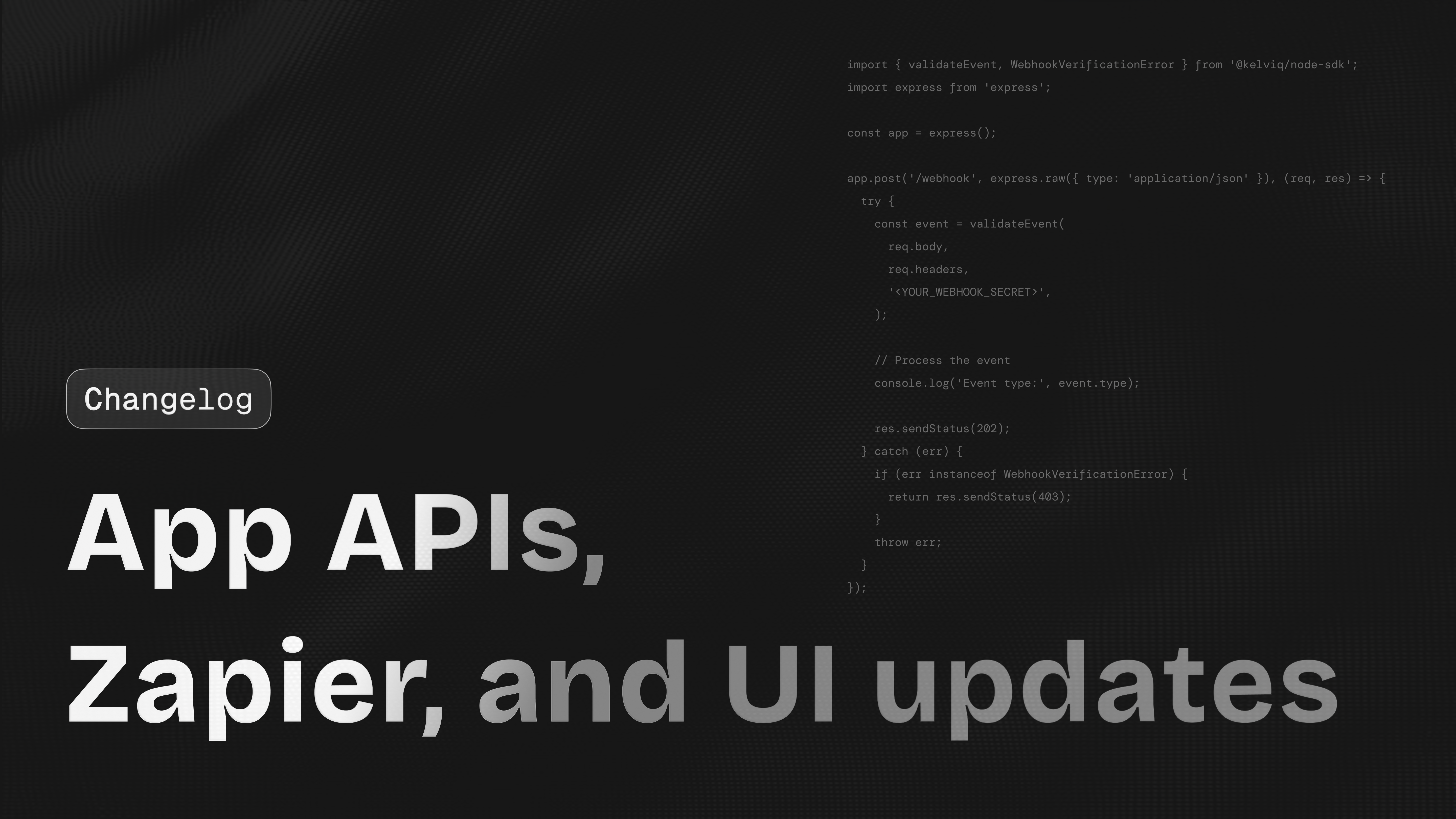
Organization settings page
Kelviq now has an Organization settings page. This gives teams a central place to manage organization level settings. The goal is to keep account level setup separate from product level setup.This can include:- Organization name
- Business details
- Team settings
- Billing settings
- Product defaults
Payout tab is visible before business verification
The payout tab is now visible before business verification is complete. This avoids confusion for new sellers. Before this, some users were not sure where payout setup would appear. Now sellers can see the payout area earlier, even if live payouts are not enabled yet.Zapier integration
Kelviq now supports Zapier integration. This helps sellers connect Kelviq with other tools without custom code.Examples:- Send a Slack message when a new order is created
- Add a new customer to HubSpot
- Create a Google Sheets row after checkout
- Send an onboarding email after payment
- Notify support when a refund happens
- Add a buyer to a course platform
Plans removed from the sidebar
We removed Plans from the sidebar because it was confusing. Plans are now managed inside products. This makes the dashboard easier to understand. This matches how sellers usually think about setup:- Create a product
- Add plans to the product
- Create checkout links for those plans
Email removed from checkout list
We removed the separate email field from the checkout list because the customer column already shows the email. This makes the table cleaner and reduces repeated information.Frontend improvements
We shipped several dashboard improvements focused on clarity and setup speed. This includes:- Cleaner product navigation
- Better table layout
- Better empty states
- Easier checkout link access
- Clearer plan setup
- Better plan publishing flow
Custom checkout pricing improvements
We improved the custom checkout pricing flow. This is useful for sales led deals and private pricing. You can create a custom checkout for that customer without adding a public plan.Initial public release of
@kelviq/mcp-server: the full Kelviq API as typed MCP tools plus the entire documentation as searchable resources, followed by packaging fixes and consolidation onto a single edge host.
Subscription data in license validation
License checks can return subscription context along with the license result. This is important for desktop software, private model tooling, and downloadable products where access is tied to both a license key and a live subscription.Example response:License API support in the Node SDK
The Node SDK now supports the License API. You can validate license keys and connect license status directly to your app. Backend services using@kelviq/node-sdk can validate licenses without making manual API requests. For example, a CLI product can validate a license key on launch, confirm the associated subscription is active, and decide whether to unlock premium features.Example:- macOS apps
- WordPress plugins
- VS Code extensions
- Figma plugins
- Desktop developer tools
- Paid templates
Trial end support for subscription updates
The Node SDK now supportstrialEnd when updating subscriptions. This gives developers more control over trials. This helps teams extend a trial after sales approval or shorten a trial when a customer upgrades early.You can now handle flows like:- Extend a trial by 7 days
- End a trial immediately
- Set a custom trial end date
- Move a customer from trial to paid
- Give a sales led customer a longer trial
Portal session support in the Node SDK
The Node SDK now supports customer portal sessions. You can create a signed portal link from your backend and send customers to the portal.Example:- View invoices
- Update payment method
- Cancel subscription
- Manage billing details
- Access downloads
- View license keys
Signed customer portal link from order details
You can now generate and send a signed customer portal link directly from the order details page. This is especially useful for support workflows.Example: A customer asks:Webhooks in the dashboard
We added webhook support in the dashboard. This gives developers a clear place to manage webhook related setup. Webhooks are useful when your app needs to react to Kelviq events.Examples:- Create a license after checkout
- Unlock a paid feature
- Update a subscription
- Sync customer state
- Send an onboarding email
- Disable access after cancellation
Webhook improvements in the Node SDK
The Node SDK now includes webhook improvements. This helps developers verify and handle webhook events more safely.Example events:Webhook logs
Kelviq now includes webhook logs. This helps developers debug webhook delivery issues. This is useful when your endpoint is down, slow, or returning an error. You can inspect:- Event type
- Delivery status
- Response code
- Timestamp
- Error response
Plan changed webhook
We added a plan changed webhook. This helps your app react when a customer changes plans.Example: A customer moves fromStarter to Pro.Your app can listen for the event and update:- Feature access
- Usage limits
- Seat limits
- Credit balance
- Internal customer state
Publish plan UI and UX update
We updated the publish plan UI and UX. The new flow makes it clearer when a plan is still a draft and when it is ready for customers. This helps reduce mistakes before sharing checkout links.Plan description in plan detail header
Plan detail pages now show the plan description in the header. This makes it easier to identify similar plans.Example:Free plan switch disabled for published plans
Kelviq now disables free plan switching for published plans when switching is not possible. This prevents users from selecting an action that cannot be completed.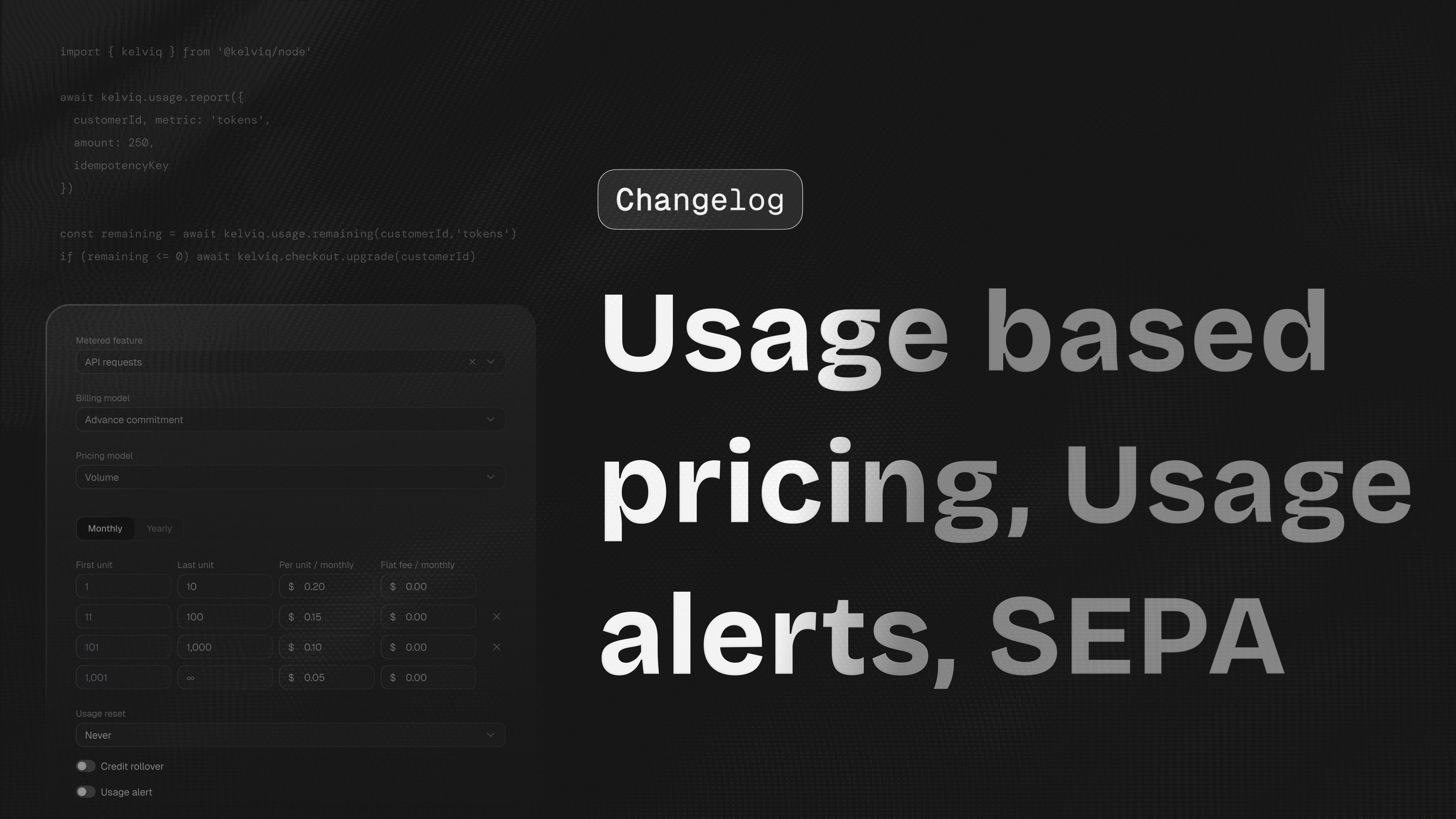
Usage based pricing in the dashboard
Merchants can configure metered pricing without leaving the dashboard. A plan can include a base subscription, included usage, and overage pricing for usage beyond the included amount.Pay as you go
Kelviq now supports pay as you go pricing. Your customers can continue using a metered product after included usage runs out, then pay for additional consumption. This fits LLM tools, API platforms, transcription products, and image generation products where hard cutoffs create poor customer experiences.Example: A customer uses the following in one month:Enable pay as you go from the dashboard
You can now enable pay as you go from the dashboard. This helps sellers launch usage based pricing without building their own billing system. A simple AI product can now charge like this:Usage alerts
Kelviq now supports usage alerts. Usage alerts help you know when a customer reaches an important usage threshold. Merchants can notify customers when metered usage crosses a configured limit. This is especially useful for AI products where usage can grow quickly across tokens, image generations, API calls, embeddings, storage, or compute minutes.Examples:- Customer used 80% of included credits
- Customer crossed 10,000 API calls
- Customer used more than
$100in AI model cost - Customer is close to the monthly usage limit
- Customer is likely to need an upgrade soon
Usage alerts for status entitlements
Usage alerts now work with status entitlements. This helps connect product access with usage state.Example: A customer has100 credits. Different features can consume credits differently:Negative usage values
Usage reporting now supports negative values. This is useful when you need to correct usage after it was reported. If an app accidentally reports125,000 tokens instead of 120,000, it can send -5,000 to bring the meter back in line.Examples:- Remove duplicate API usage
- Reverse usage after a failed job
- Credit back usage after a refund
- Fix a metering mistake
- Adjust token usage after an LLM call failed
- Reserve tokens up front and return the unused amount once the action completes
1,000 tokens before an LLM call, then send -400 if only 600 were consumed.Checkout API supports locked email and default billing country
The checkout API now supports locked email and default billing country. This helps create a cleaner checkout flow when your app already knows the customer.Example:Prefill customer email in checkout links
Checkout links can now prefill the customer email when available. This is useful when checkout starts from your app.Example: A logged in customer clicks upgrade. Checkout opens with their email already filled in.Lock email using checkout config
Checkout links now support locking the email field using config. This means customers can see the email but cannot edit it.This is useful for:- License keys
- Account based access
- Customer portal access
- Subscription upgrades
- Team plans
SEPA payment method
Checkout now supports SEPA. This helps sellers serve more European customers, especially B2B customers who prefer bank debit. SEPA is useful for:- SaaS subscriptions
- B2B tools
- Annual contracts
- European customers
- Larger invoice amounts
New Features
Checkout Session — metadata Parameter
CreateCheckoutSessionPayload now accepts an optional metadata field for attaching arbitrary key-value pairs to a checkout session. The metadata is returned verbatim on the checkout.completed webhook payload’s metadata field, letting you correlate a completed checkout back to your own records.metadata are preserved exactly as provided — they are not converted to snake_case on the way to the API, so they survive the round-trip back through webhooks unchanged.New Features
Checkout Session — metadata Parameter
checkout.create_session() now accepts an optional metadata parameter for attaching arbitrary key-value pairs to a checkout session. The metadata is returned verbatim on the checkout.completed webhook payload’s metadata field, letting you correlate a completed checkout back to your own records.metadata are preserved exactly as provided — they are not transformed on the way to the API, so they survive the round-trip back through webhooks unchanged.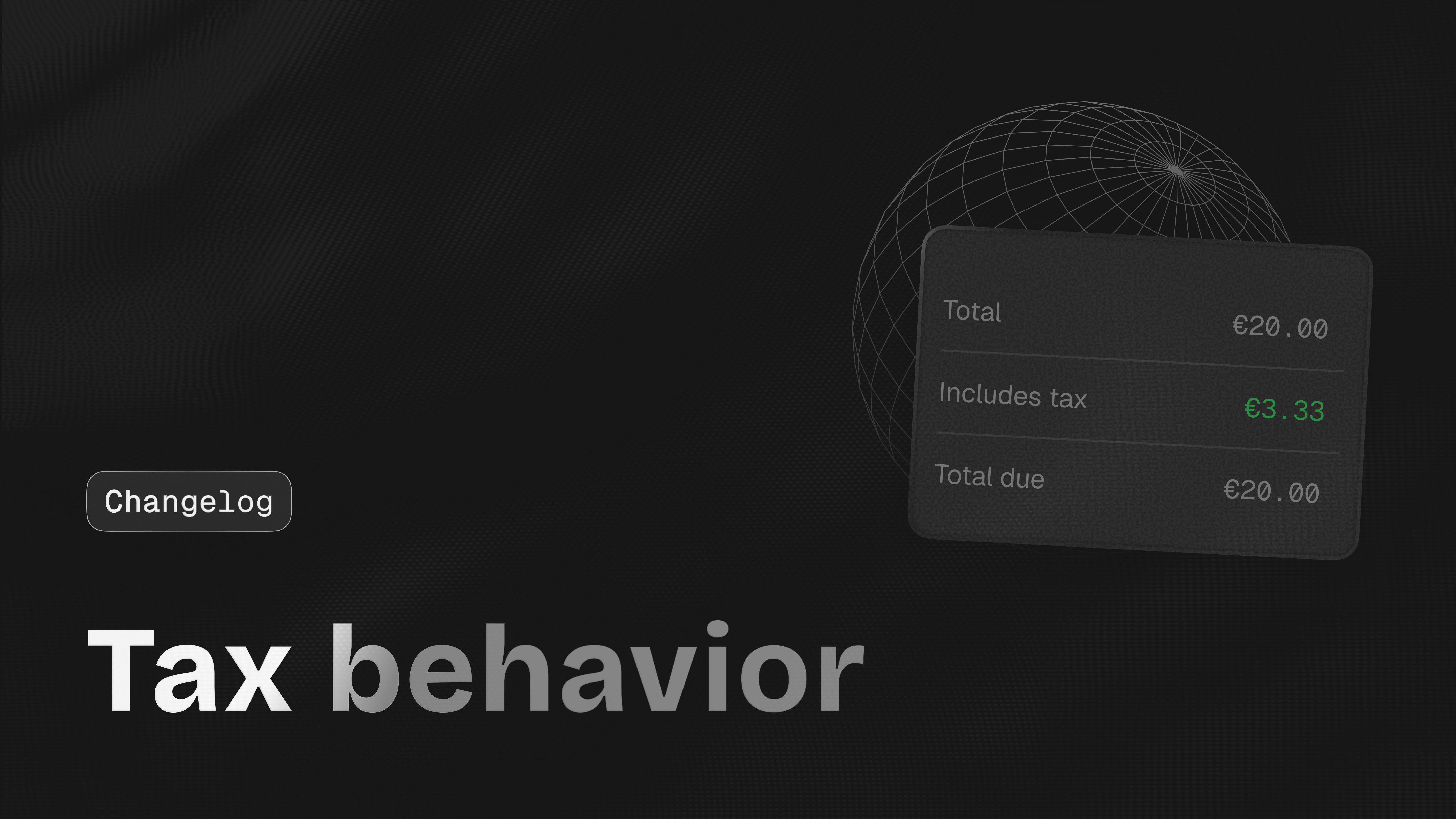
Tax inclusive pricing settings
Kelviq now supports tax inclusive pricing settings. This lets you decide whether the price shown to the customer already includes tax.Example: A customer sees:Tax inclusive behavior is shown in checkout
Checkout now respects tax inclusive settings so the buyer sees the same pricing behavior that was configured for the plan. This avoids the common confusion where a pricing page says$49 but checkout unexpectedly adds tax on top.Tax type and tax percentage in checkout
Checkout links now support tax type (such as VAT, GST, Sales Tax, or any other configured tax type) and the tax percentage. This gives customers a clearer view of what they are paying.Example with tax added on top:Tax behavior in plan details
Plan detail pages now show tax behavior. Teams can confirm that aPro EU plan includes VAT, while a Pro US plan remains tax exclusive. You can see whether a plan is tax inclusive or tax exclusive before sharing it with customers, helping you avoid setup mistakes.Tax code category on products
You can now set a tax code category when creating or editing a product. This helps Kelviq apply the right tax treatment based on what you sell.Examples:- SaaS subscription
- API access
- AI credits
- Digital download
- License key
- Course
- Template
- Plugin
Tax information in transactions
Transaction views now show tax details so support and finance teams can answer customer questions without leaving the dashboard.You can use this to answer questions like:- What was the product price?
- How much tax was charged?
- Was tax included in the price?
- What did the customer pay in total?
Custom checkout pricing
Kelviq now supports custom checkout pricing. This lets you create a checkout with a custom amount instead of always using the fixed public plan price.This is useful for:- Custom quotes
- One off payments
- Sales led plans
- Manual upgrades
- Private deals
- Customer specific pricing
$349 per month.You can create a checkout session for that amount without creating a public plan for every custom price.Custom amount on checkout page
Checkout can now show and charge a custom amount. This gives sellers more flexibility when dealing with larger customers or special pricing cases.Example:Regional pricing minimum value validation
We added validation for regional pricing minimum values. This helps prevent a regional price from becoming too low to process.Example: A plan is priced at$5.A very large regional discount could reduce the price below the minimum amount allowed by the payment method. Kelviq now catches this earlier so sellers can fix it before customers reach checkout.Fixes
Canada postal code — Fixed an issue with Canadian postal codes during checkout. Canadian postal codes such asM5V 2T6 are now handled correctly.Checkout plan switching —
Fixed an issue where checkout could fail when customers switched between plans. This improves checkout reliability when customers compare plans before paying.Package pricing label —
Fixed the label for package based pricing. This makes package pricing easier for customers to understand at checkout.Example:
Promotions are now faster and more reliable
We moved Promotions storage to DynamoDB. This gives promotion rules a durable home across the dashboard, APIs, and hosted checkout.Example: A merchant selling an AI support agent can createSTARTUP20,
limit it to the Pro plan, and keep the rule available when checkout
links are regenerated.Promotions are now available in the dashboard
We added Promotions to the Kelviq dashboard. Teams can now create, review, and manage offers without asking engineering to touch config. The flow is built around what a billing owner actually needs to know: which plan is discounted, whether the promotion is active, and where the SDK docs are when you need to wire it up from code.A common flow looks like this:- Create a product
- Create a plan
- Add a promotion
- Copy the checkout link
- Share the link or add it to your pricing page
API and SDK docs are linked from Promotions
The dashboard now connects promotion setup to the integration docs a developer needs when creating checkout sessions from the backend. This helps developers move from setup to integration faster.Checkout link empty screen is clearer
The empty screen now points users toward creating or copying the right checkout link instead of leaving the page feeling broken.Checkout links are easier to access
You can now get checkout links from product and plan listing pages. This saves time when you are setting up a product and want to quickly copy a checkout link.Product cards are now fully clickable
Instead of clicking only on a small button or title, you can click anywhere on the product card to open it. This makes navigation easier when you have multiple products.Developers tab is now API Key
We renamed the Developers tab to API Key. Most people go there to find their API key, so the label now matches the destination.Before: DevelopersNow: API KeyChart theming support
We added theming options for charts, including branded and dark mode. Charts now stay consistent with the rest of your dashboard without manual workarounds.Analytics style update
We updated the analytics UI style to make revenue, customers, transactions, and product data easier to scan.This is helpful when you want to quickly answer questions like:- How much did we sell today?
- Which plan is performing better?
- Which product has the most transactions?
- Are refunds increasing?
- Are more customers choosing annual plans?
Docs copy cleanup
We updated docs copy fromarchive to delete in more places.
This makes the docs match the real product action.Fixes
Duplicate file upload issue — Fixed an issue where duplicate files could be created during multiple file uploads.Plan dialog issue — Fixed an issue where the add plan dialog closed even when the user selected the option to create more plans. Now users can create multiple plans without reopening the dialog each time.Feature delete issue — Fixed an issue where a feature was not removed correctly from the list after deletion.Payments & Billing
- UPI Payments Support — You can now accept payments via UPI. Customers can pay seamlessly using their preferred UPI apps (like Google Pay, PhonePe, or Paytm).
- Usage-Based Billing — You can now bill customers based on their actual consumption. This provides maximum flexibility for products using credits, seats, or data metrics.
Customer Experience
- Signed Customer Portal Links — Added the option to generate and send a signed customer portal link directly from the order details page for secure, instant access.
Tax & Compliance
- Tax Information — Tax detail is added in transaction.
- Tax Categories — You can now define Tax Categories (B2B, B2C, Ebook, Online Course, etc.) during product creation.
- Business Tax ID Support — Control how valid business tax IDs are handled for tax-inclusive pricing. When enabled, Kelviq automatically removes the included tax amount from the checkout total if a customer provides a valid business tax ID during checkout. When disabled, customers continue paying the listed tax-inclusive price with no tax deduction applied.
New Features
Subscription Update — trialEnd Parameter
subscriptions.update() now accepts an optional trialEnd field on UpdateSubscriptionPayload to control the trial period when updating a subscription.Pass either:- The literal string
"now"to end any active trial immediately. - An ISO 8601 datetime string (e.g.
"2025-12-31T23:59:59Z") to set a new trial end date. The datetime must be in the future. Naive datetimes (no timezone designator) are interpreted as UTC. - Omit the field to preserve the existing trial behavior on the subscription.
trialEnd client-side — invalid datetime strings or past datetimes throw InvalidRequestError before the request is sent.New Features
Subscription Update — trialEnd Parameter
subscriptions.update() now accepts an optional trialEnd parameter to control the trial period when updating a subscription.Pass either:- The literal string
"now"to end any active trial immediately. - An ISO 8601 datetime string (e.g.
"2025-12-31 23:59:59") to set a new trial end date. The datetime must be in the future. Naive datetimes are interpreted as UTC. - Omit the parameter to preserve the existing trial behavior on the subscription.
trialEnd client-side — invalid datetime strings or past datetimes raise InvalidRequestError before the request is sent.New Features
Product Offerings — Pricing API Support
The SDK can now fetch and display product pricing data. Pass aproductId to the client to enable pricing methods.customerId is also set, it is forwarded to the pricing API so the response reflects that customer’s subscription state.fetchPricing(forceRefresh?) — Fetch and Cache Pricing
Fetches product offering data for the configured productId. Subsequent calls return the cached result unless forceRefresh is true.getPricing() — Read from Cache
Returns cached pricing data synchronously, or null if not yet fetched.getPlan(identifier) — Look Up a Single Plan
Finds an enabled plan by identifier from the pricing cache. Returns null if not found or pricing hasn’t been fetched.isPricingLoading() — Loading State
Returns true while a pricing fetch is in progress.getLastPricingError() — Error State
Returns the last Error from a failed pricing fetch, or null.clearPricingCache() — Reset Cache
Clears cached pricing data and resets loading and error states.renderPricing(options?) — DOM Binding
Scans the DOM for elements with data-kq-price attributes and populates them with localized formatted prices. Requires pricing data to be fetched first.kqFormatPrice(amount, currencySymbol, options?) — Price Formatter
Standalone named export for formatting a numeric amount with a currency symbol.New Types and Exports
Improvements
KelviqProvider — customerId and plansEnabled Props for Pricing
The pricing request now forwards two additional optional props to the product offerings API.customerId — when provided, the pricing response is personalized to that customer (e.g. reflecting their existing subscription state):plansEnabled — a comma-separated list of plan identifiers to include in the response. When omitted, all active plans are returned:New Features
Product Offerings — Pricing & Feature Components
The SDK now supports fetching and displaying product pricing and plan features, with localized currency based on user location.Setup
PassproductId and enable fetchPricingOnMount in your provider config:usePricing() — Pricing Data Hook
Returns the full pricing API response as an AsyncState. Only populated when fetchPricingOnMount is enabled, or after calling refreshPricing() from useKelviq().<KQPrice /> — Render-Prop Price Component
Displays localized pricing for a plan and billing period:<KQFeatureList /> — Render-Prop Feature Component
Iterates over enabled features for a plan. Supports optional filtering by feature type:kqFormatPrice() — Price Formatter Utility
Standalone utility for formatting a numeric amount with a currency symbol:New Types
New Exports
New Features
Enhanced Checkout Configuration
You can now pass additional configuration parameters when creating a checkout session via the API. These new fields allow for tighter control over the customer experience:lockEmail: When set totrue, the email address field on the checkout page is disabled, preventing customers from changing the email associated with the session.discountsEnabled: A boolean to explicitly allow or disallow discount code application on the checkout page.defaultBillingCountry: Pre-fills the billing country field (e.g.,"IN").
New Features
Custom Dynamic Amount Support
Added support for custom dynamic amounts on the checkout page. You can now pass a specificcustom_amount directly via the checkout API, which is ideal for usage-based, variable, or custom-quoted pricing models.-
custom_amount: The specific numeric amount to be charged to the customer. This overrides static plan pricing and is ideal for usage-based, variable, or custom-quoted pricing models. -
tax_behavior: Specifies how taxes should be applied to the custom amount. For example, setting it to “INCLUSIVE” means the tax is already factored into the custom_amount, while “EXCLUSIVE” would add the tax on top of the base amount. -
currency_code: The three-letter ISO currency code (e.g., “INR”, “USD”) that defines the currency in which the custom_amount should be processed.
Platform Improvements
- Webhook Enhancements — New webhook options in settings, including Webhook Logs for easier debugging and a new Plan Changed webhook event.
- Analytics Refresh — The analytics dashboard has a fresh new look for better data visualization and clarity.
- Early Payout Access — The Payouts tab is now enabled even before business verification is complete, allowing you to prepare your financial setup easily.
Fixes
- File Uploads — Resolved an issue that caused duplicate files to be created during multiple file uploads.
New Features
Checkout Session — New Optional Parameters
Three new optional fields onCreateCheckoutSessionPayload give you more control over the hosted checkout page.discountsEnabled — controls whether the coupon/discount code field is shown. Defaults to true.lockEmail — when true, the email field is pre-filled and locked so the customer cannot change it. Defaults to false.defaultBillingCountry — ISO 3166-1 alpha-2 country code (e.g. "US", "GB") used to pre-fill the billing address country field.New Features
Checkout Session — New Optional Parameters
Three new optional parameters oncheckout.create_session() give you more control over the hosted checkout page.discounts_enabled — controls whether the coupon/discount code field is shown. Defaults to True on the server.lock_email — when True, the email field is pre-filled and locked so the customer cannot change it. Defaults to False.default_billing_country — ISO 3166-1 alpha-2 country code (e.g. "US", "GB") used to pre-fill the billing address country field.New Features
Webhook Verification
A newvalidateEvent helper lets you securely verify incoming webhook requests from Kelviq in one step. It validates the HMAC-SHA256 signature using the three headers Kelviq attaches to every webhook delivery, then returns the parsed event object.validateEvent(payload, headers, secret)payload— Raw request body as astringorBuffer. Must be the unparsed body — do not pass a pre-parsed JSON object.headers— The request headers object (e.g.req.headersin Express). Header lookup is case-insensitive.secret— Your webhook signing secret (kq_whsec_...) from the Kelviq dashboard.
Record<string, unknown>. Throws WebhookVerificationError if a required header is missing, the signature format is invalid, or the signature does not match.WebhookVerificationError
New error class thrown by validateEvent when verification fails. Extends Error.New Features
Webhook Verification
A newvalidate_event helper lets you securely verify incoming webhook requests from Kelviq in one step. It validates the HMAC-SHA256 signature using the three headers Kelviq attaches to every webhook delivery, then returns the parsed event dictionary.validate_event(payload, headers, secret)payload— Raw request body asbytesorstr. Must be the unparsed body — do not pass a pre-parsed dictionary.headers— Any mapping of header name to value (e.g.request.headersin Flask). Header lookup is case-insensitive.secret— Your webhook signing secret (kq_whsec_...) from the Kelviq dashboard.
Dict[str, Any]. Raises WebhookVerificationError if a required header is missing, the signature format is invalid, or the signature does not match.WebhookVerificationError
New exception class raised by validate_event when verification fails. Extends Exception.New Features
- Promotions — A new framework for managing promotional offers and campaigns directly within the dashboard.
- Tax Information in Transactions — Detailed tax breakdowns are now included in transaction records, providing full transparency for accounting.
- Zapier Integration — Connect Kelviq with thousands of other apps. Automate your workflow by triggering actions in external tools whenever a subscription or payment event occurs.
New Features
License Management Module
A newclient.license module provides full lifecycle management for software licenses.license.activate({ licenseKey, customerId?, instanceName?, metadata? })Activates a license key and creates a new instance. Returns a LicenseActivateResponse containing the instanceId, activatedAt, expiresOn, and the full LicenseDetails object.license.deactivate({ licenseKey, instanceId })Deactivates a specific license instance. Returns a LicenseDeactivateResponse with message and deactivatedAt.license.validate({ licenseKey, instanceId? })Validates a license key and optionally a specific instance. Returns a LicenseValidateResponse with valid, code, detail, metadata, and the full LicenseDetails.New TypeScript Interfaces
LicenseDetails— Full license object withid,licenseKey,activatedOn,expiresOn,activationUsage,activationLimit,enabled,customer,plan, andsubscription.LicenseCustomer—{ customerId, name?, email? }nested inLicenseDetails.LicensePlan— Expanded withdescription,version,isLatest, andproduct(nestedLicensePlanProduct).LicensePlanProduct—{ id, identifier, name, taxCode?, createdOn?, modifiedOn? }.LicenseActivateResponse,LicenseDeactivateResponse,LicenseValidateResponse— Typed responses for each operation.
SubscriptionData New Fields
Three new fields derived from the subscription’s recurrence string are now included in SubscriptionData (returned within LicenseDetails.subscription and customer subscription summaries):billingType—"SUBSCRIPTION"if the plan has a recurrence,"ONE_TIME"otherwise.recurrenceUnit— Integer unit from the recurrence string (e.g.1from"1 month"), ornull.recurrenceType— Recurrence period in uppercase (e.g."MONTH"), ornull.
New Features
License Management Module
A newclient.license module provides full lifecycle management for software licenses. All methods are available in both synchronous and asynchronous clients.license.activate(licenseKey, customerId?, instanceName?, metadata?)Activates a license key and creates a new instance. Returns a LicenseActivateResponse (Pydantic model) containing the instanceId, activatedAt, expiresOn, and the full LicenseDetails object.license.deactivate(licenseKey, instanceId)Deactivates a specific license instance. Returns a LicenseDeactivateResponse with message and deactivatedAt.license.validate(licenseKey, instanceId?)Validates a license key and optionally a specific instance. Returns a LicenseValidateResponse with valid, code, detail, metadata, and the full LicenseDetails.New Pydantic Models
LicenseDetails— Full license object withid,licenseKey,activatedOn,expiresOn,activationUsage,activationLimit,enabled,customer,plan, andsubscription.LicenseCustomer—customerId,name,emailnested withinLicenseDetails.LicensePlan— Expanded withdescription,version,isLatest, andproduct(nestedLicensePlanProductmodel).LicensePlanProduct—id,identifier,name,taxCode,createdOn,modifiedOn.LicenseActivateResponse,LicenseDeactivateResponse,LicenseValidateResponse— Typed Pydantic response models for each operation.
SubscriptionData New Fields
Three new fields derived from the subscription’s recurrence string are now included in SubscriptionData (returned within LicenseDetails.subscription and customer subscription summaries):billingType—"SUBSCRIPTION"if the plan has a recurrence,"ONE_TIME"otherwise.recurrenceUnit— Integer unit from the recurrence string (e.g.1from"1 month"), orNone.recurrenceType— Recurrence period in uppercase (e.g."MONTH"), orNone.
Improvements
- Webhooks Foundation — Added initial webhook configuration options within the settings menu to prepare for advanced automation.
- Product UI Refinement — The entire product card is now clickable for faster navigation, and we’ve added field validation for regional pricing minimum values.
New Features
Customer Portal Module
A newclient.portal module lets you create pre-authenticated customer portal sessions server-side and redirect customers directly to their self-serve portal.portal.createSession({ customerId })CreatePortalSessionResponse with:token— Session token authenticating the portal session.email— The customer’s email address.customerPortalUrl— Pre-authenticated URL to redirect the customer to.
New Features
Customer Portal Module
A newclient.portal module lets you create pre-authenticated customer portal sessions server-side and redirect customers directly to their self-serve portal. Available on both synchronous and asynchronous clients.portal.create_session(customerId)CreatePortalSessionResponse (Pydantic model) with:token(str) — Session token authenticating the portal session.email(str) — The customer’s email address.customerPortalUrl(str) — Pre-authenticated URL to redirect the customer to.
New Features
- Multiple subscriptions per customer — Kelviq now supports customers having multiple active subscriptions. Use this to set up add-ons, credit packs, or top-ups alongside a base plan. Our SDKs automatically aggregate entitlements across all subscriptions, so your app always sees the correct combined usage and limits.
- New Subscriptions page — A dedicated page to view and manage all subscriptions in one place.
- New Payout Details page — View detailed breakdowns for individual payouts.
- Transactions & Details page under Payouts — Browse all payout transactions with a detail view for each entry.
- Discount coupons on checkout URLs — You can now attach discount coupons directly to checkout URLs, allowing you to share pre-discounted links with customers.
- Block size 1 for package pricing — Package pricing now supports a block size of 1, giving you more granular control over package-based plans.
- Updated Publish modal UI — The publish modal has been redesigned for a cleaner, more intuitive experience.
Improvements
- Flat & package pricing for one-time charges — Flat-rate and package pricing models are now available for one-time products, not just recurring plans.
- Copy charge period on hover — Hover over a charge period in the pricing section to quickly copy it to your clipboard.
- Plan details page UI improvements — The plan details page has been refreshed with a cleaner layout and better readability.
- Improved refund error messages — Refund errors now include clearer descriptions to help you understand what went wrong.
- Improved Analytics UI — The analytics dashboard has been updated with a more polished interface.
- Download invoice in subscription detail page — You can now download invoices directly from any subscription’s detail page.
- Cancel subscription from customer detail page — Added the ability to cancel a customer’s subscription directly from their detail page without navigating away.
Fixes
- Entitlements override indicator — Fixed an issue where entitlements were incorrectly shown as “overridden” in the UI when the values hadn’t actually changed during feature copying.
- Refund button disabled when not applicable — The refund payment button is now correctly disabled when a payment has already been refunded or the subscription is in a trial period.
- Billing info badge for one-time orders — Fixed the billing info badge not appearing for one-time orders in the order list and detail pages.
New Features
Hybrid Aggregation Engine
If a customer has multiple subscriptions (e.g., a base plan + a top-up), the API may return duplicatefeatureId entries. The SDK now automatically aggregates them into a single Entitlement object per feature — no manual merging required.Aggregation rules:Per-item details (like
resetAt and individual hardLimit values) are available on entitlement.items[].getEntitlements() — Fetch All Entitlements
Returns all aggregated entitlements as a map keyed by featureId. Replaces the old getAllEntitlements() method.getRawEntitlement(featureId) — Raw Data for a Single Feature
Returns the un-aggregated raw API items for a specific featureId. Useful when you need per-subscription details.getRawEntitlements() — Full Raw API Response
Returns the complete raw API response including the customerId wrapper, before any aggregation.ready() — Wait for Initial Fetch
Returns a promise that resolves once the initial entitlement fetch completes. If initializeAndFetch was not set, resolves immediately.New Type Exports
RawEntitlement and RawEntitlementsApiResponse are now exported for consumers who need to type the raw API objects in their own code.Breaking Changes
Unified Entitlement Interface
The separate BooleanEntitlement, ConfigEntitlement, and MeteredEntitlement types have been replaced with a single, unified Entitlement interface:BooleanEntitlement, ConfigEntitlement, MeteredEntitlement, and AnyEntitlement with Entitlement.getEntitlement() No Longer Accepts a Type Argument
The generic type parameter and second type argument have been removed. The SDK now determines the feature type automatically.Renamed Fields
Removed Exports
The following types are no longer exported:BooleanEntitlement,ConfigEntitlement,MeteredEntitlement,AnyEntitlementEntitlementMapis nowRecord<string, Entitlement>(no union type)
getAllEntitlements() Removed
Use getEntitlements() instead, which returns the aggregated map.Changed
fetchAllEntitlements()deduplicates concurrent calls — Instead of rejecting with “already in progress”, it returns the same in-flight promise. This makesinitializeAndFetch: truesafely composable withawait fetchAllEntitlements().fetchAllEntitlements()stores raw data — Now stores both the full raw API response and the aggregated cache internally.clearCache()clears raw data — Now also clears the stored raw API response.
Fixed
initializeAndFetch: falsewas ignored — The factory used||instead of??, so passingfalsehad no effect and entitlements were always fetched on initialization. Fixed to use nullish coalescing (??).- Options table in documentation — Filled in missing type values for
accessToken(string) andonError((error: Error) => void).
New Features
Duplicate featureId Aggregation
The SDK now handles customers with multiple subscriptions that grant entitlements to the same feature. Raw entries are grouped by featureId and aggregated automatically:- METER:
usageLimitandcurrentUsageare summed across entries;remainingis recalculated - BOOLEAN / CUSTOMIZABLE:
hasAccessis OR’d across entries (anytrue→true) The raw un-aggregated entries are preserved in theitemsarray on eachEntitlement.
getEntitlements() — Convenience Accessor
Returns the aggregated entitlements map directly, without the AsyncState wrapper:getRawEntitlements() — Raw API Response
Access the un-aggregated API response with the customerId wrapper:getRawEntitlement(featureId) — Raw Data for a Single Feature
Returns the raw API response filtered to a specific featureId:updateEntitlement() — Client-Side Entitlement Mutation
Update an entitlement in-place, for example after recording a usage increment on the client side. The remaining field is automatically recalculated.Partial<Omit<Entitlement, 'featureId' | 'featureType' | 'items'>>.environment Prop on KelviqProvider
Supports 'production' (default) and 'sandbox', which selects the appropriate default API URL:Breaking Changes
Unified Entitlement Type
The three separate entitlement interfaces and their union type have been replaced by a single unified Entitlement interface:featureKey Renamed to featureId
All props, parameters, and type fields now use featureId to match the backend API naming:Config Renamed to Customizable
type Field Renamed to featureType with Uppercase Values
configuration Field Removed
ConfigEntitlement.configuration has been removed. Customizable entitlements now use the same usageLimit, currentUsage, and remaining fields as metered entitlements.Hooks Return Entitlement | null Directly
All entitlement hooks now return the entitlement object directly (or null) instead of an AsyncState wrapper. Use the top-level isLoading and error from useKelviq() for loading/error states.getEntitlement() Simplified
The generic type parameter and second argument have been removed:hasAccess() Returns boolean (Never undefined)
hasAccess(featureId) now returns false when data is unavailable instead of undefined. No need for nullish checks.Metered Field Renames
allEntitlements.data Shape Changed
The map is now keyed by featureId (previously featureKey) and contains unified Entitlement objects. Use the new getEntitlements() convenience method:Migration Checklist
- Replace all
featureKeyprops/params withfeatureId - Replace
entitlement.typewithentitlement.featureTypeand update values to uppercase - Replace
useConfigEntitlementwithuseCustomizableEntitlement - Replace
ShowWhenConfigEntitledwithShowWhenCustomizableEntitled - Replace
ConfigEntitlement.configurationwithusageLimit/currentUsage/remaining - Update hook consumers: hooks now return
Entitlement | nulldirectly (notAsyncState) - Remove type parameters from
getEntitlement()calls - Replace
limit→usageLimit,used→currentUsage - Replace
entitlement.resetAtwithentitlement.items[].resetAt - Use
getEntitlements()instead ofallEntitlements.data - Use
getRawEntitlements()for un-aggregated API data
New Features
Duplicate featureId Aggregation
The SDK now handles customers with multiple subscriptions that grant entitlements to the same feature. Raw entries are grouped by featureId and aggregated automatically:- METER:
usageLimitandcurrentUsageare summed across entries;remainingis recalculated - BOOLEAN / CUSTOMIZABLE:
hasAccessis OR’d across entries (anytrue→true)
items array on each Entitlement.getEntitlements() — Convenience Accessor
Returns the aggregated entitlements map directly, without the AsyncState wrapper:getRawEntitlements() — Raw API Response
Access the un-aggregated API response with the customerId wrapper:getRawEntitlement(featureId) — Raw Data for a Single Feature
Returns the raw API response filtered to a specific featureId:updateEntitlement() — Client-Side Entitlement Mutation
Update an entitlement in-place, for example after recording a usage increment on the client side. The remaining field is automatically recalculated.Partial<Omit<Entitlement, 'featureId' | 'featureType' | 'items'>>.environment Prop on KelviqProvider
Supports 'production' (default) and 'sandbox', which selects the appropriate default API URL:Breaking Changes
Unified Entitlement Type
The three separate entitlement interfaces and their union type have been replaced by a single unified Entitlement interface:featureKey Renamed to featureId
All props, parameters, and type fields now use featureId to match the backend API naming:Config Renamed to Customizable
type Field Renamed to featureType with Uppercase Values
configuration Field Removed
ConfigEntitlement.configuration has been removed. Customizable entitlements now use the same usageLimit, currentUsage, and remaining fields as metered entitlements.Hooks Return Entitlement | null Directly
All entitlement hooks now return the entitlement object directly (or null) instead of an AsyncState wrapper. Use the top-level isLoading and error from useKelviq() for loading/error states.getEntitlement() Simplified
The generic type parameter and second argument have been removed:hasAccess() Returns boolean (Never undefined)
hasAccess(featureId) now returns false when data is unavailable instead of undefined. No need for nullish checks.Metered Field Renames
allEntitlements.data Shape Changed
The map is now keyed by featureId (previously featureKey) and contains unified Entitlement objects. Use the new getEntitlements() convenience method:Migration Checklist
- Replace all
featureKeyprops/params withfeatureId - Replace
entitlement.typewithentitlement.featureTypeand update values to uppercase - Replace
useConfigEntitlementwithuseCustomizableEntitlement - Replace
ShowWhenConfigEntitledwithShowWhenCustomizableEntitled - Replace
ConfigEntitlement.configurationwithusageLimit/currentUsage/remaining - Update hook consumers: hooks now return
Entitlement | nulldirectly (notAsyncState) - Remove type parameters from
getEntitlement()calls - Replace
limit→usageLimit,used→currentUsage - Replace
entitlement.resetAtwithentitlement.items[].resetAt - Use
getEntitlements()instead ofallEntitlements.data - Use
getRawEntitlements()for un-aggregated API data
New Features
Entitlements Aggregation Engine
When a customer has multiple subscriptions, the API can return duplicatefeatureId entries. The SDK now automatically aggregates them into a single Entitlement object per feature:- Numeric fields (
usageLimit,currentUsage,remaining) are summed across all entries hasAccessistrueif any raw entry grants accesshardLimitistrueif any entry sets it- All raw entries are preserved in the
.items[]array
Entitlement Interface
New type representing an aggregated entitlement with an items: EntitlementDetail[] field containing the raw entries that were aggregated.getRawEntitlement({ customerId, featureId })
Returns the raw API response for a specific feature (CheckEntitlementsResponse with customerId wrapper), without any aggregation:getRawEntitlements({ customerId })
Returns the raw API response for all entitlements, without any aggregation:client.subscription Deprecated Alias
A backward-compatible getter that maps client.subscription to client.subscriptions, so existing code continues to work during migration.Breaking Changes
client.subscription Renamed to client.subscriptions
The subscriptions module now uses the plural form for consistency with other modules (client.customers, client.entitlements, etc.):client.subscription accessor still works as a deprecated alias.getEntitlement() Returns Entitlement | null
Previously returned CheckEntitlementsResponse (the raw API shape with a customerId wrapper). Now returns a single aggregated Entitlement object with an .items[] array, or null if the feature is not found:getRawEntitlement().getAllEntitlements() Removed
Replaced by getEntitlements(), which returns Record<string, Entitlement> — a record keyed by featureId with aggregated values and an .items[] array:getRawEntitlements().FeatureType Changed: "LIMIT" → "CUSTOMIZABLE"
The FeatureType union no longer includes "LIMIT". Update any code that matches on this value:resetAt Removed from Aggregated Entitlement
Since resetAt can differ across subscriptions, it is only available on individual items:Fixed
- Fixed Python-style
try/exceptsyntax in subscription update documentation — replaced with JavaScripttry...catch. - Added missing
try/catcherror handling to subscription cancel documentation example. - Removed invalid JSON comments (
// Server-generated UUID) from documentation response blocks. - Fixed trailing comma in checkout session JSON response example.
- Fixed
"Node SDK Use"typo →"Node SDK User"in create customer documentation. - Fixed
True→true,bool→booleaninhasAccessdocumentation. - Replaced “Pydantic model” references with “TypeScript Interface” or “Object”.
- Replaced “Dictionary” with “Object” in parameter descriptions.
- Fixed Python-style
ACCESS_TOKEN = "..."→const ACCESS_TOKEN = "...";in setup example.
New Features
Entitlements Aggregation Engine
When a customer has multiple active subscriptions, the API can return duplicatefeatureId entries. The SDK now automatically aggregates them into a single Entitlement model while preserving the raw data.Note:resetAtis intentionally not aggregated at the top level because each subscription item can have a different reset date. Access individual reset dates viaentitlement.items[i].resetAt.
New Entitlement Pydantic Model
A new model representing an aggregated entitlement:featureId,featureType,hasAccess,hardLimit,usageLimit,currentUsage,remainingitems: List[EntitlementDetail]— the raw entries that were aggregated into this model
get_entitlements(customerId) — All Entitlements as a Map
Returns a Dict[str, Entitlement] keyed by featureId. Each value is an aggregated model with an .items list containing the original raw entries.get_raw_entitlement(customerId, featureId) — Raw API Response for a Feature
Returns the raw API response (CheckEntitlementsResponse) for a specific feature without any aggregation.get_raw_entitlements(customerId) — Full Raw API Response
Returns the raw API response for all entitlements without any aggregation.Enum Helpers for IDE Autocompletion
Newstr-based Enum classes:ChargePeriod—ONE_TIME,MONTHLY,YEARLY,WEEKLY,DAILY,THREE_MONTHS,SIX_MONTHSCancellationType—IMMEDIATE,CURRENT_PERIOD_ENDS,SPECIFIC_DATE
"MONTHLY") continue to work everywhere — fully backward-compatible.Changed
get_entitlement(customerId, featureId)now returnsOptional[Entitlement](aggregated) instead of rawCheckEntitlementsResponse. Useget_raw_entitlement()for the original response.get_all_entitlementsremoved — Useget_entitlements()instead.resetAtremoved from top-levelEntitlement— Access individual reset dates via the.itemslist.
New Features
Entitlements Aggregation Engine
When a customer has multiple active subscriptions, the API can return duplicatefeatureId entries. The SDK now automatically aggregates them into a single Entitlement model while preserving the raw data.Note:resetAtis intentionally not aggregated at the top level because each subscription item can have a different reset date. Access individual reset dates viaentitlement.items[i].resetAt.
New Entitlement Pydantic Model
A new model representing an aggregated entitlement:featureId,featureType,hasAccess,hardLimit,usageLimit,currentUsage,remainingitems: List[EntitlementDetail]— the raw entries that were aggregated into this model
get_entitlements(customerId) — All Entitlements as a Map
Returns a Dict[str, Entitlement] keyed by featureId. Each value is an aggregated model with an .items list containing the original raw entries.get_raw_entitlement(customerId, featureId) — Raw API Response for a Feature
Returns the raw API response (CheckEntitlementsResponse) for a specific feature without any aggregation. Includes the customerId wrapper.get_raw_entitlements(customerId) — Full Raw API Response
Returns the raw API response for all entitlements without any aggregation.Enum Helpers for IDE Autocompletion
Newstr-based Enum classes that improve developer experience with IDE autocompletion and prevent typos:ChargePeriod—ONE_TIME,MONTHLY,YEARLY,WEEKLY,DAILY,THREE_MONTHS,SIX_MONTHSCancellationType—IMMEDIATE,CURRENT_PERIOD_ENDS,SPECIFIC_DATE
"MONTHLY") continue to work everywhere — the enums are fully backward-compatible.Changed
get_entitlement(customerId, featureId)now returnsOptional[Entitlement](aggregated) instead of rawCheckEntitlementsResponse. Useget_raw_entitlement()if you need the original response.get_all_entitlementsremoved — Useget_entitlements()instead, which returns aDict[str, Entitlement]keyed byfeatureId.resetAtremoved from top-levelEntitlement— Access individual reset dates via the.itemslist.
Fixed
- Removed invalid JavaScript-style comments (
// Server-generated UUID) from JSON response blocks in documentation. - Fixed
//comments to#comments in Python code snippets. - Fixed trailing comma in Checkout response JSON block.
- Fixed typo: “newly created customer” → “updated customer” in
customers.updatereturn description. - Removed placeholder text from “Supported Functionalities” section.
- Updated entitlements description to explain multi-subscription aggregation and the
itemsattribute.