

Set up a usage plan
To add consumption tracking to a plan, open its pricing configuration and expand Usage charges.
1. Select or create a metered feature
Choose the metric you want to track from the dropdown list, such as API requests or tokens consumed. If the list is empty, create a Meter feature from Product catalog → Features, then return to the plan.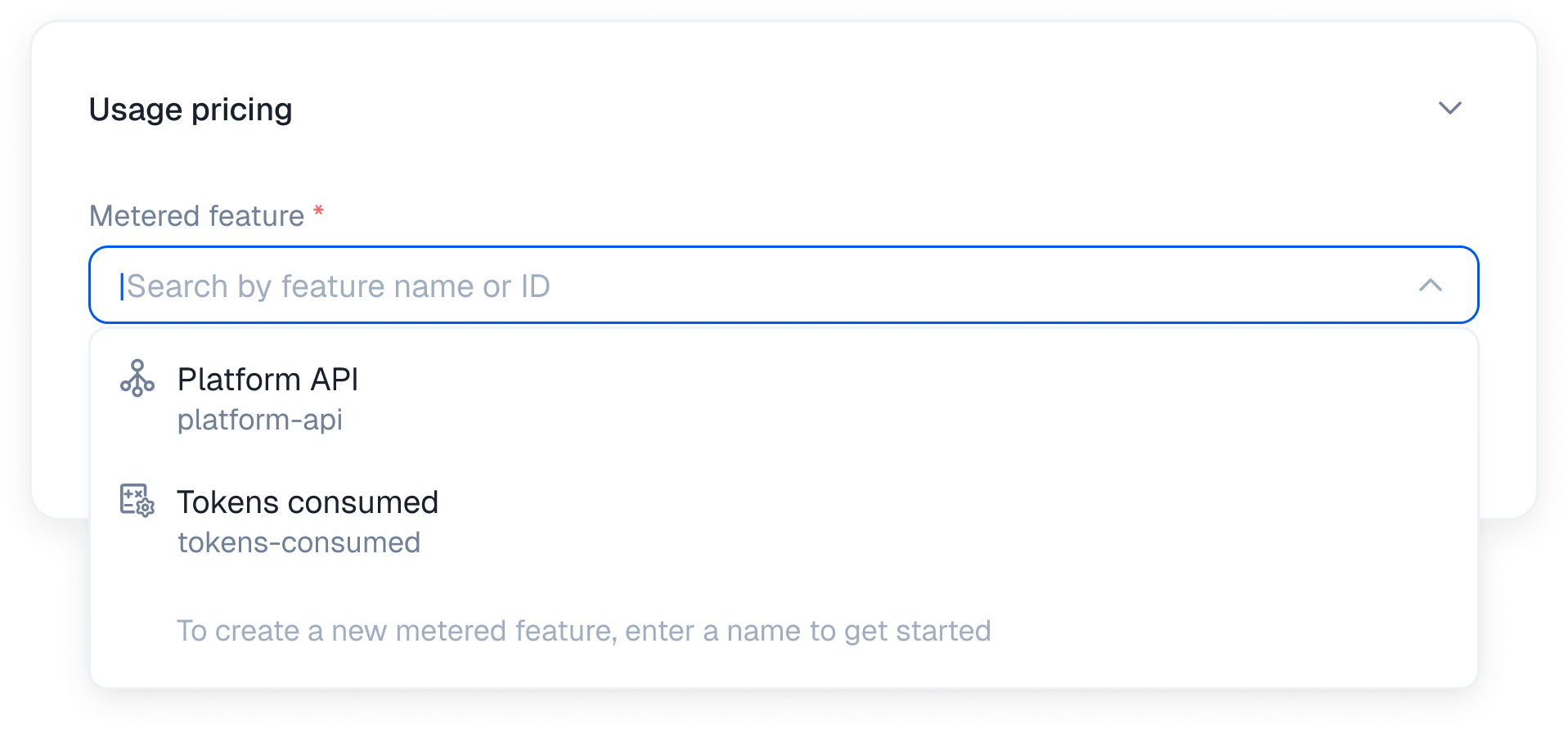
2. Choose your billing model
Select how payments are structured.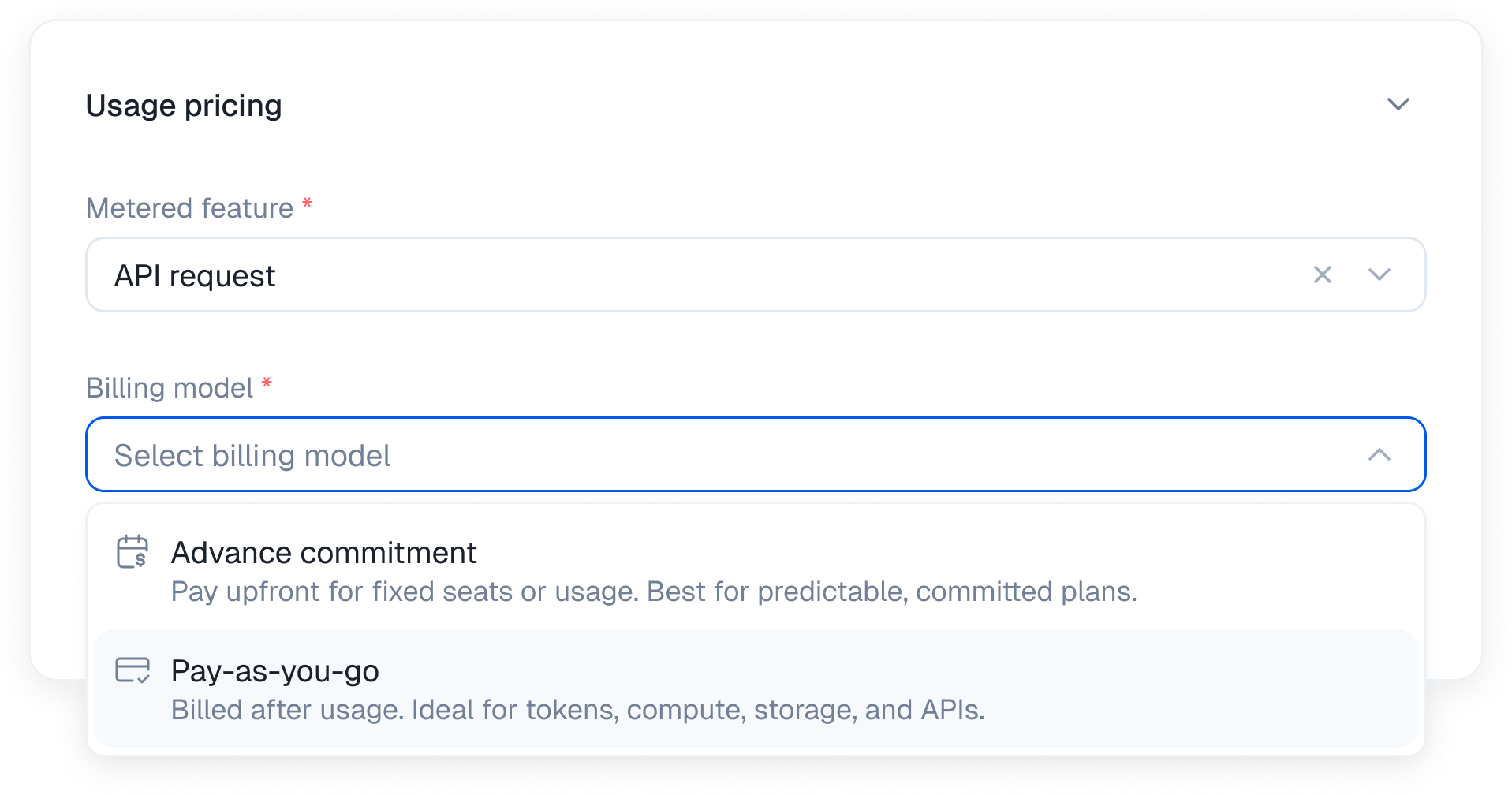
Monthly must be the plan’s only billing period. Pay as you go does not support Stair-step pricing or credit rollover.
3. Configure the pricing model
Kelviq supports five distinct ways to calculate the cost. Here is how the math works for each model.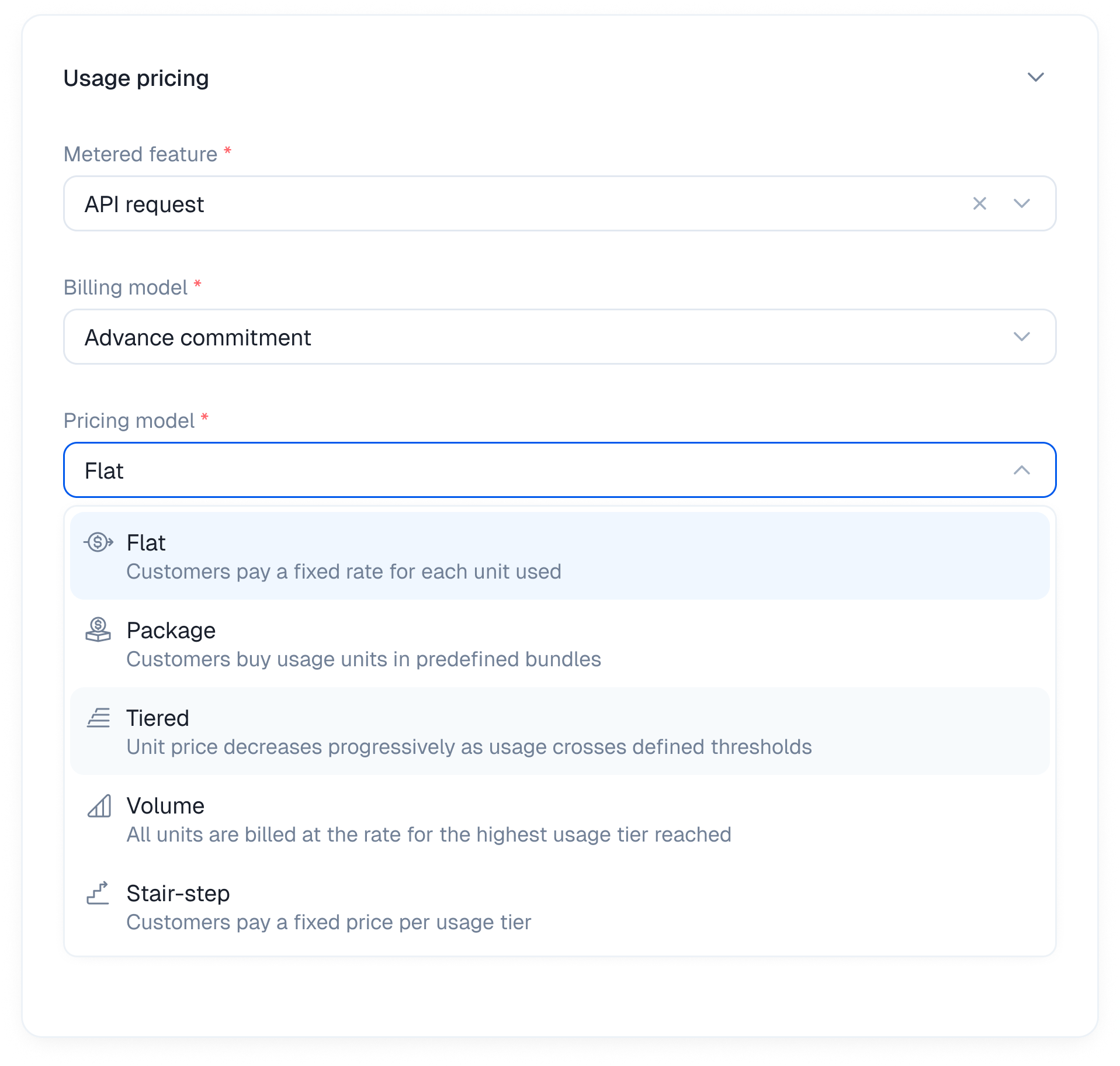
Flat
The simplest way to charge for usage. Set one fixed rate for every unit consumed. No tiers, packages, or volume discounts. The total scales directly with usage. Best for API products and services where the cost of serving each unit stays relatively consistent. Example A translation API charging for each character processed. Sample calculation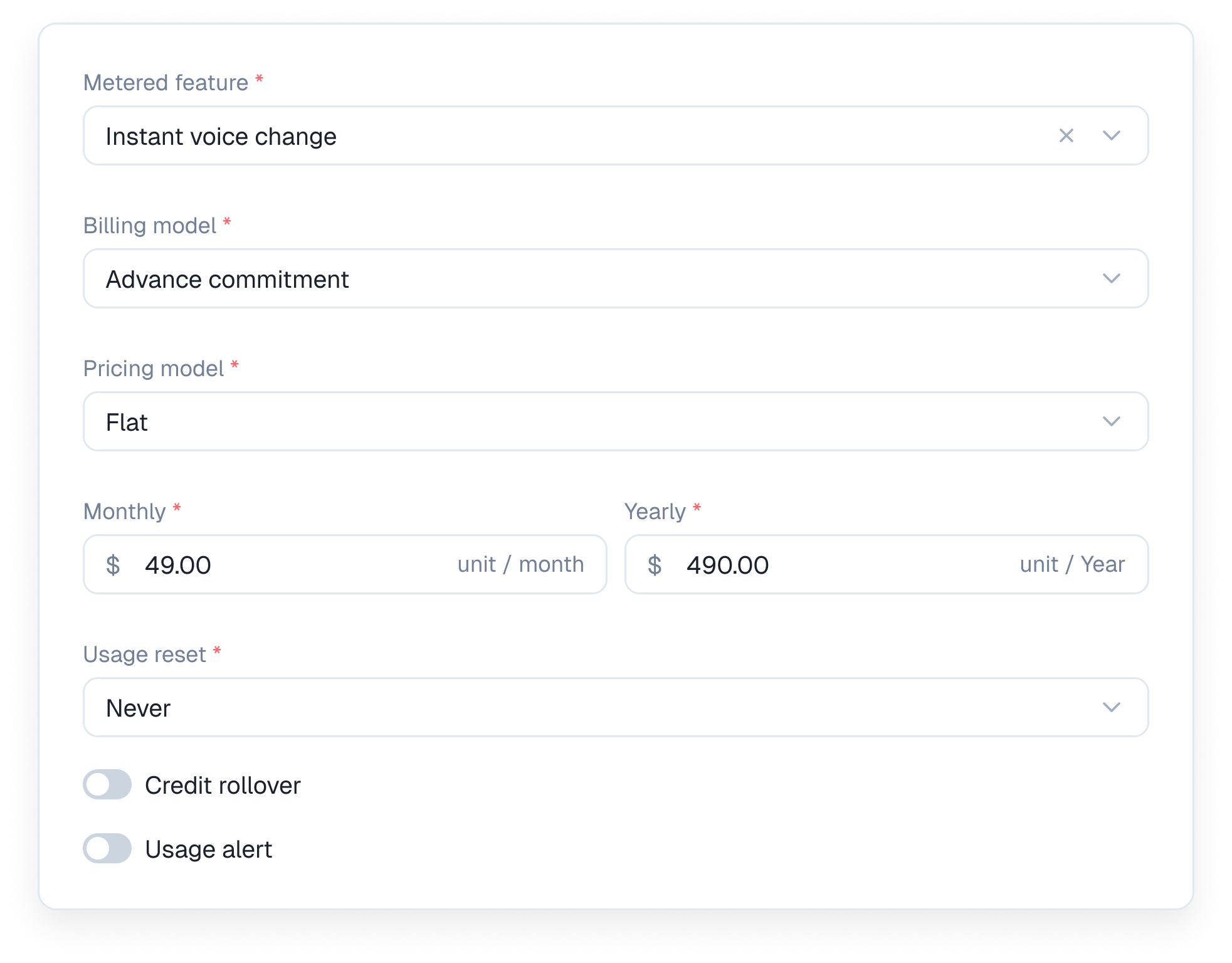
Package
Instead of charging for every unit individually you sell usage in predefined packages. When a customer exceeds one package they are charged for the next full package, even if they only use part of it. Best for Products that want simple pricing, predictable billing increments, and a minimum charge for reserved usage. Example An AI image generator selling images in packages of 100. Sample calculation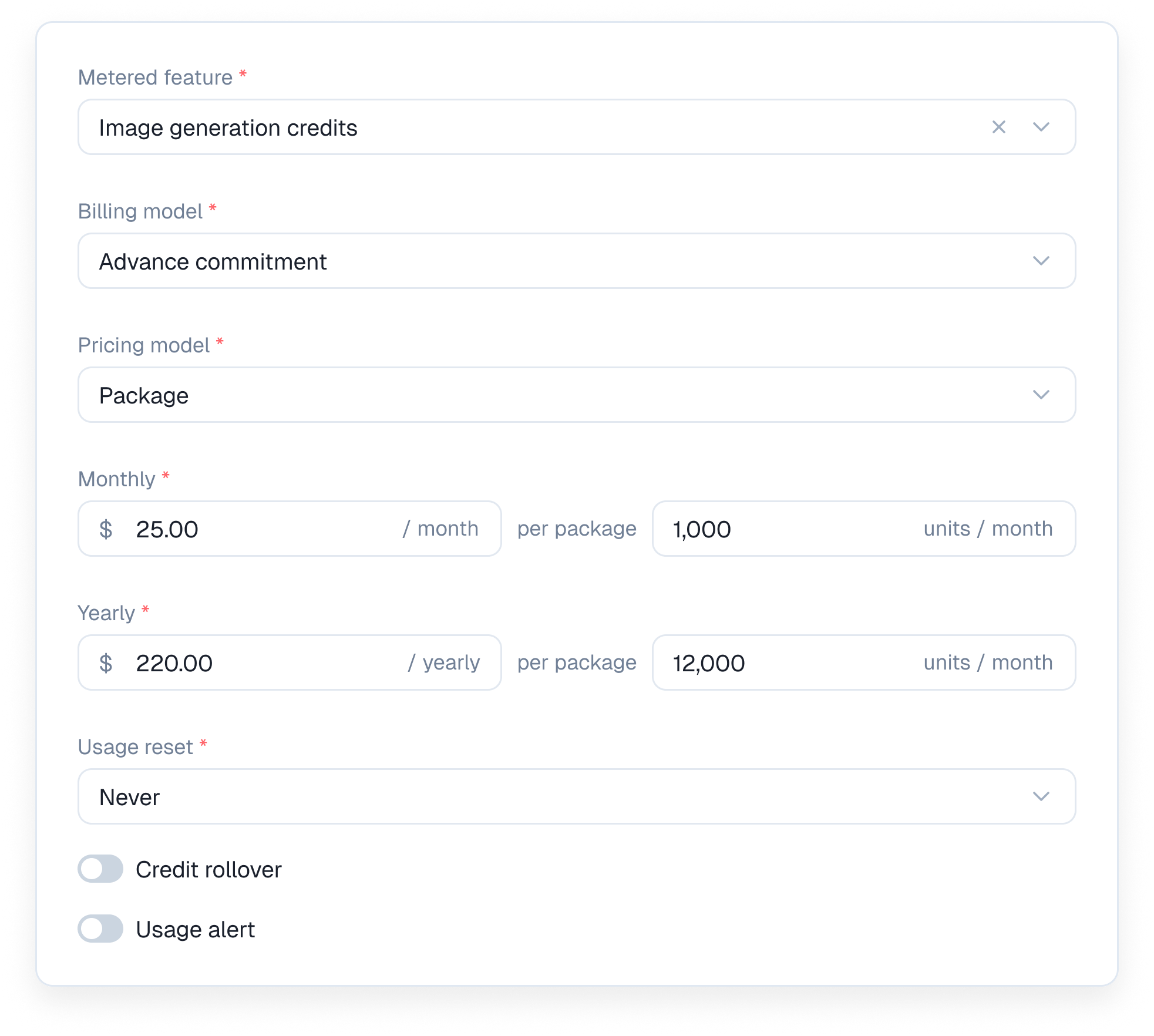
Tiered
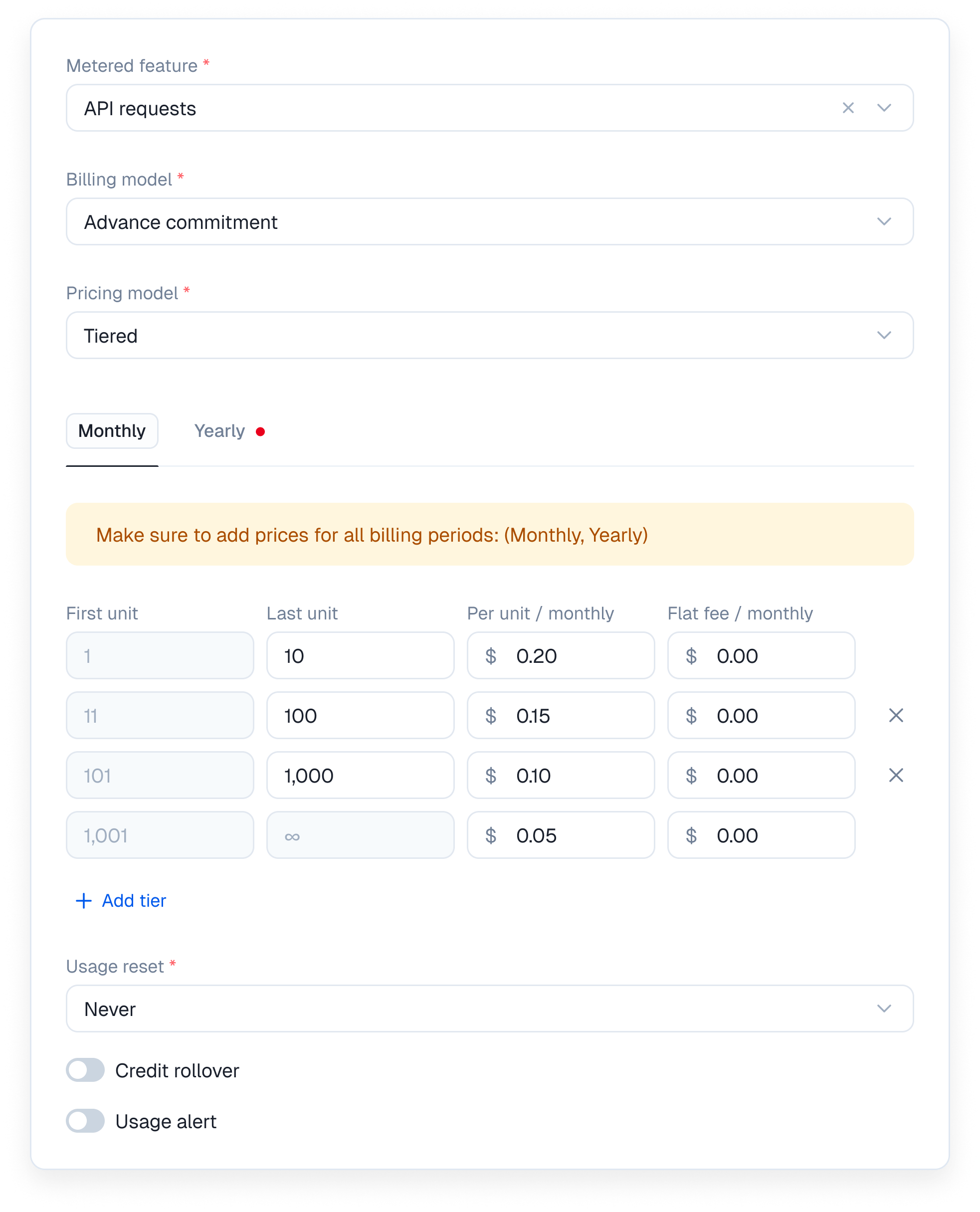
Units are filled into pricing buckets. As usage increases it moves into cheaper brackets, while units in earlier brackets remain charged at their original rate. Why it’s useful Encourages higher adoption while helping you cover fixed costs for lower-volume users. Especially useful for developer platforms. Example An LLM wrapper platform charging based on token usage. Sample calculation
A customer uses 3,500 tokens.
Kelviq tracks each pricing bracket automatically, with sub-100ms real-time access checks.
Volume
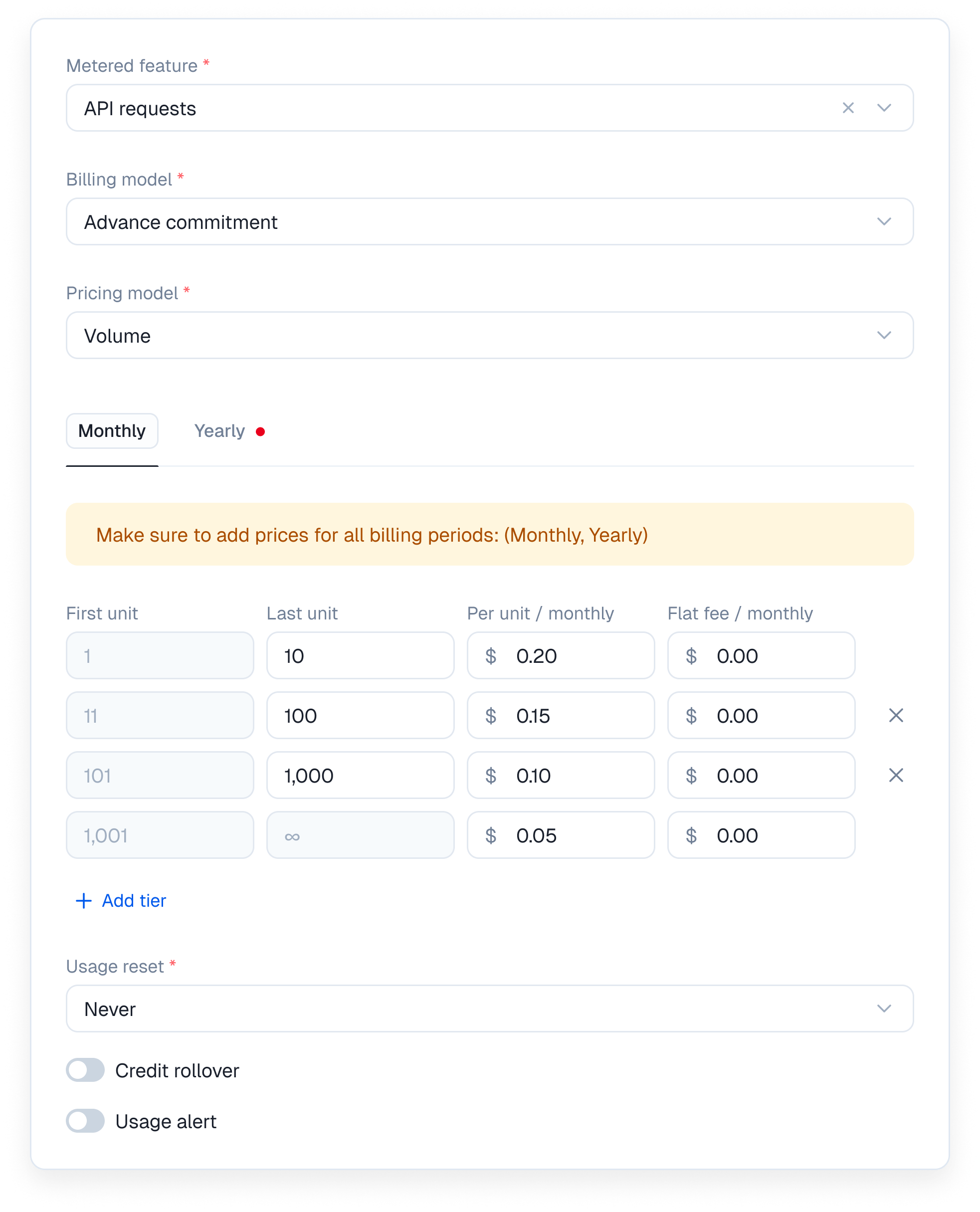
Similar to tiered pricing, but with one major difference. Once usage reaches a specific threshold, every unit consumed during that billing cycle is charged at the new rate. Why it’s useful Creates a strong incentive for high-volume customers to expand their usage by rewarding them with a lower rate across their entire bill. Example An API platform charging based on the number of requests processed. Sample calculation
A customer makes 120,000 API calls.
Kelviq automatically applies the correct rate when customers cross a volume threshold, with no custom billing logic required.
Stair-step
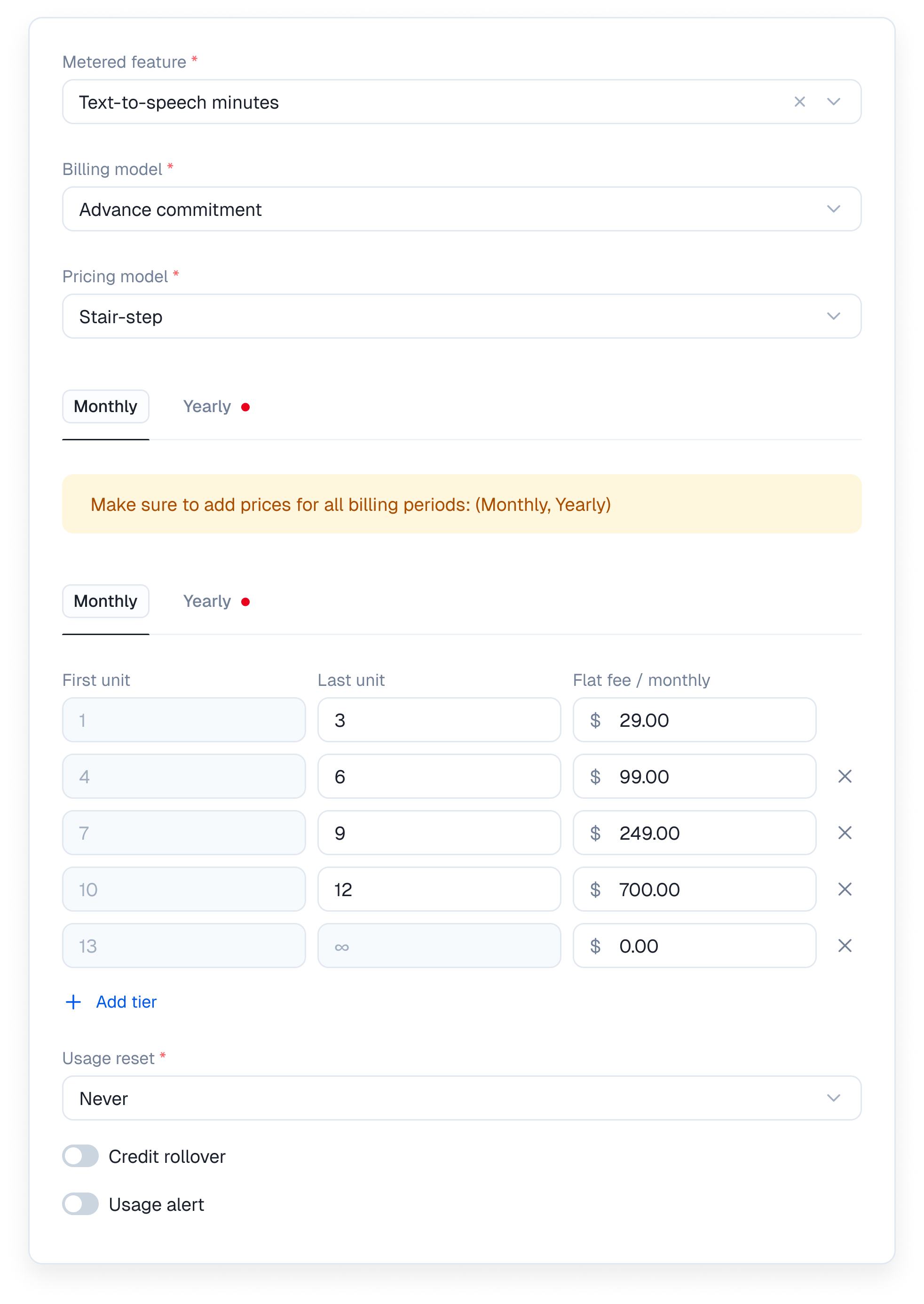
Customers pay a fixed fee based on the usage bracket they fall into, regardless of the exact number of units used within that bracket. There is no per-unit rate. Why it’s useful Combines the simplicity of subscription plans with the flexibility of usage-based scaling. Perfect for API plans, infrastructure products, and other services with clear usage bands. Example An email delivery platform charging based on monthly email volume. Sample calculation
A customer sends 12,000 emails. They fall into the second step and pay a flat $150.
Kelviq automatically moves customers into the correct pricing step as their usage grows, with no custom billing logic required.
4. Set the pricing rules
Once you pick a pricing model you define the exact boundaries. If you select Tiered you specify the first unit and last unit for each bucket. You can charge a per unit price and a flat fee within that same tier. You can also set localized pricing for usage based billing. This lets you define different per unit rates for specific countries and currencies.Regional pricing and usage controls
When you add a regional price, Kelviq carries over the base price’s usage reset, usage alert, and credit rollover settings. This keeps entitlement behavior consistent while allowing the monetary price and currency to vary by region. Update these controls on the base price when you want the same behavior across its regional prices.5. Set the usage reset cadence
Configure how often the usage meter resets. Credit rollover is calculated when this reset happens. Use Never for a lifetime limit, or choose a recurring reset such as every week or every month. A meter set to Never has no period boundary at which to roll unused credits forward. For monthly resets, choose either the first day of the month or the customer’s subscription start date.6. Configure rollover and alerts
Credit rollover
Credit rollover lets a customer keep part of an advance commitment they did not use before the meter resets. It is available for Advance commitment usage prices, not Pay as you go prices. To configure it:- In the plan editor, expand Usage charges and open the metered feature.
- Choose Advance commitment as the billing model.
- Set the included Value and a recurring Usage reset.
- Turn on Credit rollover.
- Enter the Percentage of unused units to carry forward. The value can be from 0% to 100%.
- Enter a Limit in units to cap the rollover amount.
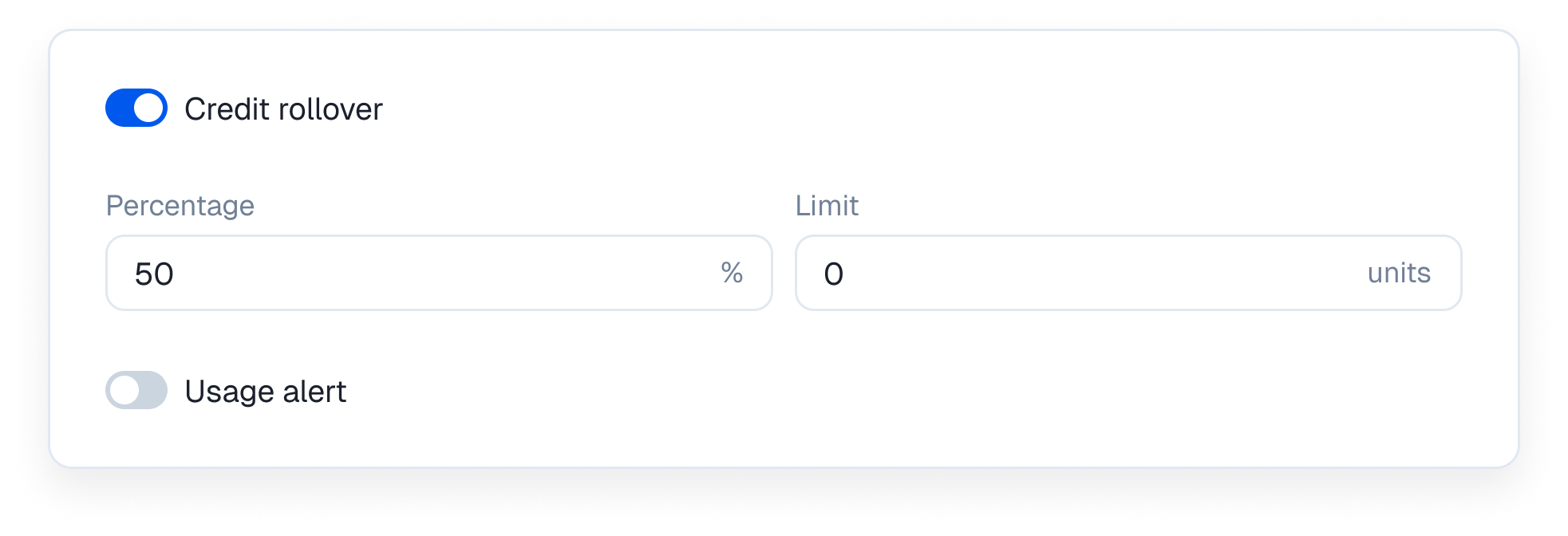
The rollover limit and the usage hard limit do different jobs. The rollover limit caps the credits carried into a new period. The hard limit stops additional usage when the customer’s balance reaches zero.
Usage alerts
Usage alerts watch a metered feature for percentage or absolute-unit thresholds. When a customer crosses a threshold, Kelviq sendsfeature.usage_alert to your subscribed webhook endpoint. Your application can then send an email, show an in-app warning, or start an upgrade flow.
See Usage alerts for dashboard and API configuration, the webhook payload, a Node.js handler, and sandbox testing steps.
7. Stack multiple usage metrics
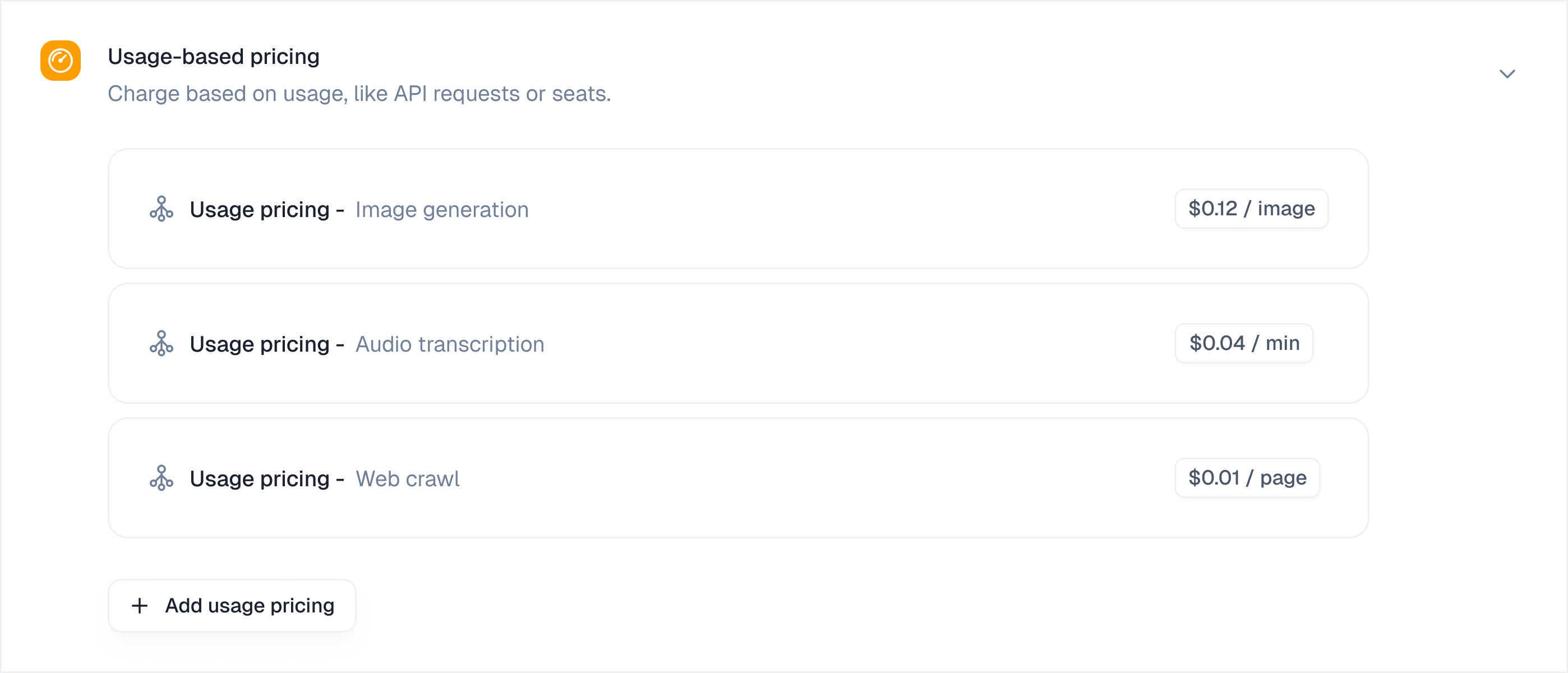
Model a plan with different kinds of limits
Not every plan limit should be a meter. Choose the feature type based on what the value means and how your application will use it.
For metered limits, consider usage alerts at 80% and 90%. These thresholds give customers time to reduce usage or upgrade before they reach a hard limit. Rollover and overage behavior depend on your pricing policy; do not enable them automatically for every meter.
When a customer changes plans, Kelviq retains their existing usage counters and evaluates them against the new limits. A customer who has already consumed more than the downgraded limit may therefore become over limit as soon as the downgrade takes effect.