

- Percentage — Reduces an eligible price by a percentage, such as 20%.
- Fixed amount — Subtracts a specific amount in a selected currency, such as USD 10 or INR 500.
Create a discount
1
Start creation
Click + Create discount in the top right corner.
2
Define value
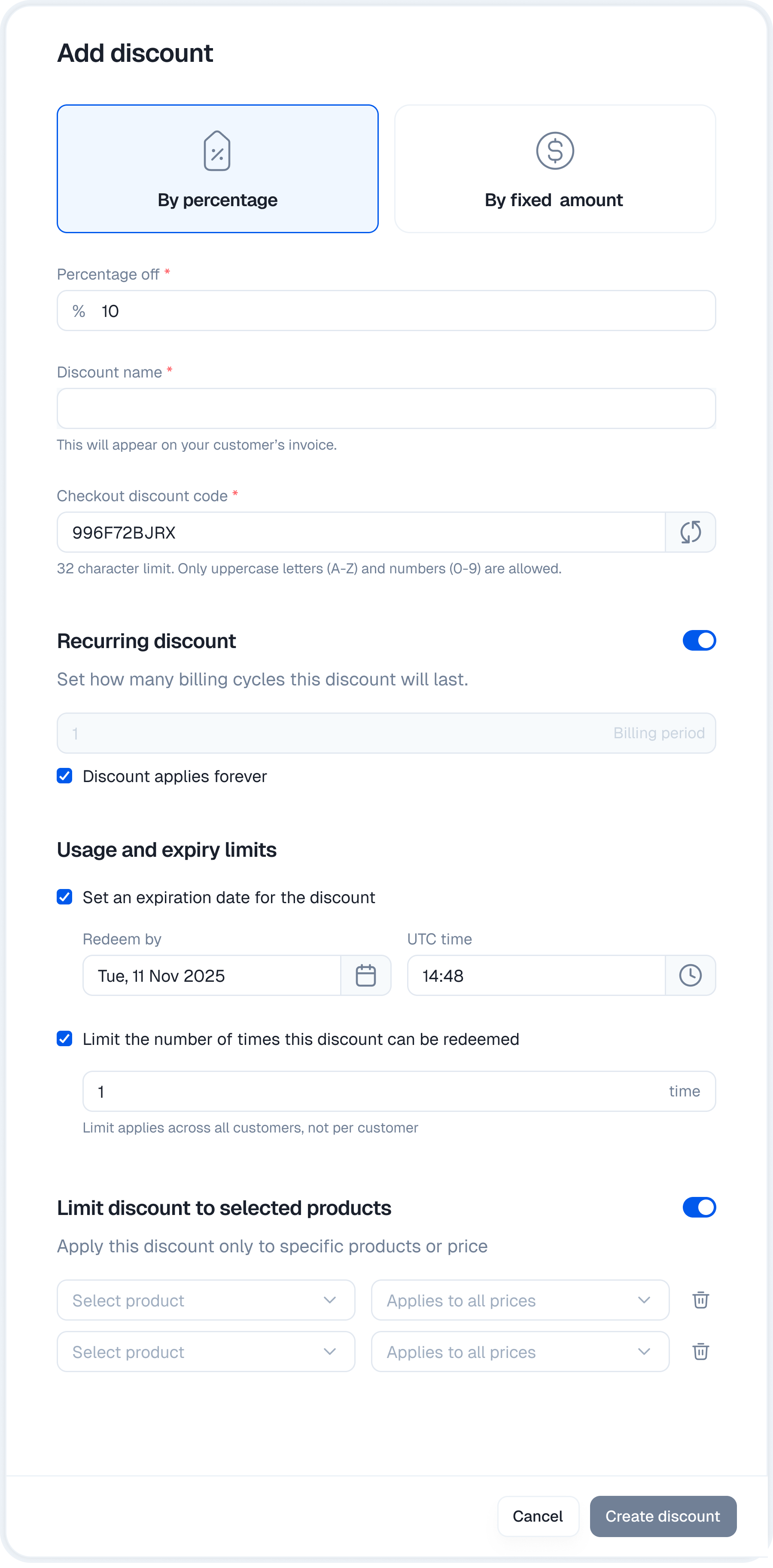
Choose the discount type (Percentage or Fixed amount) and enter the value.
- Name: The internal name for your reference.
- Discount code: The text the customer enters at checkout. You can type your own or click the refresh icon to auto-generate a secure random code.
3
Configure rules
Set the duration, limits, and product scope (detailed below).
4
Create
Click Create discount to make the code live immediately.
Configuration options
You can control exactly how and when a discount applies.Duration
Recurring discount settings are enabled by default. Choose how long the discount should apply:- Enter a number of billing cycles for a limited recurring discount.
- Select Discount applies forever to apply it to every eligible recurring invoice.
- Turn off Recurring discount when the code should apply only to the initial purchase.
Usage & expiry
Control the scarcity of the coupon.- Redemption limit: Set a total number of times this code can be used (e.g. “First 100 users”).
- Expiry date: Set a hard deadline when the code stops working.
Product restrictions
By default, a discount applies to the entire catalog. To restrict it:- Enable Limit discount to selected products.
- Select a product in every restriction row you add.
- Optionally select a specific plan price. Choose Applies to all plans to include every price under that product.
Apply a discount at checkout
Customers can enter a code themselves, or you can pre-apply one through the Checkout API or a static checkout link. See Apply a discount code at checkout for working examples and field names.Management
The main discounts tab shows the status of every code you have created.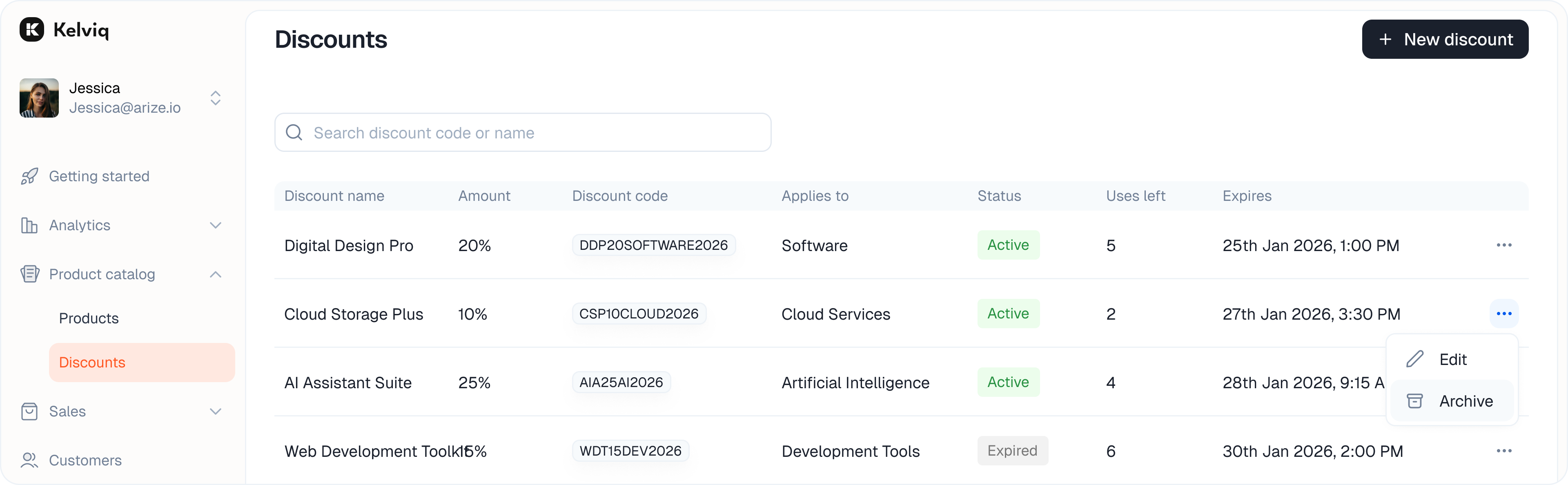
- Active: The code is live and redeemable.
- Expired: The code has passed its end date or hit its usage limit.