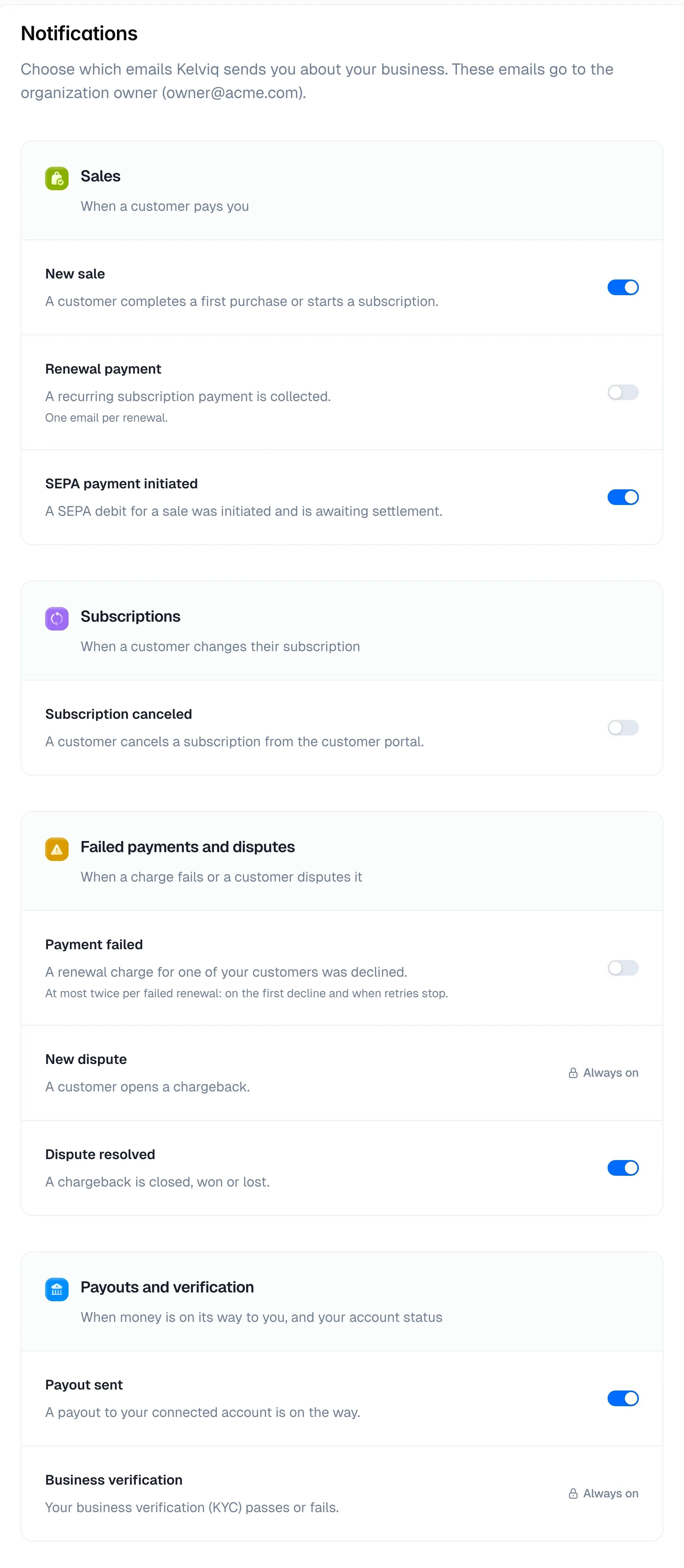
Kelviq can email you when something happens in your business: a new sale, a canceled subscription, a dispute, a payout on its way. Open Settings → Notifications to choose which of these emails you get. The emails go to the organization owner’s email address. Only the owner sees the Notifications page. Other members don’t get these emails and can’t change them.
Settings → Notifications: Sales, Subscriptions, Failed payments and disputes, and Payouts and verification, each email with a switch, New dispute and Business verification marked Always on
Use the switch next to an email to turn it on or off. The change saves right away and applies to future emails only.

The emails

Renewal payment, Subscription canceled and Payment failed are off by default because they can be frequent. Turn them on if you want an email for each one. New dispute and Business verification are always sent. A new dispute carries the deadline for sending evidence, and missing it loses the dispute. Business verification covers your account and compliance status.
These emails are for you. To act on the same events in your app, use webhooks. The emails Kelviq sends your customers are in Customer emails.