

Upgrade: $100 → $200
The unused half of the old plan is worth a $50 credit. The remaining half of the new plan costs $100. The difference is $50.Downgrade: $200 → $100
The unused half of the old plan is worth a $100 credit. The remaining half of the new plan costs $50. The customer is owed $50.
The new plan and its limits apply as soon as the change is made, whichever option you pick. Amounts depend on the exact time of the change.
Set your defaults
Open Settings → Subscription proration. There are two defaults: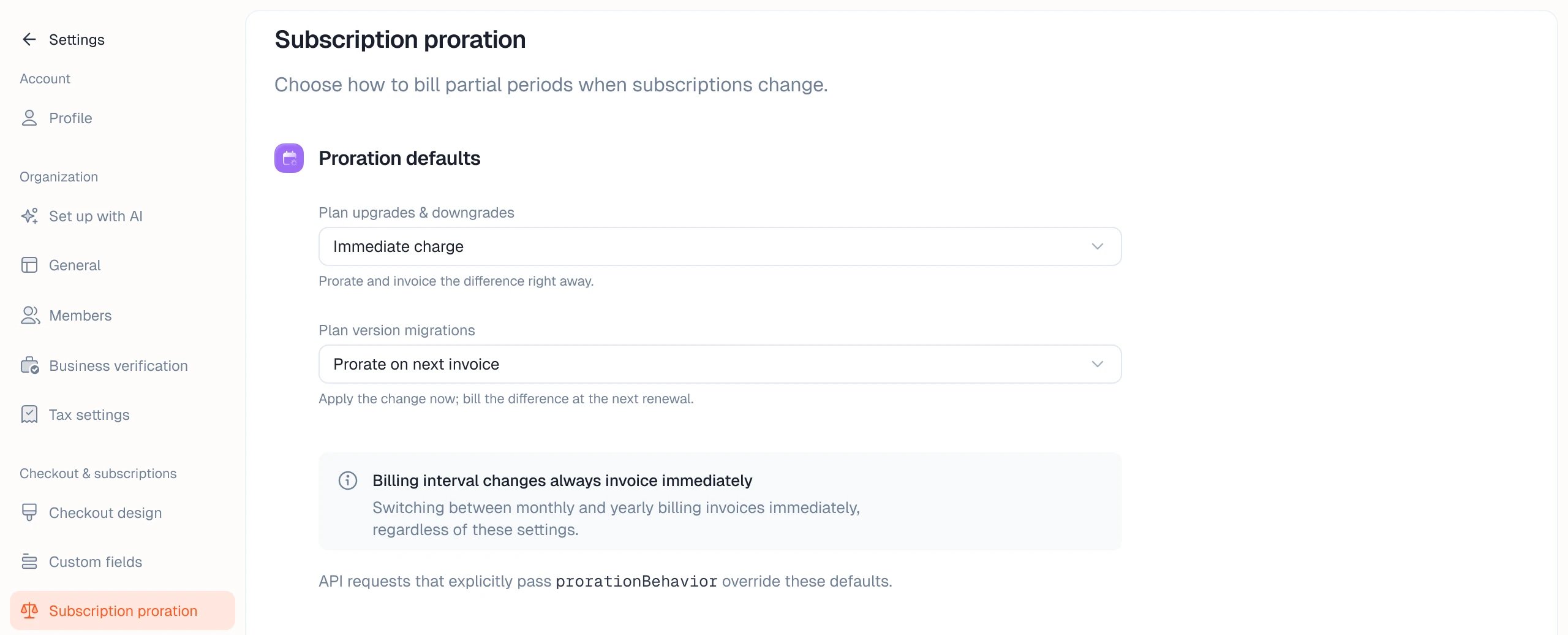
Override per change
PassprorationBehavior when you update a subscription through the API or SDK. It overrides the default for that change.
client.subscriptions.previewUpdate with the same fields, or POST /subscriptions/{subscriptionId}/update/preview/.
To keep the old plan until the customer pays for the new one, see Wait for payment before changing access.